
Microsoft DirectStorage in 2026: Does Your Gaming PC Actually Support It and What Does It Do?
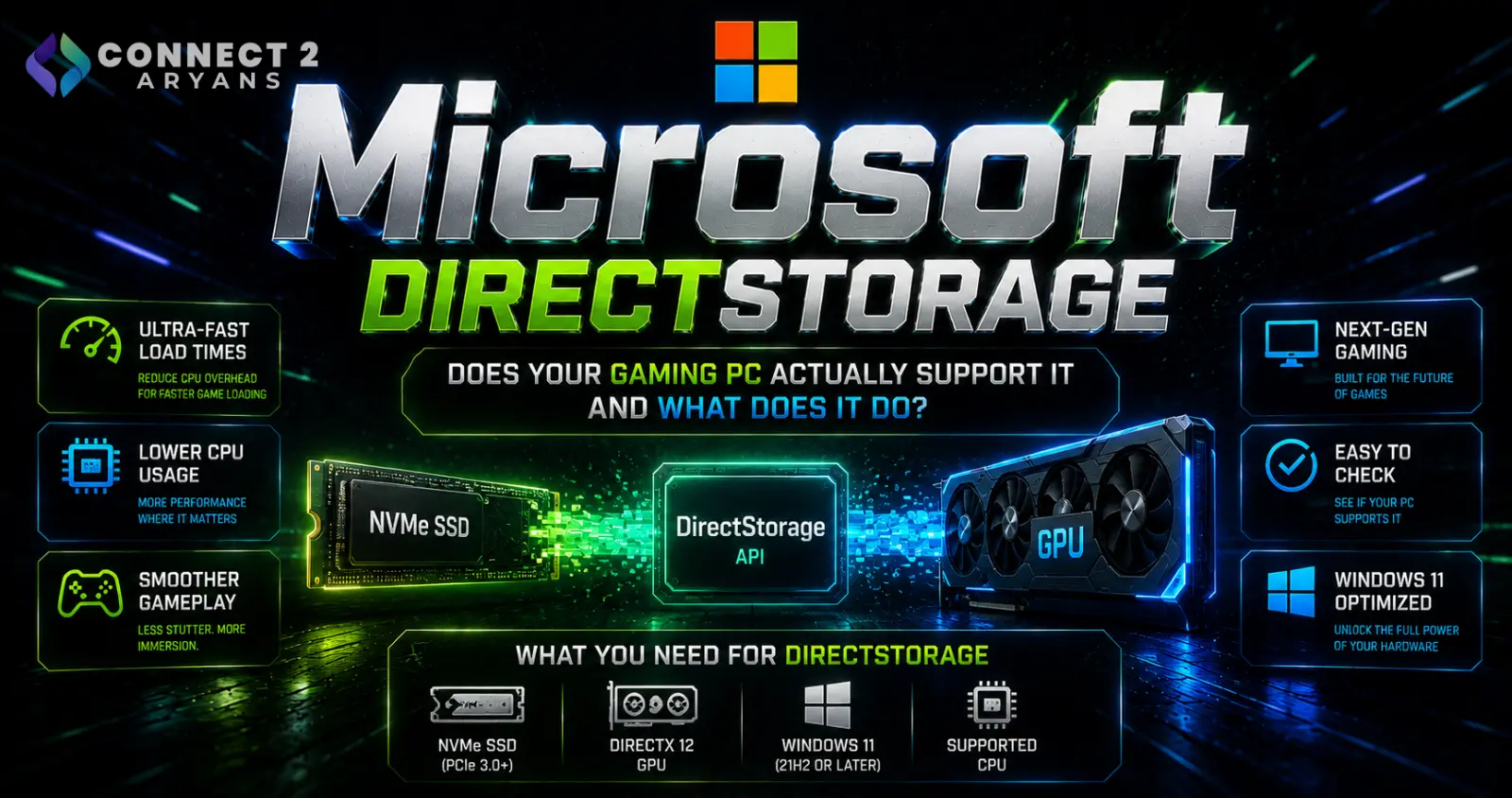
Microsoft DirectStorage in 2026: Does Your Gaming PC Actually Support It and What Does It Do?
Gaming PCs have become dramatically faster over the past several generations.
Processors have gained more cores and greater performance. GPUs can render increasingly complex worlds. NVMe SSDs can move enormous amounts of data.
But getting game assets from storage into a form the GPU can actually use is another part of the performance equation.
That is where Microsoft DirectStorage comes in.
DirectStorage is part of Microsoft's DirectX technology family. Microsoft describes it as an API intended to allow games to make greater use of high-speed storage such as NVMe SSDs while handling large numbers of small data reads with minimal CPU overhead.
And the technology is still evolving.
On March 11, 2026, Microsoft announced the public preview of DirectStorage 1.4, adding support for Zstandard compression and decompression as part of a broader effort to improve how modern game assets are packaged, transferred and decompressed.
So what does any of this actually mean if you're building or upgrading a gaming PC?
More importantly:
Do you need a particular SSD, graphics card or version of Windows to benefit?
What Is Microsoft DirectStorage?
Traditional game loading involves multiple stages.
Very simply, game data has to travel from:
Storage → System → Decompression → Memory/GPU → Game
Modern games can contain enormous quantities of textures, geometry, audio and other assets.
Microsoft developed DirectStorage to provide developers with a more efficient I/O model for handling these workloads.
Microsoft says DirectStorage is designed for high-speed storage capable of delivering multiple gigabytes per second while processing large numbers of relatively small data reads with reduced CPU overhead.
That last part is important.
DirectStorage isn't simply:
“an SSD makes games load faster.”
It changes how compatible games can interact with the storage and graphics pipeline.
Why Modern Games Need Faster Asset Streaming
Older games could often load much of what they needed before a level began.
Modern open-world games operate differently.
As you move through an environment, the game may continually need new:
textures,
geometry,
objects,
audio,
animations,
and other assets.
This creates an enormous data-streaming workload.
Microsoft says its DirectX investments have focused partly on accelerating world streaming and reducing long loading operations, including moving decompression work toward the GPU through DirectStorage.
Instead of treating storage performance only as a loading-screen issue, modern game engines can increasingly stream data while the player is moving through the world.
DirectStorage Isn't Just About SSD Read Speed
This is where the technology is frequently misunderstood.
You may see an SSD advertised with extremely high sequential read speeds and assume:
faster SSD = proportionally higher gaming FPS.
That isn't how DirectStorage works.
Storage bandwidth is only one part of the process.
Game assets are frequently compressed because storing everything uncompressed would dramatically increase installation sizes and storage requirements.
Those assets eventually need to be decompressed.
Historically, much of that decompression workload has been handled by the CPU.
DirectStorage introduces another possibility.
What Is GPU Decompression?
DirectStorage 1.1 introduced GPU decompression.
Microsoft announced DirectStorage 1.1 with GPU decompression and its GDeflate compression format in late 2022.
The concept is relatively straightforward.
Instead of requiring the CPU to perform all of the asset decompression work, compatible games can use the GPU for decompression.
Microsoft explained when introducing DirectStorage 1.1 that the key idea is moving suitable decompression work from the CPU to the GPU.
Modern GPUs contain enormous parallel-computing capability.
Allowing them to participate in this part of the asset pipeline can reduce CPU involvement and improve the efficiency of moving game assets toward rendering.
Does DirectStorage Increase FPS?
This requires an important distinction.
DirectStorage is primarily an I/O and asset-streaming technology.
Its main purpose isn't simply to turn:
80 FPS into 120 FPS.
The potential benefits are more closely related to things such as:
- Faster loading
- More efficient asset streaming
- Reduced CPU overhead associated with I/O
- Faster decompression
- Supporting increasingly detailed game worlds
Whether a particular game sees changes elsewhere in performance depends on the game's implementation and workload.
Therefore, you should not purchase an NVMe SSD expecting DirectStorage to behave like a GPU upgrade.
DirectStorage Only Matters When the Game Uses It
This is perhaps the single most important point for buyers.
DirectStorage is an API available to game developers.
Microsoft provides the SDK, APIs and development tools, but developers must actually implement the technology into their games.
Installing Windows 11 doesn't automatically convert every game into a DirectStorage title.
Likewise, installing an extremely fast NVMe SSD doesn't force an older game to adopt DirectStorage.
Think of it as:
Hardware support + Windows support + game implementation
rather than simply a feature that you manually switch on.
Do You Need an NVMe SSD for DirectStorage?
Microsoft's current Windows 11 requirements documentation states that DirectStorage requires an NVMe SSD for games using the feature with the Standard NVM Express Controller driver.
Microsoft has also consistently recommended storing DirectStorage-enabled games on NVMe storage to obtain the strongest I/O benefits.
This makes NVMe storage the natural choice for a modern DirectStorage-focused gaming PC.
Browse NVMe SSDs on Connect2Aryans
The important distinction, however, is that NVMe is a protocol, while PCIe generation determines another part of the drive/platform capability.
Do You Need a PCIe 5.0 SSD?
No.
Microsoft's DirectStorage requirement doesn't say you need a PCIe 5.0 SSD.
It specifies NVMe storage for the relevant Windows 11 feature requirement.
That means DirectStorage compatibility should not be confused with:
PCIe Gen5 SSD ownership.
PCIe 3.0, PCIe 4.0 and PCIe 5.0 NVMe drives belong to different performance generations, but simply purchasing the fastest possible PCIe 5.0 SSD isn't a prerequisite for DirectStorage.
This is also why you shouldn't choose storage solely around the DirectStorage logo or theoretical sequential throughput.
Capacity, motherboard compatibility, thermal behavior and price remain important.
NVMe vs SATA SSD for DirectStorage
A SATA SSD is still enormously faster than a traditional mechanical hard drive in many everyday workloads.
It can remain an excellent upgrade for an older PC.
But SATA and NVMe storage operate through different interfaces and performance envelopes.
Microsoft specifically identifies NVMe storage for DirectStorage in its current Windows 11 feature requirements.
If you're building a modern gaming system around DirectStorage capability, NVMe is therefore the appropriate direction.
If your system doesn't support NVMe, a SATA SSD can still provide a major general storage improvement.
Browse SATA SSDs on Connect2Aryans
Do You Need a Special Graphics Card?
DirectStorage GPU decompression also has graphics requirements.
Microsoft states that GPU decompression is supported on GPUs capable of:
DirectX 12 + Shader Model 6.0.
Microsoft's current Windows 11 feature requirements similarly specify a DirectX 12 GPU with Shader Model 6.0 support for DirectStorage.
Microsoft recommends a DirectX 12 Ultimate-capable GPU for the best experience, but that recommendation shouldn't be confused with the minimum capability required for GPU decompression.
This means DirectStorage is not restricted to one GPU brand.
NVIDIA, AMD and Intel Can Participate
DirectStorage is a Microsoft DirectX technology rather than an NVIDIA-only or AMD-only technology.
When Microsoft released DirectStorage 1.1, it highlighted hardware-specific optimization work from:
AMD
Intel
and
NVIDIA.
The same cross-vendor approach continues with newer development.
For DirectStorage 1.4's Zstandard work, Microsoft said it is co-engineering with GPU hardware vendors to improve decompression performance across the PC ecosystem.
So the important question isn't simply:
“Do I own NVIDIA?”
It is whether your GPU and drivers provide the appropriate DirectX/Shader Model support for the implementation being used.
What Is DirectStorage 1.4?
This is where the story becomes particularly relevant in 2026.
On March 11, 2026, Microsoft released the public preview of DirectStorage 1.4.
One of its most significant additions is:
Zstandard compression support.
Zstandard, commonly called Zstd, is an open compression standard.
Microsoft says it evaluated compression technologies based on factors including:
compression ratio,
decompression performance,
hardware/software availability,
and existing ecosystem adoption.
It selected Zstandard as an additional codec because it performs strongly across those areas.
Why Zstandard Matters for PC Games
Modern game installations can be enormous.
Higher-resolution textures, increasingly detailed worlds and more complex assets all require storage.
Compression helps reduce the amount of physical storage those assets consume.
But compressed assets need to be decompressed before use.
That creates a balancing act:
Storage size ↔ Compression ratio ↔ Decompression performance
Microsoft says Zstd offers competitive compression and decompression characteristics alongside broad existing adoption.
DirectStorage 1.4 adds Zstd into Microsoft's multi-tier decompression framework, supporting both CPU and GPU decompression paths.
That gives developers another tool for balancing game size, streaming and performance.
Microsoft Is Also Working With GPU Manufacturers
DirectStorage 1.4's Zstd implementation isn't simply a Microsoft-only software project.
Microsoft said in March 2026 that it is working with AMD, Intel and NVIDIA on GPU-side optimization.
AMD stated that it plans to make AMD GPU optimizations available in a public driver during the second half of 2026.
Intel and NVIDIA are also working with Microsoft around optimized Zstandard decompression.
Because DirectStorage 1.4 is currently described by Microsoft as a public preview, buyers shouldn't treat all of these future optimizations as universally available production features today.
DirectStorage 1.4 Is a Preview, Not a Reason to Buy a New GPU
This distinction matters.
A new DirectStorage version doesn't suddenly make your current graphics card obsolete.
DirectStorage 1.4's Zstd support is primarily a development-platform evolution.
Its usefulness to gamers depends on:
developers adopting it,
games shipping with appropriate implementations,
drivers supporting optimized paths,
and the user's hardware.
Don't replace a perfectly capable GPU solely because Microsoft released a newer DirectStorage SDK.
A graphics-card upgrade should still be based primarily on your gaming performance requirements.
Does DirectStorage Require Windows 11?
This answer has some nuance.
Microsoft previously designed DirectStorage games to work on both Windows 10 and Windows 11, while recommending Windows 11 because it contains additional storage-stack optimizations.
Microsoft's current Windows 11 feature documentation describes DirectStorage requirements specifically within Windows 11 and identifies the NVMe and DX12/Shader Model 6.0 hardware requirements.
Windows 11 also contains BypassIO, an optimized I/O path designed to reduce CPU overhead when reading files and form part of the infrastructure supporting DirectStorage. Microsoft states that BypassIO is available starting with Windows 11.
For a new gaming PC intended to make full use of Microsoft's modern storage stack, Windows 11 is therefore the sensible target platform.
What Is BypassIO?
BypassIO is one of the less visible technologies behind modern Windows gaming storage.
Microsoft describes it as an optimized file-reading I/O path designed to reduce CPU overhead.
It forms part of the infrastructure supporting DirectStorage.
Normally, storage operations pass through multiple layers of the Windows storage stack.
BypassIO provides a more optimized path where compatible drivers and system components support it.
For the gamer, the important point isn't memorizing the driver architecture.
It's understanding that DirectStorage isn't simply:
SSD → GPU.
There are operating-system and driver components involved as well.
Your Storage Drivers Matter
Because DirectStorage interacts with the Windows storage infrastructure, drivers matter.
Microsoft specifically notes that storage drivers need to support BypassIO appropriately to avoid falling back from the optimized path.
This is another reason to avoid random or outdated storage drivers when building a modern gaming PC.
Use appropriate:
motherboard/chipset drivers,
storage drivers,
GPU drivers,
and Windows updates
from the relevant official sources.
How Do You Check DirectStorage Support?
Windows users can inspect DirectStorage information through the Xbox Game Bar.
Press:
Windows + G
and look for the gaming-features information where supported.
The reported DirectStorage capability can depend on your:
Windows version,
storage configuration,
GPU,
and drivers.
If Windows reports that the storage path isn't optimized, don't immediately assume the NVMe SSD itself is defective.
The complete storage stack matters.
An M.2 SSD Isn't Automatically NVMe
This causes a lot of confusion.
M.2 describes a physical form factor.
It does not automatically mean:
NVMe.
M.2 drives can use different interfaces depending on the product and platform.
A system can therefore have an M.2 SSD without necessarily having the NVMe configuration you're expecting.
When buying storage for a DirectStorage-oriented PC, verify that the drive is actually:
M.2 NVMe / PCIe
rather than relying only on the physical appearance.
Compare NVMe SSDs on Connect2Aryans
Your Motherboard Must Support the SSD Too
Buying a fast NVMe drive doesn't guarantee your motherboard can operate it at its advertised interface speed.
Motherboards can differ in:
number of M.2 slots,
supported PCIe generations,
CPU-connected vs chipset-connected slots,
lane sharing,
supported drive sizes,
and thermal solutions.
A PCIe 4.0 NVMe SSD can commonly operate in a compatible older PCIe slot at the lower interface capability, but you should verify the exact motherboard documentation before purchasing.
Browse Motherboards on Connect2Aryans
DirectStorage Doesn't Make HDDs Useless
Mechanical hard drives still have uses.
They remain attractive when you need large amounts of relatively inexpensive storage for:
backups,
media,
archives,
and files that don't require high I/O performance.
However, modern gaming workloads increasingly benefit from SSD storage.
For a DirectStorage-oriented gaming installation, NVMe storage is the relevant target.
An HDD can still serve as secondary bulk storage.
Browse Storage Options on Connect2Aryans
Does a Faster NVMe SSD Always Mean Faster DirectStorage Gaming?
Not necessarily in a simple one-to-one relationship.
Suppose one drive advertises substantially higher sequential throughput than another.
That doesn't mean a DirectStorage game will automatically load in exactly the same proportion.
Performance can depend on:
game implementation,
asset compression,
CPU,
GPU decompression,
storage driver,
queue behavior,
and workload.
Microsoft's description of DirectStorage specifically emphasizes handling large numbers of small reads efficiently rather than reducing the technology to one sequential benchmark number.
So CrystalDiskMark-style peak sequential speed shouldn't be the only specification used to choose a gaming SSD.
DirectStorage Doesn't Replace the Need for Enough SSD Capacity
A very fast 500GB SSD can still be too small for your game library.
When buying gaming storage, consider:
Capacity
alongside
Interface and performance.
For many gamers, having enough room to keep the games they actually play installed can matter more than purchasing the absolute fastest SSD available.
DirectStorage doesn't change that basic purchasing logic.
Should You Move Windows to the NVMe SSD?
For a modern gaming PC, using NVMe storage for Windows and applications can provide a generally responsive system.
However, the important DirectStorage consideration is where the DirectStorage-enabled game itself is installed.
Microsoft recommends placing games on NVMe storage to obtain the strongest DirectStorage experience.
If you have:
NVMe SSD + SATA SSD + HDD
it therefore makes sense to prioritize the NVMe drive for games where high storage performance matters most.
DirectStorage and Gaming Laptops
Gaming laptops increasingly ship with NVMe storage, making them natural candidates for modern storage APIs.
But don't assume every laptop configuration is identical.
A laptop can vary by:
SSD interface,
number of M.2 slots,
GPU,
Windows installation,
and storage drivers.
If you're upgrading a laptop SSD, also check the physical M.2 length and the manufacturer's supported storage configuration.
Browse Gaming Laptops on Connect2Aryans
DirectStorage and Graphics-Card Upgrades
If your current graphics card supports the necessary DirectX 12 and Shader Model 6.0 capability, you shouldn't upgrade it solely to obtain DirectStorage.
A GPU upgrade should primarily solve an actual graphics-performance limitation such as:
insufficient FPS,
insufficient VRAM,
poor performance at your target resolution,
or missing graphics features you actually need.
DirectStorage support should be considered an additional platform capability rather than the primary reason to purchase an expensive GPU.
What PC Builders in Pakistan Should Prioritize
When budgets are limited, it's easy to spend heavily on specifications that look impressive on paper.
For a balanced modern gaming build, think about DirectStorage as part of the overall platform rather than a standalone purchase.
A sensible configuration should prioritize:
Suitable CPU
Suitable GPU
Enough RAM
NVMe storage with sufficient capacity
Compatible motherboard
Quality PSU
Appropriate cooling
DirectStorage compatibility then becomes one capability of that system.
Don't sacrifice a stronger GPU or sufficient SSD capacity simply to obtain the highest possible sequential storage benchmark.
A Practical DirectStorage Upgrade Checklist
If you're building or upgrading specifically with DirectStorage in mind, check:
Operating system:
Windows 11 is the preferred modern platform and contains storage-stack optimizations such as BypassIO.
Storage:
Use an NVMe SSD for DirectStorage-enabled games.
GPU:
DirectX 12 with Shader Model 6.0 support is required for GPU decompression.
Drivers:
Keep GPU and appropriate system/storage drivers current.
Game:
The game itself must actually implement DirectStorage.
That final requirement is easy to overlook.
DirectStorage vs Buying a Faster GPU
If you have to choose between upgrading an old GPU and moving from one already-fast NVMe SSD to an even faster NVMe SSD, the GPU may provide a far more obvious gaming improvement when graphics performance is your bottleneck.
DirectStorage doesn't change the fundamental importance of the graphics card.
Browse Graphics Cards on Connect2Aryans
The correct upgrade always depends on what is actually limiting your system.
DirectStorage vs Adding More RAM
DirectStorage also doesn't replace system memory.
RAM, VRAM and storage perform different roles.
An NVMe SSD cannot simply substitute for insufficient RAM without performance consequences.
Likewise, adding more RAM doesn't turn a SATA drive into NVMe storage.
A balanced gaming PC needs enough memory and suitable storage rather than treating one component as a replacement for another.
Should You Upgrade Your Gaming PC Specifically for DirectStorage?
For most people:
probably not solely for DirectStorage.
If your PC already has:
a modern NVMe SSD,
a suitable DirectX 12 GPU,
current Windows,
and current drivers,
you may already have much of the relevant hardware foundation.
The game itself still has to use the API.
DirectStorage makes more sense as something to consider while upgrading anyway, rather than a reason to replace otherwise capable hardware.
When a Storage Upgrade Makes Sense
Consider moving to NVMe if:
your gaming PC still uses an HDD as its primary game drive,
your motherboard supports NVMe,
your existing storage capacity is insufficient,
or
you are building a new gaming system.
The benefits extend beyond DirectStorage.
NVMe storage is useful for:
operating-system responsiveness,
applications,
large file transfers,
content creation,
and conventional game loading.
DirectStorage simply provides another reason modern gaming platforms increasingly revolve around NVMe storage.
When You Probably Don't Need to Upgrade
You probably shouldn't rush to replace your SSD if:
you already have a capable NVMe drive,
your games run well,
your storage capacity is sufficient,
and
your only reason for upgrading is seeing a newer PCIe generation advertised.
A PCIe 5.0 drive can be technically much faster than older NVMe generations, but that doesn't automatically translate into an equivalent improvement in every gaming workload.
What DirectStorage 1.4 Tells Us About Future PC Games
The most interesting part of DirectStorage 1.4 isn't necessarily something gamers need to buy today.
It's the direction Microsoft is taking the PC gaming asset pipeline.
Modern games are becoming increasingly data-heavy.
Developers need ways to:
compress that data efficiently,
move it rapidly,
decompress it efficiently,
and feed it into increasingly powerful GPUs.
Adding Zstandard to DirectStorage shows Microsoft is continuing to work on this entire pipeline rather than treating storage as an isolated component.
The collaboration with AMD, Intel and NVIDIA also indicates that decompression is increasingly becoming part of the broader GPU/software ecosystem.
Frequently Asked Questions
What is Microsoft DirectStorage?
DirectStorage is a DirectX API designed to help games make more efficient use of high-speed storage and reduce CPU overhead associated with large numbers of storage requests.
Do I need an NVMe SSD for DirectStorage?
Microsoft's current Windows 11 feature requirements specify an NVMe SSD for DirectStorage-enabled games using the Standard NVM Express Controller driver.
Do I need a PCIe 5.0 SSD?
No. PCIe 5.0 is not listed as a DirectStorage requirement. An appropriate NVMe configuration is the relevant requirement.
Does DirectStorage work with PCIe 4.0 NVMe SSDs?
DirectStorage doesn't require PCIe 5.0. Compatible NVMe storage can therefore include PCIe 4.0 configurations, subject to the system, game and software requirements.
Does DirectStorage improve FPS?
DirectStorage is primarily designed around I/O, loading and asset streaming rather than functioning as a conventional FPS-boosting feature. Any wider performance effect depends on the particular game's implementation.
Does DirectStorage require an NVIDIA RTX GPU?
No. Microsoft's GPU decompression requirement is based on DirectX 12 and Shader Model 6.0 capability rather than one GPU brand. Microsoft has worked with AMD, Intel and NVIDIA on DirectStorage optimizations.
What is GPU decompression?
GPU decompression allows compatible DirectStorage workloads to move suitable game-asset decompression work from the CPU toward the GPU. DirectStorage 1.1 introduced Microsoft's GPU decompression functionality.
What is DirectStorage 1.4?
DirectStorage 1.4 is Microsoft's newest DirectStorage release currently available as a public preview. Announced on March 11, 2026, it adds Zstandard compression/decompression support and related development capabilities.
What is Zstandard?
Zstandard, or Zstd, is an open compression standard. Microsoft selected it as an additional DirectStorage codec after evaluating factors including compression ratio, decompression performance and ecosystem availability.
Should I buy a new SSD just for DirectStorage?
Usually not if you already have a suitable NVMe SSD. Upgrade when you also need greater capacity, better general storage performance or are moving from older storage technology.
Conclusion
Microsoft DirectStorage is much more interesting than the simplified claim that:
“NVMe makes games load faster.”
The technology addresses the larger problem of moving enormous quantities of modern game assets efficiently through the PC.
DirectStorage provides developers with an I/O model designed for high-speed storage while reducing CPU overhead. DirectStorage 1.1 expanded that approach with GPU decompression, allowing compatible workloads to move decompression work toward the graphics processor.
And development is continuing.
On March 11, 2026, Microsoft announced the public preview of DirectStorage 1.4 with Zstandard support for CPU and GPU decompression. Microsoft is also working with AMD, Intel and NVIDIA on future GPU optimizations around that technology.
For PC gamers, however, the buying advice remains straightforward.
You don't need to replace a perfectly capable PC simply because DirectStorage exists.
You don't need PCIe 5.0 specifically.
And you shouldn't expect DirectStorage to behave like a graphics-card upgrade that suddenly increases FPS everywhere.
Instead, build a balanced modern gaming system with:
NVMe storage + appropriate GPU + current Windows + suitable drivers.
Then DirectStorage-enabled games can use the capabilities your PC provides.
If you're still gaming from an HDD or building a new PC, moving to NVMe makes sense for many reasons beyond DirectStorage.
But if you already own a capable NVMe SSD, don't replace it purely because a newer drive advertises a much larger sequential-speed number.
DirectStorage is ultimately a software-and-hardware pipeline, not an SSD benchmark.
Browse NVMe SSDs on Connect2Aryans
Browse SATA SSDs on Connect2Aryans
Browse Graphics Cards on Connect2Aryans
Primary research sources: Microsoft's current Windows requirements documentation, Microsoft Learn's DirectStorage/BypassIO documentation, and Microsoft's DirectX Developer Blog, including the March 11, 2026 DirectStorage 1.4 announcement. Connect2Aryans was used only to verify relevant internal-link destinations, not as the factual research source.
