
Filters
Price Range
From
To
Brand
Availability
Peripherals » Capture Cards
Shop capture cards in Pakistan for game streaming, video recording, console capture, and content creation. Compare capture resolution, frame rates, passthrough capabilities, input and output connections, interfaces, software compatibility, and prices to find the right capture card for your setup.
1 Products
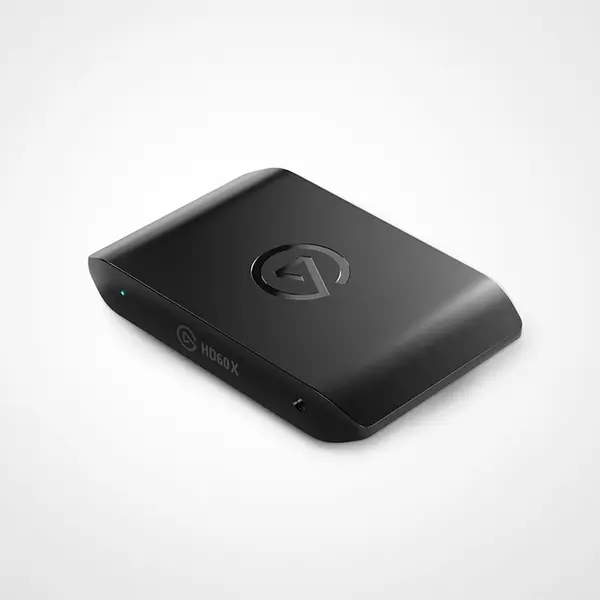
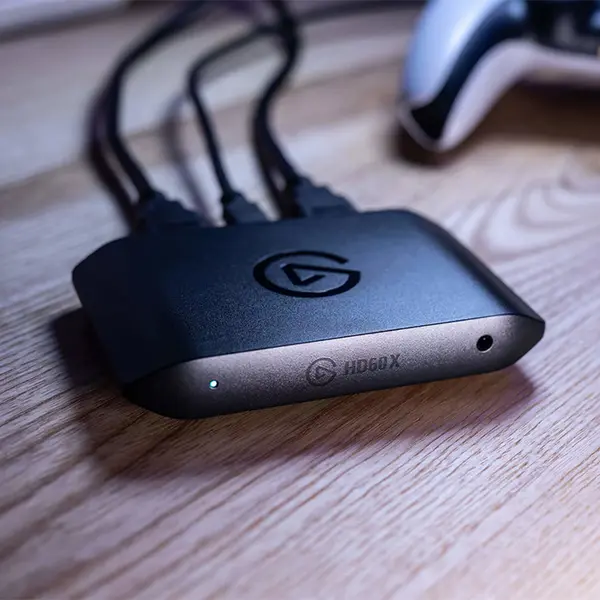
Quick view
Rs. 62,500
Capture Card Price in Pakistan
Compare capture card prices in Pakistan across models designed for gaming, streaming, video recording, console capture, and content creation. Capture cards vary in supported input signals, capture resolution, frame rates, passthrough capabilities, HDR support, interfaces, encoding features, software compatibility, and other specifications. Compare the complete specifications with your source device, computer, display, and intended workflow before purchasing.
Capture Cards for Gaming, Streaming & Recording
Capture cards allow compatible video and audio signals from a source device to be received by another device for recording, streaming, monitoring, or other supported workflows. They can be used with gaming consoles, gaming PCs, cameras, and other compatible video sources depending on the individual capture device and its supported connections.
Capture Cards for Console Gaming
A capture card can be used to route compatible gameplay video and audio from a gaming console to a PC for use with supported streaming or recording software. Consoles may also provide their own built-in recording or streaming features, so whether you need dedicated capture hardware depends on the platform, desired quality, software, overlays, recording workflow, and other requirements.
Capture Cards for Dual-PC Streaming
In a dual-PC streaming configuration, a capture card can transfer a compatible video signal from the gaming PC to the streaming PC. This allows streaming and recording tasks to be distributed between systems. The practical benefits depend on the hardware, encoding method, software configuration, desired output, and overall system setup.
Internal PCIe Capture Cards
Internal capture cards can install into a compatible PCIe slot in a desktop PC. Before choosing one, check the required PCIe interface and available slot, motherboard configuration, case space, supported video inputs, capture modes, passthrough capabilities, operating-system support, and software requirements.
External Capture Cards
External capture cards connect without requiring installation into an internal PCIe slot. Depending on the model, they may use USB or another supported interface and can be suitable for desktop PCs or laptops with compatible connections. Check the exact interface and bandwidth requirements rather than assuming that all external capture cards work with every USB port.
Capture Resolution & Frame Rate
Capture resolution and frame rate determine which video modes a capture card can record or send to compatible software. Supported combinations vary by model. A device may support different maximum frame rates at 1080p, 1440p, 4K, or other resolutions, so check the exact capture mode required for your workflow.
Capture vs Passthrough Resolution
Capture resolution and passthrough resolution are different specifications. A capture card may allow a particular video mode to pass through to a connected display while recording at another resolution or frame rate. Check both specifications if you want to play at one display setting while recording or streaming at another.
Capture Card Passthrough
Passthrough allows a compatible source signal to continue from the capture device to a monitor, TV, or other display. Supported resolution, refresh rate, HDR, VRR, and other video features can differ between capture cards and operating modes. Verify the specific passthrough capabilities required by your gaming or recording setup.
HDR Capture & Passthrough
Some capture cards support HDR capture, HDR passthrough, or both under particular resolutions and frame rates. HDR compatibility can depend on the source, capture card, display, software, cables, and selected video mode. Check the manufacturer's specifications if HDR is important to your workflow.
HDMI Capture Cards
HDMI is commonly used to connect consoles, PCs, cameras, and other compatible video sources to capture hardware. However, HDMI capabilities vary by device and implementation. Check supported input and output resolutions, refresh rates, HDR capabilities, and other required video features rather than relying only on the connector type.
Capture Card Connectivity
Capture devices can use PCIe, USB, or other interfaces for connection to the recording or streaming computer. Interface requirements can affect compatibility and available operating modes. Check the exact port, interface generation, bandwidth requirements, drivers, and operating-system support specified for the individual model.
Capture Cards for Laptops
An external capture card can be an option for a compatible laptop when its ports, operating system, software, and hardware meet the capture device's requirements. Check the required connection and system specifications carefully, particularly when higher-resolution or higher-frame-rate capture modes are required.
Capture Card Software Compatibility
Capture cards can work with manufacturer software or supported third-party streaming and recording applications depending on the model. Available controls and functionality vary, so check operating-system support, drivers, firmware requirements, and compatibility with the software you intend to use.
Capture Cards for Cameras & Content Creation
Compatible cameras and other video sources can also be used with certain capture cards for streaming, recording, presentations, or content creation. Check that the source device can provide a compatible video output and that the capture card supports the required resolution, frame rate, audio, and other signal characteristics.
Choose the Right Capture Card
Start with your video source and intended recording or streaming workflow. Compare input and output connections, capture resolution, frame rates, passthrough capabilities, HDR or other required video features, computer interface, software compatibility, and system requirements. For gaming setups, also consider the resolution and refresh rate you intend to use on your display while capturing.
Buy Capture Cards Online in Pakistan
Browse available capture cards at Connect2Aryans and compare current prices, capture resolutions, frame rates, passthrough capabilities, connectivity, interfaces, software support, and available models. Check the specifications of the capture card, source device, computer, display, and software before purchasing.
Frequently Asked Questions About Capture Cards
Do I need a capture card to stream console gameplay?
Not necessarily. Some gaming consoles provide built-in streaming or recording capabilities. A capture card can provide another workflow for sending console video to a PC when you need compatible PC streaming software, recording features, overlays, or other functionality.
What is the difference between capture and passthrough?
Capture refers to the video mode being recorded or provided to compatible capture software. Passthrough sends the source signal onward to a connected display. A capture card can support different specifications for each, so both should be checked.
Should I choose an internal or external capture card?
It depends on your system and requirements. Internal models require a compatible desktop PCIe slot, while external models connect through a supported external interface and can provide greater installation flexibility. Compare capabilities and compatibility rather than choosing solely by form factor.
Can I capture 4K gameplay with a capture card?
Only when the complete setup supports the required mode. Check the capture card's actual 4K capture specifications, supported frame rate, source output, computer requirements, software, storage requirements, and connections. 4K passthrough does not necessarily mean the device can record 4K at the same specifications.
Not sure which capture card fits your setup? Read our guide on choosing the right capture card for more detailed buying advice.

