
How to Tell If Your PSU Is Failing
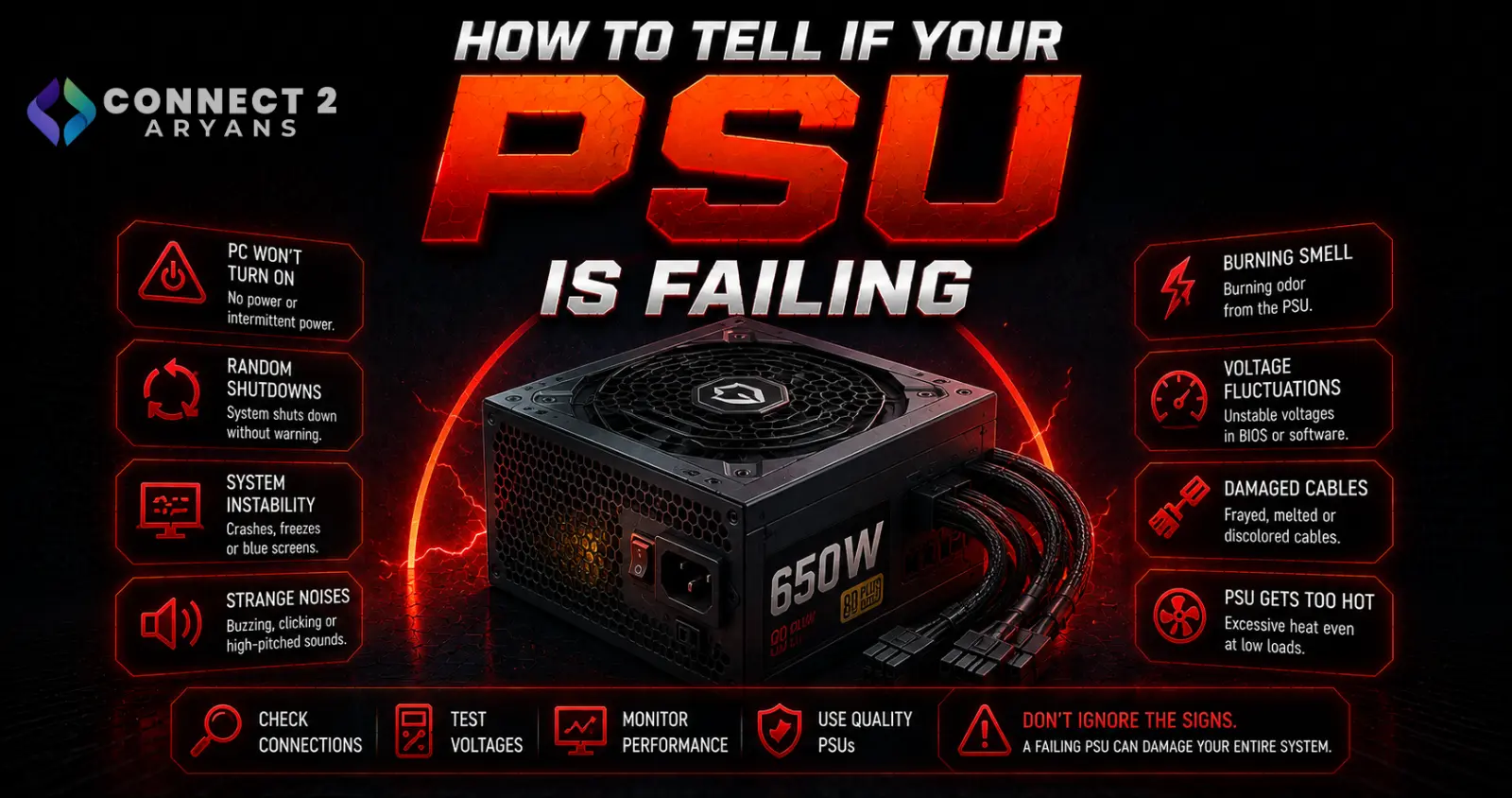
A failing power supply is one of the more important problems to catch early, since it can potentially damage other components if it fails badly enough. The good news is that PSUs rarely fail instantly without warning signs first — here's what to watch for, and how to confirm it safely.
Warning Sign 1: Random Shutdowns or Restarts, Especially Under Load
- If your PC shuts down or restarts specifically during gaming or other heavy tasks, but runs fine at idle or light use, an aging or struggling PSU is one of the most common causes
- This happens because the PSU can't reliably sustain power delivery once demand increases under load, even if it handles lighter, steadier draw fine
- If you've upgraded your GPU since buying your PSU, also consider whether it's now simply undersized for your current build rather than failing outright — check your PSU's rated wattage against 700 - 750 Watts or higher requirements for modern mid-to-high-end GPUs
Warning Sign 2: PC Won't Turn On At All
- A completely dead PC — no lights, no fans, nothing — with a confirmed working wall outlet and power cable often points directly to PSU failure
- The paperclip test (shorting the correct two pins on the 24-pin connector while the PSU is unplugged from the motherboard) can confirm whether the PSU's fan spins at all — if it doesn't, the unit has likely failed
Warning Sign 3: Burning Smell or Visible Damage
- A distinct burning electrical smell coming from the PSU, even briefly, is a serious warning sign and shouldn't be ignored
- Visible damage like bulging or leaking capacitors (visible through PSU vents if you look closely), discoloration, or scorch marks are clear signs of failure or an already-occurred internal fault
- If you notice either of these: stop using the PSU immediately and replace it — this isn't a "wait and see" situation given the risk to other components
Warning Sign 4: Unusual Noises
- Clicking sounds — can indicate the PSU is struggling to start up properly or has an internal component issue
- Buzzing or high-pitched whining — especially under load, can indicate capacitor or coil issues within the PSU itself
- A PSU fan simply being loud on its own isn't necessarily a failure sign, but clicking or buzzing specifically from the PSU area is worth taking seriously
Warning Sign 5: Inconsistent Power Delivery Symptoms
- Peripherals randomly disconnecting and reconnecting, USB devices resetting, or unusual behavior across multiple components simultaneously can point to inconsistent voltage delivery from a failing PSU
- BSODs or crashes that correlate specifically with load spikes (starting a game, running a benchmark) rather than random timing are also a pattern worth linking back to the PSU
Warning Sign 6: Age
- Even a PSU showing no obvious symptoms yet is worth extra scrutiny once it's 5+ years old, especially if it's a budget unit rather than from a reputable brand
- Capacitors and internal components degrade gradually over years of use, and a PSU that's been reliable for years can begin showing intermittent issues as it approaches end of life
- If your PSU is old and your system has started showing any of the above warning signs, age alone is a reasonable factor in deciding to replace rather than keep troubleshooting
How to Test Your PSU Safely
- Swap test: if you have access to a known-working spare PSU (even borrowed), temporarily swapping it in is the most reliable way to confirm whether your current PSU is actually the cause of your symptoms
- Paperclip test: confirms whether the PSU powers on and the fan spins, but doesn't confirm stable power delivery under load — useful as a first check, not a complete diagnosis
- Multimeter testing: more advanced, checking actual voltage output on specific pins against expected values — useful for a more thorough diagnosis if you're comfortable with basic electronics testing
When to Replace, Not Risk It
Given that a failing PSU can potentially damage your motherboard, GPU, storage, and other connected components if it fails badly, this isn't a component worth pushing to the absolute limit once you suspect a real problem.
- Fix: if you've confirmed or strongly suspect PSU failure, browse our Power Supply range for a replacement — this is a good opportunity to also correct any prior undersizing. Reputable brands like Lian Li and Super Flower are worth prioritizing specifically because PSU reliability directly protects the rest of your build. Size generously above your actual current draw — 800 - 850 Watts gives solid headroom for most mid-to-high-end builds, with 1000 - 1200 Watts or higher for flagship GPU/CPU combinations.
Quick Diagnostic Summary
| Symptom | Likely Cause |
|---|---|
| Shuts down/restarts only under load | Aging or undersized PSU |
| Completely dead, no power at all | PSU failure (test with paperclip test or spare unit) |
| Burning smell or visible capacitor damage | Confirmed failure — replace immediately, don't continue using |
| Clicking or buzzing noises | Internal PSU component issue |
| Peripherals randomly disconnecting, load-correlated crashes | Inconsistent voltage delivery |
Common Mistakes to Avoid
- Continuing to use a PSU showing a burning smell or visible capacitor damage, risking damage to other components
- Assuming random shutdowns are a software issue before checking PSU health and wattage sizing
- Buying a replacement PSU at the same wattage that was already borderline for your build, repeating the original problem
- Ignoring PSU age as a factor once other warning signs start appearing
Final Thoughts
A failing PSU usually gives warning signs before it fully dies — random shutdowns under load, unusual noises, or visible damage are all worth taking seriously rather than waiting to see if it gets worse. Given the risk to the rest of your build, replacing a suspected failing PSU sooner rather than later is the safer call, and a good opportunity to correctly size a replacement for your actual current components.
Browse our full range of Power Supply options from Thermaltake and ThermalRight on Connect2Aryans, across every wattage tier, with warranty support included.