
HDMI 2.2 & Ultra96 Explained: Do PC Gamers Need a New 96Gbps HDMI Cable in 2026?
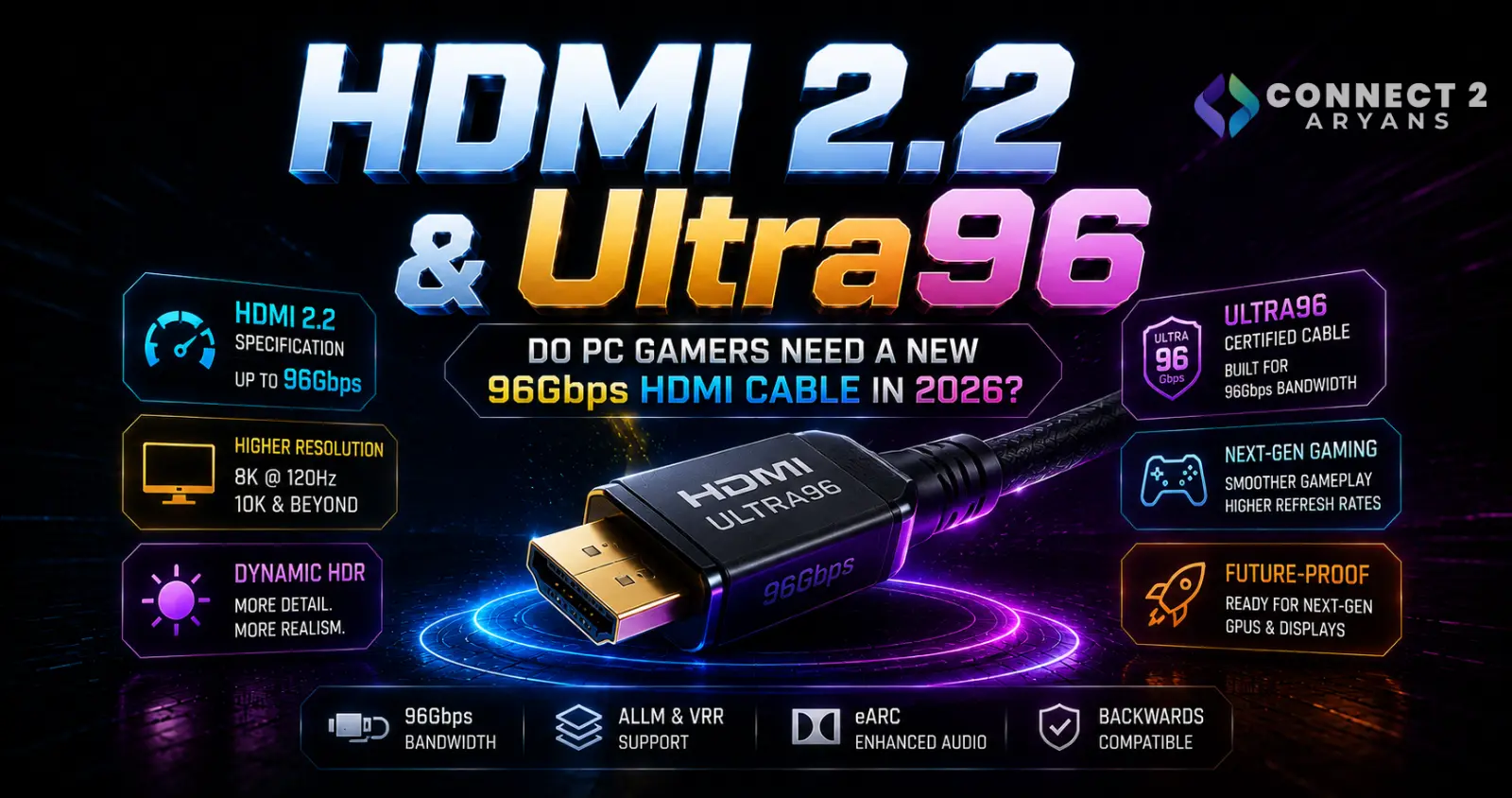
HDMI 2.2 & Ultra96 Explained: Do PC Gamers Need a New 96Gbps HDMI Cable in 2026?
For years, choosing an HDMI cable for a gaming PC was relatively simple.
Connect the graphics card to the monitor, select the correct resolution and refresh rate, and start gaming.
Modern displays have made that decision more complicated.
Gaming monitors are now available with combinations such as:
- 1440p at very high refresh rates
- 4K at 144Hz, 165Hz, 240Hz and beyond
- HDR and higher color depth
- Ultrawide resolutions
- OLED and Mini LED panels
- Multiple high-bandwidth display inputs
And now there is another specification appearing in the HDMI ecosystem:
HDMI 2.2 with up to 96Gbps bandwidth.
Alongside it comes a completely new certified cable:
Ultra96 HDMI Cable.
The HDMI Forum released the HDMI 2.2 Specification on June 25, 2025, doubling the maximum bandwidth available compared with the 48Gbps ceiling associated with the previous Ultra High Speed HDMI Cable ecosystem.
That sounds like an enormous upgrade.
But does someone gaming at 1080p, 1440p or even 4K need to immediately replace their existing HDMI cable?
Usually, no.
Understanding why requires separating three things that are often incorrectly treated as the same:
the HDMI specification, the capabilities of the hardware, and the cable connecting it.
What Is HDMI 2.2?
HDMI 2.2 is the latest HDMI Specification.
Its headline improvement is significantly greater maximum bandwidth.
HDMI Licensing Administrator's current specification overview identifies a maximum bandwidth of:
96Gbps
along with a newer generation of Fixed Rate Link technology.
That is double the maximum 48Gbps bandwidth associated with the Ultra High Speed HDMI Cable introduced with the HDMI 2.1 generation.
The extra bandwidth creates room for increasingly demanding combinations of:
resolution,
refresh rate,
color depth,
and chroma information.
That does not mean every HDMI 2.2 implementation automatically uses all 96Gbps.
This distinction is extremely important.
HDMI 2.2 Does Not Automatically Mean 96Gbps
A common mistake with PC standards is assuming the specification version tells you exactly what every product supports.
HDMI does not work that way.
HDMI Licensing Administrator specifically says HDMI version numbers cannot be used by themselves to define a product's capabilities. Manufacturers must identify the actual supported features and functions.
Therefore:
“HDMI 2.2” alone isn't enough information when buying a monitor, graphics card, television or other display device.
You still need to check the manufacturer's specifications.
This is one reason the HDMI ecosystem introduced a new consumer-facing feature name:
Ultra96.
What Is Ultra96?
Ultra96 is a feature designation associated with HDMI 2.2 implementations supporting higher maximum bandwidth.
HDMI Licensing Administrator says manufacturers may use Ultra96 when a product supports a maximum bandwidth of:
64Gbps, 80Gbps or 96Gbps
in compliance with the HDMI 2.2 Specification.
Notice something important.
An Ultra96-labelled product does not necessarily operate at exactly 96Gbps.
Ultra96 can indicate one of several higher-bandwidth levels within the HDMI 2.2 ecosystem.
The manufacturer should specify the actual maximum bandwidth supported by the device.
What Is the Ultra96 HDMI Cable?
HDMI 2.2 introduces a new officially defined cable:
Ultra96 HDMI Cable.
This cable supports bandwidth up to:
96Gbps.
According to HDMI Licensing Administrator, it is designed to support all HDMI 2.2 applications and is part of the official Ultra HDMI Cable Certification Program.
The previous certified cable category remains:
Ultra High Speed HDMI Cable — up to 48Gbps.
So there are now two important high-performance HDMI cable categories.
| Cable | Maximum Supported Bandwidth |
|---|---|
| Ultra High Speed HDMI Cable | 48Gbps |
| Ultra96 HDMI Cable | 96Gbps |
The Ultra96 cable therefore doubles the maximum certified bandwidth available through the previous Ultra High Speed category.
Ultra96 Is a New Cable Category
HDMI Licensing Administrator identifies the two cable types with formal category designations:
Ultra High Speed HDMI Cable = Category 3
Ultra96 HDMI Cable = Category 4.
This matters because Ultra96 is not simply a marketing phrase for an ordinary HDMI cable.
The cable belongs to a defined HDMI certification program with specific testing requirements.
Why Does HDMI Need 96Gbps?
Modern display requirements are increasing rapidly.
A video signal is not defined only by resolution.
Bandwidth requirements are affected by combinations of:
resolution
refresh rate
color depth
chroma format
and other transmission characteristics.
Increasing several of these simultaneously can dramatically increase the amount of data that must travel between the GPU and display.
HDMI 2.2's larger bandwidth budget is intended to provide more room for those increasingly demanding display configurations.
HDMI Licensing Administrator specifically highlights demanding applications such as high-resolution/high-refresh displays, AR/VR/MR systems and other data-intensive visual applications.
HDMI 2.2 and 4K 240Hz Gaming
4K 240Hz is particularly interesting for PC gamers.
4K resolution contains approximately:
8.3 million pixels per frame.
At 240Hz, the display can refresh those pixels up to 240 times every second.
Add:
10-bit or 12-bit color
and
full 4:4:4 chroma
and the bandwidth requirements become substantial.
HDMI's official HDMI 2.2 overview specifically lists support for uncompressed 4K@240 with 4:4:4 chroma at 10-bit and 12-bit color within the higher-bandwidth capabilities of the specification.
This is the kind of display configuration where HDMI 2.2's larger bandwidth can become meaningful.
What Does 4:4:4 Mean?
Chroma subsampling controls how color information is represented in a video signal.
Common formats include:
4:4:4
4:2:2
and
4:2:0.
4:4:4 preserves full chroma information for every pixel.
That can be particularly desirable for PC desktop use because fine text, UI elements and other detailed content benefit from full chroma reproduction.
Reducing chroma information can lower bandwidth requirements.
HDMI 2.2's increased bandwidth allows more demanding combinations to operate without relying as heavily on those compromises.
HDMI 2.2 Supports Much More Than 4K
The specification is designed with significant headroom beyond today's mainstream gaming monitors.
HDMI Licensing Administrator lists support for higher resolution/refresh-rate combinations reaching as far as:
12K at 120Hz
and
16K at 60Hz
within the HDMI 2.2 ecosystem.
That does not mean PC gamers should start shopping for 16K monitors.
It demonstrates how much additional bandwidth the new specification provides for future display technologies.
Does HDMI 2.2 Mean 4K 480Hz?
HDMI Forum documentation also discusses extremely high-resolution/refresh combinations enabled using techniques such as compression and chroma subsampling.
Its HDMI 2.2 material includes examples reaching:
4K@480
5K@240
8K@240
and
10K@120.
These examples should not be interpreted as saying every HDMI 2.2 device can output every one of those formats.
The source device, display, supported link bandwidth, compression capabilities and other implementation details still matter.
More HDMI Bandwidth Does Not Increase Your FPS
This is one of the most important points for gaming-PC buyers.
Changing from a 48Gbps cable to a 96Gbps cable does not make your graphics card render more frames.
Suppose your GPU produces:
85 FPS
in a demanding game at 4K.
Installing an Ultra96 cable does not suddenly make the GPU produce:
170 FPS.
Display bandwidth and rendering performance are separate things.
The cable only needs enough bandwidth to transport the display signal your GPU and monitor are using.
For actual GPU upgrades:
Browse Graphics Cards on Connect2Aryans
Your GPU Must Support the Display Mode
A cable cannot create features that the graphics card does not provide.
The complete display chain is:
GPU → GPU output → cable → monitor input → display panel.
Every part needs to support the desired configuration.
For example, buying an Ultra96 cable does not turn an older GPU's HDMI output into a 96Gbps output.
Likewise, connecting a newer graphics card to an older monitor does not upgrade the monitor's HDMI controller.
Always check the exact graphics-card and monitor specifications.
Your Monitor Must Support It Too
The same principle applies at the other end of the cable.
A high-bandwidth HDMI connection only matters if the display can use it.
Many excellent gaming monitors currently use combinations of:
HDMI 2.0
HDMI 2.1
DisplayPort 1.4
or newer display interfaces depending on the model.
Connect2Aryans' current gaming-monitor catalogue, for example, includes monitors across many refresh rates and resolutions with different HDMI and DisplayPort implementations, which makes checking the exact monitor specification more important than assuming every gaming monitor has identical connectivity.
Browse Gaming Monitors on Connect2Aryans
Do You Need Ultra96 for 1080p Gaming?
Almost certainly not for bandwidth reasons.
1080p gaming requires dramatically less display bandwidth than extreme high-resolution/high-refresh configurations.
If you're gaming at:
1920 × 1080
on a typical 144Hz, 165Hz, 180Hz or similar display, replacing a correctly functioning compatible cable purely because Ultra96 exists provides no inherent image-quality or gaming-performance benefit.
A digital signal does not become:
sharper
more colorful
or
higher FPS
simply because the cable has much more unused bandwidth.
Do You Need Ultra96 for 1440p Gaming?
For most current 1440p gaming setups, there is also no reason to automatically replace an existing properly specified cable.
Even very high-refresh 1440p displays can operate through existing display-interface configurations depending on the monitor and GPU.
The correct cable depends on what the monitor manufacturer specifies for the exact resolution, refresh rate and color configuration.
Ultra96 should not become a default purchase simply because your monitor is marketed for gaming.
What About 4K 120Hz?
Existing HDMI technology already supports many 4K high-refresh configurations.
The Ultra High Speed HDMI Cable category supports up to 48Gbps, and HDMI Licensing Administrator specifically identifies 4K50/60/100/120 and 8K50/60 among the high-resolution modes the existing certified cable category is designed to support.
Therefore:
4K 120Hz does not automatically mean you need Ultra96.
If your current hardware operates correctly at its intended 4K 120Hz mode using an appropriate certified Ultra High Speed HDMI Cable, HDMI 2.2's existence does not invalidate that setup.
What About 4K 240Hz?
This is where the discussion becomes more interesting.
4K 240Hz places far greater demands on display bandwidth than 4K 120Hz.
Depending on the connection and display implementation, existing monitors may use technologies such as compression to achieve demanding modes.
HDMI 2.2 provides substantially more raw bandwidth and officially includes high-bandwidth uncompressed 4K240 configurations in its capabilities.
Future high-end gaming monitors and GPUs can therefore benefit from the additional headroom.
But again:
the cable alone is not enough.
Your GPU output and monitor input must also support the required HDMI 2.2 capabilities.
Ultra96 Does Not Replace DisplayPort
PC gamers commonly have another display connection available:
DisplayPort.
DisplayPort continues evolving alongside HDMI.
For example, VESA's DisplayPort 2.1b work includes DP80LL active cables supporting the UHBR20 link rate, with a maximum throughput of 80Gbps, at cable lengths up to three meters.
So the future of PC display connectivity is not simply:
HDMI 2.2 replaces everything.
High-end gaming monitors may continue offering multiple connection options.
Which one is best depends on the capabilities of the:
GPU,
monitor,
cable,
resolution,
refresh rate,
and features you want to use.
HDMI vs DisplayPort for PC Gaming
There is no universal answer saying one interface is always better.
Some gaming monitors provide their maximum capabilities through DisplayPort.
Others may provide equivalent or excellent performance through HDMI.
Televisions strongly favor HDMI.
PC monitors frequently provide both.
Instead of choosing based on the connector name alone, compare the exact supported modes.
For example:
Does HDMI support the monitor's maximum refresh rate?
Does DisplayPort support it?
Does one connection require DSC?
Does the monitor support VRR over both?
Those questions matter more than simply saying HDMI or DisplayPort is “better.”
What Is HDMI Latency Indication Protocol?
HDMI 2.2 also introduces Latency Indication Protocol, or LIP.
This feature addresses synchronization between audio and video when a signal travels through more complicated chains.
Think:
source → AV receiver → soundbar/display
rather than a simple direct GPU-to-monitor connection.
HDMI Forum says LIP is designed to improve audio/video synchronization, particularly in multi-hop configurations.
This is more relevant to home-theater and complex entertainment setups than a basic desktop monitor connection, but it demonstrates that HDMI 2.2 isn't only about increasing bandwidth.
Does Ultra96 Reduce Gaming Input Lag?
Do not confuse bandwidth with latency.
A 96Gbps cable does not automatically provide lower mouse-to-screen latency than a properly functioning lower-bandwidth cable carrying the exact same display mode.
Input latency depends on factors including:
game engine
CPU
GPU render queue
frame rate
display processing
refresh rate
and
monitor response behavior.
HDMI 2.2's Latency Indication Protocol relates to audio/video synchronization in connected systems, not a magical reduction in PC gaming input latency simply from replacing the cable.
Does a Better HDMI Cable Improve Image Quality?
With digital HDMI connections, a more expensive cable does not inherently make a correctly transmitted digital image look better.
If a suitable certified cable is reliably carrying the required signal, moving to a cable with excess unused bandwidth does not add:
more pixels,
higher texture quality,
more GPU FPS,
or better game graphics.
Where cable quality matters is reliable transmission at the required bandwidth.
A cable that cannot reliably carry the selected signal may cause problems such as instability, dropouts or failure to operate at the intended mode.
Certification Matters More at Very High Bandwidth
This is one area where Ultra96 is important.
HDMI Licensing Administrator says Ultra96 cables participate in the Ultra HDMI Cable Certification Program.
Every cable model and length requires testing and certification, and certified products use official identification and anti-counterfeiting labels.
At 96Gbps, reliable signal integrity becomes much more demanding than with older low-bandwidth HDMI connections.
Certification gives buyers a standardized way to identify cables tested for the advertised capability.
Look for the Official Certification Label
When buying a high-bandwidth HDMI cable, do not rely solely on marketplace descriptions such as:
“8K Gaming Cable”
“Ultra HD Cable”
or
“Gaming HDMI.”
Those phrases alone don't prove compliance with the official certification program.
HDMI Licensing Administrator says official HDMI cable products must use their appropriate cable names, and certified Ultra HDMI cable packaging carries official certification identification.
For Ultra96, that means looking for the official:
Ultra96 HDMI Cable
identification and certification label.
Beware of Fake “HDMI 2.2 Cable” Marketing
There is another useful detail from HDMI's official guidance.
HDMI Licensing Administrator states that HDMI version numbers are not allowed in the labeling, packaging or promotion of cable products.
The proper official cable name is:
Ultra96 HDMI Cable
rather than simply:
“HDMI 2.2 cable.”
That gives consumers a useful warning sign.
A seller using vague or unofficial terminology while providing no certification information deserves extra scrutiny.
Can Ultra96 Work With Older HDMI Devices?
Yes.
HDMI Licensing Administrator says both current Ultra HDMI cable categories support older HDMI 2.1b and HDMI 1.4b features.
That means an Ultra96 cable can physically be useful in an older HDMI setup.
But it does not upgrade the capabilities of the connected hardware.
For example:
Ultra96 cable + HDMI 2.0 GPU + HDMI 2.0 monitor
still operates according to what those devices support.
The cable's unused additional bandwidth does not change their HDMI controllers.
Can Your Existing Cable Work With HDMI 2.2 Hardware?
Possibly, depending on the mode being used.
HDMI Licensing Administrator says the existing Ultra High Speed HDMI Cable remains appropriate for configurations requiring up to 48Gbps maximum bandwidth.
The new Ultra96 cable is required to support higher Ultra96-class maximum bandwidth and all HDMI 2.2 applications.
Therefore, purchasing a device with HDMI 2.2 functionality does not automatically mean every use of that device requires a new cable.
If the display mode stays within a lower supported bandwidth configuration, the required cable can differ from a maximum-bandwidth setup.
The Entire Connection Must Match
For a high-end display setup, think of HDMI capability as a chain:
Graphics Card
↓
HDMI Output
↓
HDMI Cable
↓
Monitor HDMI Input
↓
Panel Capability
The connection operates according to what the entire chain can support.
Buying only one high-end component cannot upgrade everything else.
This is especially important for buyers upgrading a gaming monitor while keeping an older GPU.
Why Your New Monitor May Be Stuck at 60Hz
Suppose you purchase a 144Hz, 180Hz or 240Hz gaming monitor but Windows only allows 60Hz.
Do not immediately assume the monitor is defective.
Possible causes include:
- wrong Windows refresh-rate setting
- wrong GPU port
- wrong monitor input
- cable bandwidth limitation
- unsupported resolution/refresh combination
- GPU driver issue
- monitor menu setting
- adapter or converter limitation
Check the entire display chain.
Compare Gaming Monitors on Connect2Aryans
Adapters Can Become the Bottleneck
This is easy to overlook.
Suppose your GPU has a high-bandwidth DisplayPort output and your monitor has HDMI.
You use a cheap:
DisplayPort-to-HDMI adapter.
The adapter now becomes another component in the signal chain.
Its supported resolution, refresh rate and HDMI output capability can limit the connection regardless of how capable the GPU, monitor and cable are.
The same applies to:
USB-C-to-HDMI adapters,
docking stations,
KVM switches,
HDMI switches,
and AV receivers.
Always check their actual bandwidth and supported display modes.
HDMI Cable Length Matters
As signaling rates rise, maintaining signal integrity over distance becomes more difficult.
That is one reason HDMI's certification program tests each cable model and length rather than assuming every length behaves identically.
A cable that works perfectly over a short distance is not proof that a much longer version of the same general type can reliably carry the same high-bandwidth signal.
For a normal desktop gaming setup, avoid buying unnecessarily long display cables.
Use the length you actually need.
Ultra96 and Wireless Interference
Both Ultra High Speed and Ultra96 HDMI cables are designed around stringent electromagnetic-interference requirements.
HDMI Licensing Administrator says the certified cable specifications are designed to reduce EMI that could interfere with wireless services such as:
Wi-Fi
Bluetooth
and other nearby wireless devices.
That matters because gaming desks often place HDMI cables close to:
Wi-Fi antennas,
Bluetooth peripherals,
wireless controllers,
and other electronics.
Should You Replace All Your HDMI Cables?
No.
Do not replace a perfectly functioning cable solely because HDMI 2.2 exists.
Keep your current cable if:
- it supports your target resolution
- it supports your target refresh rate
- HDR works correctly where required
- VRR works correctly where required
- there are no dropouts or signal problems
- you are not moving to a mode requiring greater bandwidth
A standards update does not automatically make older certified cables obsolete.
When Should You Consider Ultra96?
Ultra96 becomes worth considering when you are purchasing hardware specifically designed to use HDMI 2.2's higher-bandwidth capabilities.
Examples may include future systems using:
extreme 4K refresh rates
higher-resolution high-refresh displays
professional high-color-depth display modes
or other configurations exceeding the practical 48Gbps ceiling of the previous cable category.
In that situation, use the cable type specified by the device manufacturer.
Should You Buy Ultra96 “For Future Proofing”?
That depends on the price difference and your upgrade plans.
If you are buying a new cable anyway and have a realistic plan to move to hardware that can use higher HDMI bandwidth, purchasing a properly certified newer cable may make sense.
But buying expensive cables for an ordinary 1080p or 1440p gaming setup purely because:
96 is bigger than 48
provides no immediate performance advantage.
Spend according to your actual hardware.
PC Builders in Pakistan Should Avoid Spec-Number Shopping
PC buyers in Pakistan often have to balance component prices carefully.
If your budget is limited, money spent on unnecessary display bandwidth could often be better allocated toward components that actually affect gaming performance.
For example:
better GPU
more suitable monitor
larger SSD
adequate RAM
or
quality power supply.
If your current cable already carries the monitor's full intended mode reliably, replacing it won't increase gaming FPS.
Compare Graphics Cards on Connect2Aryans
Browse PC Monitors on Connect2Aryans
A Practical HDMI Cable Buying Checklist
Before buying a new HDMI cable, check:
Your GPU output
What resolution and refresh rate does the exact HDMI port support?
Your monitor input
Do not assume every HDMI port on every display has identical capability.
Your target resolution
1080p, 1440p and 4K create very different bandwidth requirements.
Your target refresh rate
60Hz and 240Hz are not remotely the same workload.
HDR and color settings
Higher bit depth and full chroma increase bandwidth requirements.
Cable certification
For high-bandwidth applications, use the official certified cable category appropriate for the connection.
Cable length
Buy only the length you actually need.
Adapters and docks
Verify every intermediate device in the display chain.
Ultra High Speed vs Ultra96 HDMI Cable
| Feature | Ultra High Speed HDMI Cable | Ultra96 HDMI Cable |
|---|---|---|
| Maximum bandwidth | 48Gbps | 96Gbps |
| HDMI cable category | Category 3 | Category 4 |
| Certification program | Ultra HDMI Cable Certification | Ultra HDMI Cable Certification |
| High-resolution support | Yes | Yes, with greater bandwidth headroom |
| Full HDMI 2.2 maximum-bandwidth applications | No | Yes |
| Backward compatible | Yes | Yes |
| Automatically increases FPS | No | No |
| Required for ordinary 1080p gaming | No | No |
| Designed for up to 96Gbps applications | No | Yes |
These bandwidth and cable-category distinctions come directly from HDMI Licensing Administrator's current HDMI 2.2 documentation.
Frequently Asked Questions
What is HDMI 2.2?
HDMI 2.2 is the latest HDMI Specification and increases maximum available bandwidth to 96Gbps while adding capabilities for more demanding resolution, refresh-rate and display configurations.
What is Ultra96?
Ultra96 is a feature designation manufacturers may use for HDMI 2.2 products supporting maximum bandwidth levels of 64Gbps, 80Gbps or 96Gbps.
What is an Ultra96 HDMI Cable?
It is the new Category 4 certified HDMI cable supporting bandwidth up to 96Gbps and all HDMI 2.2 applications.
Is Ultra96 twice as fast as an Ultra High Speed HDMI Cable?
In maximum supported bandwidth, yes. Ultra High Speed supports up to 48Gbps, while Ultra96 supports up to 96Gbps.
Do I need Ultra96 for 4K 120Hz gaming?
Not automatically. The existing Ultra High Speed HDMI Cable category is designed for configurations up to 48Gbps and includes high-resolution modes such as 4K120. Check your GPU and monitor requirements.
Does Ultra96 increase FPS?
No. Your graphics card renders the frames. HDMI bandwidth determines whether the connection can transport the required display signal.
Will Ultra96 work with older HDMI devices?
Yes. HDMI says Ultra96 cables support older HDMI 2.1b and HDMI 1.4b features. Connected hardware still operates according to its own capabilities.
Is every HDMI 2.2 device 96Gbps?
No. HDMI explicitly requires consumers to check the manufacturer's supported features and specifications rather than assuming capabilities from the version number alone.
Should I buy a cable advertised simply as an “HDMI 2.2 cable”?
Look for the official Ultra96 HDMI Cable designation and certification where 96Gbps capability is required. HDMI's branding rules specifically prohibit using HDMI version numbers by themselves to label cable products.
Is HDMI 2.2 better than DisplayPort 2.1 for gaming?
Neither interface is universally better for every PC. Compare the actual GPU output, monitor input, supported bandwidth, resolution, refresh rate and features. VESA's DisplayPort ecosystem also supports very high-bandwidth links, including UHBR20 at up to 80Gbps.
Conclusion
HDMI 2.2 is a major increase in display-interface capability.
Its maximum 96Gbps bandwidth doubles the 48Gbps ceiling associated with the previous Ultra High Speed HDMI Cable category and creates room for increasingly demanding high-resolution, high-refresh and high-color-depth displays.
The new Ultra96 HDMI Cable is equally important.
It is not simply another cable with a larger number printed on the package.
It is a defined Category 4 HDMI cable, supporting up to 96Gbps and participating in HDMI's mandatory Ultra Cable Certification Program.
But most PC gamers should not immediately replace their existing cables.
If your current setup already runs its intended:
resolution
refresh rate
HDR mode
and
VRR configuration
correctly, HDMI 2.2 does not suddenly make that connection inadequate.
Ultra96 becomes relevant when the hardware itself begins demanding more than previous HDMI connections can comfortably provide.
That means the correct buying order is:
choose your GPU → choose your monitor → determine the display mode → then buy the cable required for that mode.
Not:
buy the cable with the biggest bandwidth number first.
For PC gamers in Pakistan, that approach avoids wasting money on unused specifications while still leaving a clear upgrade path when genuinely higher-bandwidth gaming displays become part of the build.
Browse Gaming Monitors on Connect2Aryans
Browse Graphics Cards on Connect2Aryans

