
CUDIMM vs UDIMM DDR5 RAM in 2026: What the New Clocked Memory Means for PC Builders
What Is a DDR5 CUDIMM?
CUDIMM stands for:
Clocked Unbuffered Dual Inline Memory Module.
Traditional desktop DDR5 memory is commonly sold as UDIMM, meaning Unbuffered Dual Inline Memory Module.
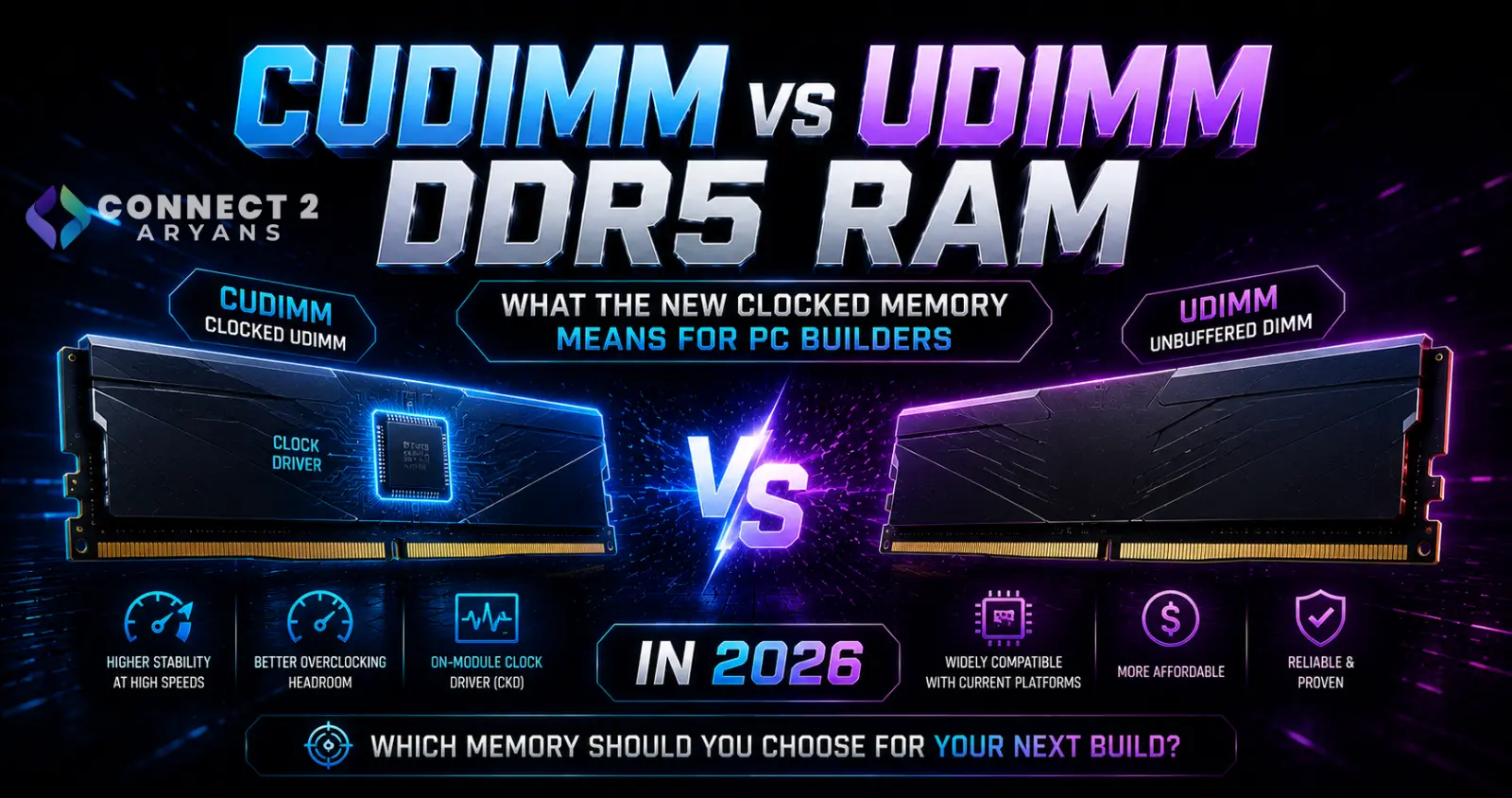
CUDIMM retains the client unbuffered-memory concept but adds a Client Clock Driver (CKD) to the memory module.
Kingston explains that the CKD buffers and redrives the clock signal coming from the processor, helping improve signal integrity as DDR5 frequencies increase.
That extra component is the defining feature separating a CUDIMM from a conventional DDR5 UDIMM.
Why Does DDR5 Need a Clock Driver?
A memory module doesn't operate independently.
The CPU's integrated memory controller communicates with the RAM through electrical signals traveling across the motherboard.
At increasingly high frequencies, maintaining those signals becomes more challenging.
Kingston identifies two particularly relevant problems:
electrical noise
and
clock jitter.
Clock jitter refers to small variations in the timing of the clock signal.
At lower memory frequencies, the available timing margins are relatively larger.
As memory speeds rise, those margins become tighter.
The CKD helps by receiving the incoming clock signal and then redriving it locally on the memory module.
In simplified form:
CPU memory controller → CKD → DDR5 memory chips
instead of relying solely on the clock signal arriving directly from the processor.
The goal isn't to add more RAM capacity.
It's to maintain a cleaner clock signal as memory operates faster.
CUDIMM vs UDIMM: What's Actually Different?
Both are DDR5 client memory modules, but their clock architecture differs.
A standard DDR5 UDIMM does not contain the new Client Clock Driver.
A DDR5 CUDIMM does.
The practical distinction is:
UDIMM: conventional unbuffered DDR5 memory.
CUDIMM: unbuffered DDR5 memory with a Client Clock Driver that conditions the clock signal.
This makes CUDIMM particularly relevant as standardized DDR5 speeds move beyond the ranges originally common on desktop systems.
CUDIMM Is Not the Same as Registered Server RAM
The word Clocked can make CUDIMM sound like server memory.
It isn't the same thing.
Server and workstation platforms commonly use technologies such as RDIMM, or Registered DIMM.
CUDIMM remains part of the client-memory ecosystem.
Kingston's current memory catalogue treats UDIMM, CUDIMM and RDIMM as separate module types, reflecting their different intended applications.
So don't interpret CUDIMM as:
“server RAM for desktop PCs.”
It is specifically intended to help client DDR5 scale to higher operating speeds.
What Is the CKD on CUDIMM RAM?
CKD means:
Client Clock Driver.
Its job is focused on the clock signal.
Kingston explains that the CKD receives the clock signal from the processor, buffers it and redrives it toward the DRAM components.
This helps mitigate the signal-integrity challenges associated with higher-frequency DDR5 operation.
The important point is that the CKD does not make the module equivalent to registered server memory.
It is specifically addressing clock distribution.
Why DDR5-6400 Is Important
DDR5-6400 is an important point in the CUDIMM transition.
According to Kingston's explanation of the JEDEC specification, beginning with 6400MT/s DDR5, the Client Clock Driver becomes part of the new standardized UDIMM/SODIMM design requirement.
That is why the terms:
CUDIMM
and
CSODIMM
are becoming increasingly relevant.
Intel's current platform documentation reinforces this distinction.
For Core Ultra 200S processors, Intel specifies support at one DIMM per channel for:
DDR5-5600 UDIMM
and
DDR5-6400 CUDIMM.
So CUDIMM isn't merely a marketing name created by a RAM manufacturer.
It represents a real architectural change in higher-speed client DDR5 memory.
What Is CSODIMM?
Laptops use physically smaller memory modules called SODIMMs.
The clocked equivalent is therefore called:
CSODIMM — Clocked Small Outline Dual Inline Memory Module.
It uses the same general concept as desktop CUDIMM:
adding a Client Clock Driver to improve clock signal integrity.
Intel's current Core Ultra 200HX platform documentation includes CSODIMM support alongside conventional SODIMM configurations.
So this technology isn't limited to desktop PCs.
It is also relevant to newer high-performance laptop memory platforms.
CUDIMM and Intel Core Ultra 200S
CUDIMM entered the mainstream desktop discussion alongside Intel's Core Ultra 200S platform.
Intel's official Core Ultra Desktop Processors Series 2 product brief specifies memory support of up to:
DDR5-6400 using CUDIMM at 1 DIMM per channel.
Intel's more detailed processor support matrix likewise distinguishes:
UDIMM/SODIMM 5600
from
CUDIMM/CSODIMM 6400
for relevant Core Ultra 200-series configurations.
This makes memory-module type another specification buyers should check when assembling newer Intel systems.
Browse Intel Processors on Connect2Aryans
CUDIMM and Intel 800-Series Motherboards
Kingston announced its early CUDIMM products alongside Intel's 800-series desktop platform and described the Intel 800-series chipset generation as the first Intel platform to use the CKD functionality on CUDIMMs.
However, CPU support alone isn't enough reason to buy arbitrary high-speed memory.
The exact motherboard still matters.
Memory support can depend on:
motherboard model
BIOS version
CPU
number of installed DIMMs
memory capacity
and
specific memory kit.
Always check the motherboard manufacturer's memory specifications and, for high-speed kits, its qualified memory list where available.
Browse Motherboards on Connect2Aryans
Does CUDIMM Use a Different Physical Slot?
For desktop DDR5, Intel's current documentation lists both UDIMM and CUDIMM as 288-pin module types for supported desktop processors.
But physical fit should never be treated as proof of full compatibility.
A component fitting into a socket doesn't automatically mean the CPU, motherboard and BIOS know how to operate every feature of that component.
This is particularly important with new memory technologies.
Always verify platform support rather than buying based only on the pin count.
Can You Install CUDIMM in an Older DDR5 Motherboard?
This requires caution.
The fact that CUDIMM uses the DDR5 desktop form factor does not mean every older DDR5 motherboard should be assumed to support it properly.
Compatibility depends on the platform and motherboard implementation.
Some memory designs may be capable of fallback behavior on particular systems, but that is not a reason to assume universal compatibility.
For an older DDR5 system, check:
- The motherboard manufacturer's specification.
- Current BIOS documentation.
- Memory support/QVL information.
- The RAM manufacturer's compatibility tool.
Do not buy CUDIMM solely because:
“My motherboard has DDR5 slots.”
Can You Mix CUDIMM and UDIMM?
Mixing memory types or unmatched memory kits is generally a poor approach for a performance PC.
Even with conventional DDR5, mixing modules can cause the system to:
run at a lower common speed,
use looser timings,
require manual configuration,
or become unstable.
Kingston's current memory-population guidance notes that increasing DIMM loading can reduce supported memory speed, and Intel's platform documentation also specifies different maximum frequencies depending on DIMM population.
For a new build, use a matched kit validated for the platform rather than planning around mixed CUDIMM and UDIMM modules.
One DIMM Per Channel vs Two DIMMs Per Channel
This is another important issue that becomes more noticeable as DDR5 speeds increase.
Most mainstream desktop platforms have two memory channels.
A four-slot motherboard typically provides:
two DIMM slots per channel.
Installing two modules total usually means:
1 DIMM per channel — 1DPC.
Installing four modules usually means:
2 DIMMs per channel — 2DPC.
Adding more modules increases the electrical load on the memory controller.
That can reduce the maximum stable or officially supported memory speed.
Four RAM Sticks Do Not Mean Quad Channel
This is a common misunderstanding.
On a normal dual-channel desktop platform, installing four memory modules does not magically create four memory channels.
Kingston explicitly notes that populating four modules on a dual-channel system remains a two-channel configuration and can actually result in lower supported memory speeds because the system moves to 2DPC operation.
So:
2 sticks ≠ necessarily single channel
and
4 sticks ≠ quad channel.
The motherboard/CPU memory architecture determines the number of channels.
Intel's Official Memory Speeds Show the Difference
Intel's current Core Ultra 200S documentation demonstrates how strongly DIMM population can affect official memory support.
At 1DPC, Intel lists relevant desktop configurations including:
UDIMM DDR5-5600
and
CUDIMM DDR5-6400.
At 2DPC, supported speeds can fall depending on the number and rank configuration of installed modules. Intel's table includes lower values such as DDR5-4800 and DDR5-4400 for particular 2DPC configurations.
This is why someone chasing high memory frequency will often have an easier time with:
2 × 16GB
than
4 × 8GB
even though both provide 32GB total capacity.
Does CUDIMM Automatically Mean Faster Gaming?
No.
CUDIMM solves a signal-integrity problem associated with high-speed DDR5.
That doesn't mean:
CUDIMM = huge FPS increase.
Gaming performance depends on many factors, including:
CPU architecture,
GPU,
memory latency,
memory bandwidth,
game engine,
resolution,
and whether the game is CPU-limited.
A high-speed CUDIMM kit can be part of a performance-oriented platform, but the presence of a CKD by itself isn't a gaming-performance feature comparable to installing a faster graphics card.
Memory Speed Is Only One Part of RAM Performance
When comparing RAM, don't focus exclusively on MT/s.
Important specifications include:
capacity
data rate
timings
memory channels
DIMM population
platform compatibility
and
stability.
A theoretically faster memory kit that is unstable or forces problematic settings is not automatically better than a slightly slower configuration that runs reliably.
For most PC buyers, correct compatibility should come before chasing the largest DDR5 speed number.
CUDIMM and Memory Overclocking
There is another important distinction between:
JEDEC-supported memory speeds
and
overclocked memory profiles.
Memory manufacturers already offer enthusiast DDR5 kits operating well above standard baseline speeds.
For example, Kingston's current gaming-memory catalogue lists DDR5 products reaching speeds up to 8800MT/s, while its CUDIMM launch announcement described early FURY Renegade CUDIMM products beginning at an overclocked 8400MT/s.
Those numbers should not be confused with the processor's official memory specification.
An XMP-rated speed is an overclocking configuration and still depends on the CPU, motherboard, BIOS and memory kit.
What Is Intel XMP?
Intel XMP allows compatible memory modules to store tested overclocking profiles that a supported motherboard can apply through BIOS.
It makes configuring enthusiast memory easier than manually entering every timing and voltage.
However:
XMP does not guarantee that every CPU and motherboard will run every advertised memory speed.
Very high DDR5 frequencies put greater demands on the processor's integrated memory controller and motherboard signal design.
That remains true even with CUDIMM.
CUDIMM Doesn't Eliminate the Silicon Lottery
Two processors of the same model can have slightly different memory-controller characteristics.
Motherboard trace design also differs.
BIOS memory training can differ between motherboard vendors and firmware versions.
The CKD improves clock signal integrity, but it does not eliminate every other factor affecting high-frequency memory operation.
Therefore, a DDR5-8400 or DDR5-8800 kit shouldn't be treated as universally guaranteed simply because it is CUDIMM.
Check the motherboard's supported-memory documentation.
Do AMD AM5 PCs Need CUDIMM?
This is an area where buyers should avoid making assumptions.
The mainstream arrival of CUDIMM has been strongly associated with Intel's newer client platforms, and Intel explicitly documents CUDIMM support for its Core Ultra 200-series desktop processors.
That does not mean you should assume the same support behavior across every AMD AM5 motherboard.
If building an AMD system, follow the memory-module support documented by AMD and the exact motherboard manufacturer.
Do not purchase a CUDIMM kit for an AM5 system merely because:
both systems use DDR5.
DDR5 compatibility involves more than the physical slot.
What About Ordinary DDR5 UDIMM?
Conventional DDR5 UDIMM isn't suddenly obsolete.
There are enormous numbers of systems designed around it.
Intel's current Core Ultra 200S documentation itself continues to list standard DDR5 UDIMM support alongside CUDIMM.
So CUDIMM should be viewed as an evolution that helps DDR5 scale to higher speeds, not as evidence that every ordinary DDR5 module suddenly needs replacing.
If your existing DDR5 system is:
stable,
fast enough,
and has sufficient capacity,
there is no reason to replace the memory simply because CUDIMM exists.
Should You Replace DDR5-6000 With CUDIMM?
Usually not solely for the module technology.
Suppose your gaming PC already has:
32GB DDR5-6000
running correctly in dual channel.
Replacing it with a very high-speed CUDIMM kit may require:
a compatible newer platform,
appropriate motherboard support,
and potentially a CPU/platform change.
That's a major upgrade just to change memory architecture.
A RAM upgrade makes more sense when you have an actual limitation such as:
insufficient capacity,
poor platform compatibility,
a new CPU/motherboard build,
or a workload that benefits from greater memory bandwidth.
CUDIMM Makes More Sense for New Builds
The decision changes when you're building a completely new system.
If your chosen CPU and motherboard officially support CUDIMM, then it makes sense to compare compatible CUDIMM options with conventional DDR5 kits.
You can then evaluate:
capacity
speed
latency
price
motherboard support
and
your workload
before deciding.
That's better than treating CUDIMM itself as a mandatory checkbox.
Choosing Capacity Still Comes First
A very fast memory kit doesn't compensate for having too little RAM.
If your workload requires more memory than the system has available, the resulting storage paging can cause a much larger performance problem than modest differences in RAM frequency.
So don't sacrifice necessary capacity simply to obtain a higher MT/s rating.
For example, someone who genuinely needs 32GB should not automatically choose 16GB simply because the smaller kit advertises a much higher speed.
Browse DDR4 & DDR5 RAM on Connect2Aryans
CUDIMM for Gaming PCs
For gaming, consider memory in this order:
1. Correct platform compatibility
2. Enough capacity
3. Dual-channel configuration
4. Stable operating speed
5. Suitable timings
6. Additional overclocking headroom
CUDIMM can help enable higher DDR5 frequencies on supported modern platforms.
But it doesn't change those fundamentals.
A balanced gaming PC still benefits more from spending the budget intelligently across the CPU, GPU, memory, storage and cooling rather than overspending on one specification.
CUDIMM for Content Creation and Workstations
High memory bandwidth can become more interesting for workloads involving:
large datasets,
rendering,
compression,
code compilation,
scientific applications,
and other memory-intensive tasks.
But workstation buyers also need to consider:
capacity,
ECC requirements,
platform validation,
and application behavior.
CUDIMM should therefore not automatically be substituted for professional memory technologies such as RDIMM simply because it supports high frequencies.
Different module types exist for different platforms and requirements.
CUDIMM vs RDIMM
These names may appear together in RAM catalogues, but they serve different markets.
CUDIMM
is client DDR5 memory with a Client Clock Driver.
RDIMM
is registered memory commonly associated with workstation and server platforms.
Kingston lists CUDIMM and RDIMM as separate module categories in its current memory finder.
Always buy the memory technology specifically supported by your CPU and motherboard.
CUDIMM vs CSODIMM
This distinction is much simpler.
CUDIMM: desktop form factor.
CSODIMM: compact laptop/SODIMM form factor.
Intel's current documentation lists desktop UDIMM/CUDIMM as 288-pin modules and SODIMM/CSODIMM as 262-pin module types.
They are physically different and designed for different system types.
You cannot install a desktop CUDIMM into a normal laptop SODIMM slot.
How to Know Whether Your PC Supports CUDIMM
Before buying, identify four things.
1. Your CPU
Check the processor manufacturer's official memory specification.
2. Your Motherboard
Check the motherboard manufacturer's supported memory types and speeds.
3. Your BIOS
New memory support can sometimes depend on firmware updates.
4. The Exact RAM Kit
Check the memory manufacturer's compatibility information and motherboard QVL where available.
Never rely solely on:
DDR5 = compatible.
Why Motherboard QVL Lists Matter More at Extreme DDR5 Speeds
QVL means:
Qualified Vendor List.
Motherboard manufacturers test selected memory kits and publish the configurations they have validated.
A kit not appearing on the QVL isn't automatically incompatible.
But as DDR5 frequencies become increasingly aggressive, validated configurations become more useful.
If you're planning something like an extremely high-speed CUDIMM build, checking the motherboard's QVL is much more sensible than buying the fastest kit you can find and hoping it works.
BIOS Updates Can Affect DDR5 Compatibility
Memory training and compatibility are partly controlled by motherboard firmware.
Manufacturers frequently improve:
memory compatibility,
training behavior,
XMP support,
and high-frequency stability
through BIOS updates.
If a new CUDIMM kit is supported by your platform but behaves unexpectedly, check the motherboard manufacturer's BIOS release notes before assuming the memory is defective.
Do not interrupt a BIOS update, and follow the motherboard vendor's official procedure.
Don't Mix Separate RAM Kits Just Because the Model Name Matches
Two memory kits with the same advertised product family are not necessarily validated to operate together as one larger kit.
Memory vendors qualify kits as complete sets.
For example:
2 × 16GB kit
is validated as that pair.
Buying another identical-looking 2 × 16GB kit later creates a four-DIMM configuration that may place substantially greater load on the memory controller.
This becomes particularly important when trying to maintain very high DDR5 speeds.
If you know you need 64GB, buying an appropriate matched 64GB kit from the start is usually the cleaner approach.
Does More RAM Sticks Mean More Performance?
Not automatically.
On mainstream dual-channel platforms, two appropriately installed modules can already populate both memory channels.
Adding another two modules does not create extra memory channels.
It primarily adds capacity and increases memory-controller loading.
Kingston's current population guidance specifically warns that 2DPC configurations can result in reduced memory speed.
So don't buy four sticks purely because:
“four must be faster than two.”
What PC Builders in Pakistan Should Consider
For buyers in Pakistan, availability and pricing can make chasing very new memory technology expensive.
A practical buyer should ask:
Does my CPU support CUDIMM?
Does my motherboard support this exact speed?
Do I need this performance level?
Would the money improve my PC more elsewhere?
If moving from an ordinary gaming GPU to a significantly stronger graphics card provides a major performance improvement, spending a large premium on extreme DDR5 may not be the best allocation of the build budget.
Likewise, sufficient RAM capacity is usually more important than chasing a record memory frequency.
A Practical RAM Buying Checklist for 2026
Before ordering DDR5 RAM, verify:
Memory generation
DDR4 and DDR5 are physically and electrically different technologies.
Module type
UDIMM, CUDIMM, SODIMM, CSODIMM and RDIMM are not interchangeable categories.
Capacity
Choose enough memory for your actual workload.
Number of modules
Two modules are generally easier on a mainstream dual-channel memory controller than four when targeting high frequencies.
Supported speed
Check CPU and motherboard specifications.
XMP or EXPO
Determine whether the advertised performance depends on an overclocking profile.
Motherboard QVL
Particularly useful for very high-speed DDR5 kits.
BIOS support
Make sure the motherboard firmware properly supports the intended memory configuration.
CUDIMM vs UDIMM Quick Comparison
| Feature | DDR5 UDIMM | DDR5 CUDIMM |
|---|---|---|
| Desktop memory | Yes | Yes |
| Unbuffered client memory | Yes | Yes |
| Client Clock Driver | No | Yes |
| Main purpose | Standard DDR5 operation | Improved clock signal integrity at higher DDR5 speeds |
| Intel Core Ultra 200S support | Yes | Yes |
| Intel documented 1DPC speed | Up to DDR5-5600 in relevant standard configurations | Up to DDR5-6400 in relevant standard configurations |
| High-speed overclocking kits | Yes | Yes, including very high-speed enthusiast designs |
| Automatically faster in games | No | No |
| Requires compatibility check | Yes | Especially important |
Intel's official Core Ultra 200S specifications provide the platform-speed distinctions above; actual operating capability still depends on the processor SKU, motherboard, DIMM configuration and memory kit.
Frequently Asked Questions
What does CUDIMM mean?
CUDIMM stands for Clocked Unbuffered Dual Inline Memory Module. It is a DDR5 client-memory module that includes a Client Clock Driver to improve clock signal integrity at higher memory speeds.
What is a CKD on DDR5 RAM?
CKD stands for Client Clock Driver. It buffers and redrives the clock signal coming from the processor before distributing it to the DRAM components on the module.
Is CUDIMM DDR5?
Yes. CUDIMM is a newer DDR5 client-memory module architecture.
Is CUDIMM faster than normal DDR5?
CUDIMM is designed to improve signal integrity as DDR5 frequencies increase, enabling higher standardized and enthusiast speeds on supported platforms. However, the module type alone doesn't guarantee better application or gaming performance.
Does Intel Core Ultra 200S support CUDIMM?
Yes. Intel's official documentation lists CUDIMM support for Core Ultra 200S processors and specifies up to DDR5-6400 at 1DPC for relevant standard CUDIMM configurations.
What is CSODIMM?
CSODIMM is the laptop-oriented Clocked Small Outline Dual Inline Memory Module. It applies the clock-driver concept to the smaller SODIMM form factor.
Is CUDIMM the same as RDIMM?
No. CUDIMM is client unbuffered memory with a clock driver, while RDIMM is registered memory intended for different workstation/server platforms.
Can I put CUDIMM in any DDR5 motherboard?
Do not assume universal compatibility. Verify the exact CPU, motherboard, BIOS and memory kit before purchasing.
Should I replace my existing DDR5 RAM with CUDIMM?
Not simply because CUDIMM is newer. If your existing RAM provides enough capacity and stable performance, replacing it solely for the new module architecture is usually unnecessary.
Is CUDIMM better for gaming?
It can enable higher memory frequencies on compatible systems, but it does not automatically provide a large gaming-performance increase. Gaming gains depend on the CPU, GPU, game engine, memory speed, timings and whether the workload is memory-sensitive.
Conclusion
CUDIMM is one of the more important changes happening quietly inside DDR5 memory.
The familiar DDR5 module isn't being completely redesigned.
Instead, engineers are addressing a problem that becomes increasingly difficult as memory speeds rise:
maintaining a clean, stable clock signal.
The solution is the Client Clock Driver.
By buffering and redriving the processor's clock signal directly on the memory module, CUDIMM helps DDR5 continue scaling toward higher operating frequencies while maintaining signal integrity. Kingston explains that the transition becomes particularly relevant beginning with standardized DDR5-6400 operation.
Intel's current Core Ultra 200S documentation shows the technology entering real consumer platforms, with official support distinguishing DDR5-5600 UDIMM from DDR5-6400 CUDIMM in relevant 1DPC configurations.
But that doesn't mean every gaming PC suddenly needs CUDIMM.
Ordinary DDR5 UDIMM remains perfectly relevant.
A stable DDR5-5600 or DDR5-6000 system doesn't become slow simply because newer clocked modules exist.
CUDIMM matters most when:
building on a platform designed for it,
targeting higher DDR5 frequencies,
or
planning a new high-performance system where memory compatibility has already been verified.
For PC buyers in Pakistan, the same rule that applies to most enthusiast hardware applies here too:
don't pay for a specification simply because the number is larger.
Check your CPU.
Check your motherboard.
Check the memory kit.
Choose enough capacity.
And then decide whether higher memory speed is actually worth the additional cost for your build.

