
Bluetooth 6.3 Explained: Will New Bluetooth Make Gaming Mice, Keyboards & Headsets Faster in 2026?
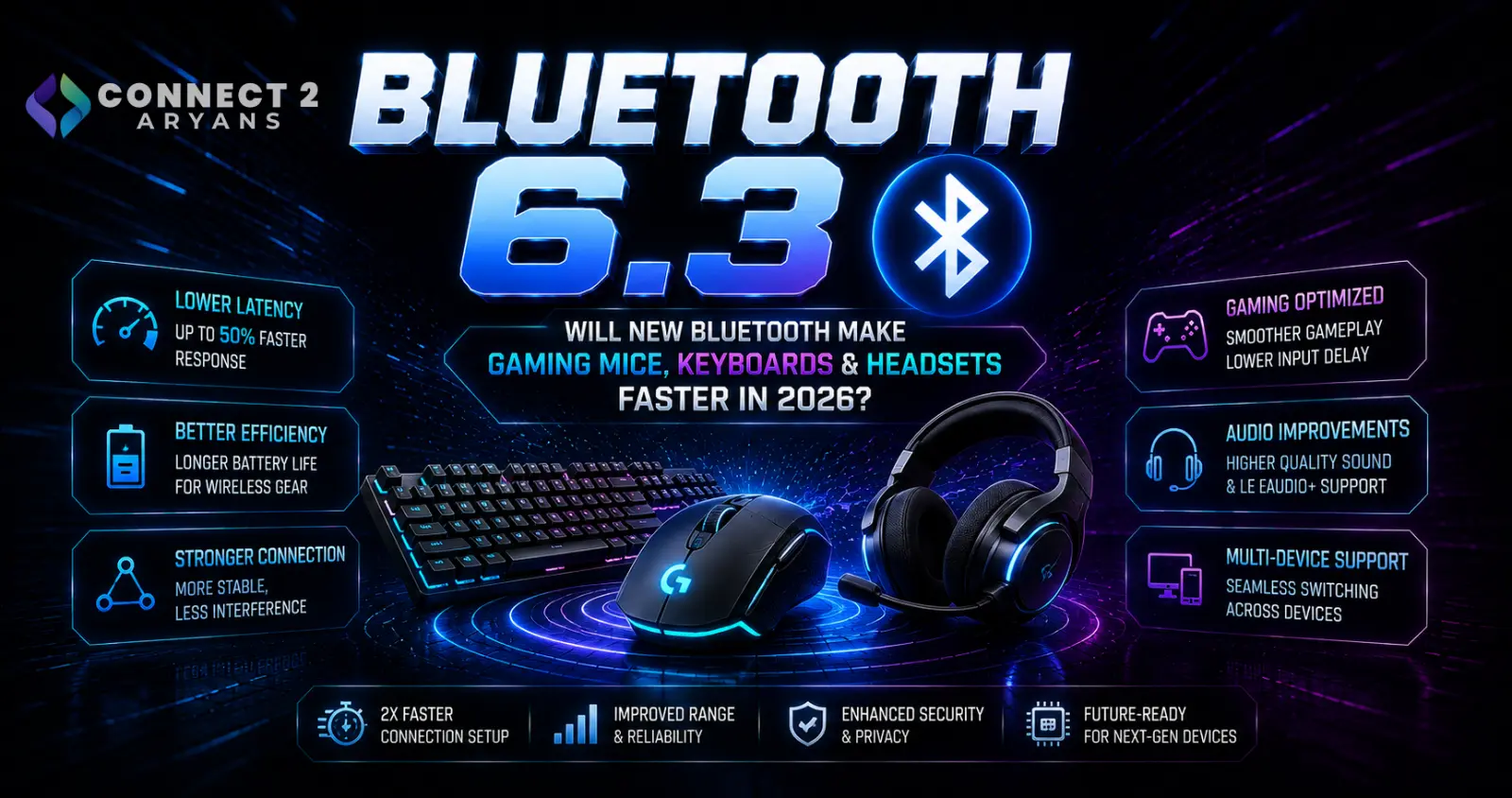
Bluetooth 6.3 Explained: Will New Bluetooth Make Gaming Mice, Keyboards & Headsets Faster in 2026?
Bluetooth has become almost invisible in everyday computing.
We use it for:
- Wireless mice
- Keyboards
- Headphones
- Game controllers
- Speakers
- Laptops
- Smartphones
- Tablets
- Trackers
- Other accessories
Yet Bluetooth specifications continue evolving behind the scenes.
The newest adopted Bluetooth Core Specification is now Bluetooth Core 6.3, adopted by the Bluetooth SIG in May 2026. It follows Bluetooth Core 6.2 from November 2025 and the major Bluetooth Core 6.0 generation introduced in 2024.
For PC gamers, however, the obvious question isn't:
“What is the newest Bluetooth version?”
It is:
“Will it make my wireless mouse, keyboard, controller or headset faster?”
The answer is more complicated than the version number suggests.
Bluetooth 6.x introduces genuinely important technical improvements, including highly accurate distance measurement and dramatically shorter potential Bluetooth LE connection intervals.
But that does not mean buying anything labelled Bluetooth 6 automatically gives you lower gaming latency.
To understand why, we need to look at what actually changed.
Bluetooth 6.3 Is the Latest Core Specification
The Bluetooth Special Interest Group adopted Bluetooth Core Specification 6.3 on May 5, 2026, with the public release announcement following on May 6.
Bluetooth SIG describes 6.3 as a targeted update focused on:
higher ranging precision
greater interface capacity
and
improved radio efficiency.
The major additions include:
- Channel Sounding Inline PCT Transfer
- Channel Sounding PHY-specific RTT Accuracy
- Expanded Host Controller Interface capacity
- RF requirement changes intended to simplify efficient dual-mode radio designs
Those are meaningful engineering changes.
But notice something missing from that list:
Bluetooth 6.3 does not simply say “gaming latency is now X milliseconds.”
That's an important distinction.
Bluetooth Version Number Does Not Tell You Everything
This is perhaps the most important thing PC buyers should understand.
Bluetooth SIG itself advises manufacturers not to use the Core Specification version as a substitute for communicating the actual Bluetooth features supported by a product.
Its current guidance recommends communicating specific supported functionality rather than implying that the version number alone describes everything a device can do.
In other words:
Bluetooth 6.3 ≠ every Bluetooth 6.3 feature is necessarily being used by every product.
A mouse, laptop, headset and Bluetooth adapter can all interact with Bluetooth technology in very different ways.
The exact supported features matter more than simply comparing:
5.3 vs 5.4 vs 6.0 vs 6.2 vs 6.3.
Bluetooth 6.0 Introduced Channel Sounding
One of the biggest changes in the Bluetooth 6 generation arrived with Bluetooth Core 6.0.
It introduced:
Bluetooth Channel Sounding.
Channel Sounding gives compatible Bluetooth devices the ability to determine distance much more accurately than traditional signal-strength-based methods.
Bluetooth SIG says Channel Sounding can provide centimeter-level ranging accuracy over considerable distances.
That is a major improvement for applications that need to know not simply:
“Is another Bluetooth device nearby?”
but:
“How far away is it?”
How Bluetooth Devices Traditionally Estimate Distance
Bluetooth devices can use received signal strength as an approximate indication of distance.
The problem is that signal strength is affected by many environmental factors.
Walls, furniture, people, interference and antenna orientation can all change the received signal level.
So:
strong signal ≠ guaranteed exact distance
and
weak signal ≠ guaranteed far-away device.
Bluetooth Channel Sounding uses more sophisticated radio measurements to improve ranging accuracy.
Bluetooth SIG describes it as significantly more accurate and less vulnerable to interference and environmental effects than conventional path-loss-based ranging.
How Bluetooth Channel Sounding Works
Bluetooth Channel Sounding includes two distance-measurement techniques:
Phase-Based Ranging — PBR
and
Round-Trip Timing — RTT.
PBR analyzes phase changes across multiple frequencies to estimate distance.
RTT measures aspects of the round-trip travel time of the radio signal.
These techniques can be used individually or together depending on the implementation.
The result is much more precise distance awareness between compatible Bluetooth devices.
What Does Channel Sounding Have to Do With PC Peripherals?
This is where the technology becomes interesting beyond trackers and digital keys.
Bluetooth SIG specifically identified computer peripherals as one possible application when Channel Sounding was introduced.
It gave examples including:
Bluetooth mice
keyboards
and
game controllers
that could potentially change between active and inactive states depending on their distance from a computer.
Imagine a wireless keyboard that knows when you have moved away from your desk.
Or a controller that changes power state based on its distance from the PC.
Those are possible applications of true distance awareness.
But Channel Sounding should not be confused with:
lower click latency.
They solve different problems.
Channel Sounding Does Not Automatically Make Your Mouse Faster
A Bluetooth mouse knowing its distance from the computer doesn't automatically reduce the delay between:
click → PC receives click.
Channel Sounding is primarily a ranging technology.
Gaming input latency depends on other parts of the wireless connection and device implementation.
So if a future gaming mouse advertises Bluetooth Channel Sounding, do not automatically interpret that as:
“lower gaming latency.”
Look for actual latency, polling and wireless-mode information from the manufacturer.
Bluetooth 6.2 Introduced a More Directly Relevant Gaming Change
For gaming peripherals, Bluetooth Core 6.2 contains a particularly interesting enhancement:
Shorter Connection Intervals.
Bluetooth SIG adopted Bluetooth Core 6.2 in November 2025.
The Shorter Connection Intervals feature reduces the minimum Bluetooth LE connection interval from:
7.5 milliseconds
to as little as:
375 microseconds.
That is a substantial technical change.
And unlike Channel Sounding, it has an obvious potential relationship with responsive input devices.
What Is a Bluetooth Connection Interval?
Bluetooth LE connected devices communicate according to scheduled connection events.
The connection interval controls the timing between those events.
Before the Shorter Connection Intervals enhancement, the minimum interval was:
7.5 ms.
Bluetooth 6.2 allows supported devices to establish substantially shorter intervals, down to:
375 µs, or 0.375 ms.
In theory, shorter communication intervals can allow data to be exchanged more frequently.
That can be useful for applications where responsiveness matters.
Why This Matters for Gaming Mice and Keyboards
Bluetooth SIG specifically identifies high-performance HID devices as one of the applications for Shorter Connection Intervals.
HID means:
Human Interface Device.
Examples include:
mouse,
keyboard,
controller,
and other input devices.
This makes Bluetooth 6.2 particularly interesting for future high-performance wireless peripherals.
A technology historically associated more with convenience and power efficiency can now support much shorter LE connection intervals where devices implement the feature.
Does Bluetooth 6.2 Mean 0.375ms Mouse Latency?
No.
This distinction is critical.
A 375-microsecond connection interval is not the same thing as claiming:
375-microsecond total mouse latency.
End-to-end input latency can include:
sensor processing,
microcontroller processing,
wireless scheduling,
host processing,
USB/Bluetooth stack behavior,
game processing,
rendering,
and display latency.
So do not take the minimum connection interval and advertise it as the total response time of a gaming mouse.
Bluetooth SIG does not make that claim.
Shorter Connection Intervals Are Not Automatically Enabled Everywhere
Another important issue:
the feature has to actually be supported and implemented.
A laptop supporting a newer Bluetooth Core specification does not automatically force an older mouse to communicate using a new feature it doesn't understand.
Both sides of the connection need the appropriate capability.
The peripheral firmware and operating system ecosystem also matter.
So buying a new Bluetooth adapter doesn't magically upgrade every existing Bluetooth peripheral.
Then What Did Bluetooth 6.3 Change?
Bluetooth 6.3 builds on the newer Bluetooth architecture rather than replacing everything again.
Its headline improvements are more technical.
One involves Channel Sounding Inline PCT Transfer.
Bluetooth SIG says this improves Channel Sounding efficiency and accuracy by allowing the reflector to perform phase correction in hardware and reducing unnecessary result data transferred over the Host Controller Interface.
The result can include:
lower overhead
simpler processing
and
faster ranging procedures.
Again, this primarily improves Bluetooth ranging rather than directly promising faster mouse clicks.
Bluetooth 6.3 Improves RTT Accuracy Reporting
Bluetooth Channel Sounding also uses Round-Trip Timing.
Before the 6.3 enhancement, devices could report one RTT accuracy capability across different Bluetooth LE physical layers.
Bluetooth 6.3 adds the ability to declare RTT accuracy separately for different PHYs.
This allows systems to choose a more appropriate PHY and accuracy combination for the ranging situation.
For consumers, the practical result is:
better foundations for precise Bluetooth distance measurement.
It is not something most PC users will manually configure.
Bluetooth 6.3 Also Makes Room for Future Bluetooth Features
Bluetooth has been adding functionality for decades.
Eventually, even the internal structures used to report supported commands and events began running out of space.
Bluetooth 6.3 addresses this through a feature literally called:
Bluetooth Running Out of Bits.
The update expands important Host Controller Interface structures.
Bluetooth SIG says the Supported Commands bitmask grows from 64 to 251 octets, while the Bluetooth LE Event Mask expands from 8 to 255 octets.
This does not make your headset sound better today.
Instead, it gives Bluetooth more room to continue adding capabilities in future specifications.
Bluetooth 6.3 Can Also Help Radio Design Efficiency
Another Bluetooth 6.3 change aligns some Bluetooth Classic radio-frequency requirements more closely with existing Bluetooth LE requirements.
Bluetooth SIG says this can simplify design targets and enable more power-efficient and flexible dual-mode radio architectures without compromising coexistence performance.
That is primarily an engineering improvement.
Consumers may eventually benefit through better implementations, but it is not a feature where you should expect a button labelled:
“Enable Bluetooth 6.3 RF efficiency.”
Bluetooth 6.3 vs 6.2 vs 6.0
A simplified comparison looks like this:
| Bluetooth Core | Important Change Relevant Here | Why It Matters |
|---|---|---|
| 6.0 | Channel Sounding | Secure, precise distance awareness |
| 6.2 | Shorter Connection Intervals | Potentially more responsive Bluetooth LE HID communication |
| 6.3 | Channel Sounding and architecture refinements | Better ranging precision/efficiency and room for future Bluetooth features |
Bluetooth 6.x therefore should not be viewed as one single feature.
It is a series of specification updates improving different parts of the Bluetooth ecosystem.
Does Bluetooth 6.3 Make Wireless Gaming Better?
Potentially over time.
But not simply because a product says Bluetooth 6.3.
For gaming peripherals, Bluetooth 6.2's Shorter Connection Intervals are arguably more directly interesting than the headline changes in 6.3.
Bluetooth 6.3 then continues improving the technical foundation.
What matters when buying an actual gaming peripheral is still the manufacturer's implementation.
Look for:
wireless mode
measured or specified latency
polling capability
battery life
sensor performance
supported platforms
and
whether a USB receiver is included.
The Bluetooth version should be only one part of the specification.
Bluetooth vs 2.4GHz Wireless Gaming Mice
Many modern wireless gaming mice support multiple connection methods.
A typical tri-mode mouse may provide:
USB wired
Bluetooth
and
2.4GHz proprietary wireless.
For example, the current Connect2Aryans gaming-mouse catalogue contains multiple tri-mode and dual-mode models using combinations of Bluetooth, 2.4GHz wireless and wired USB connectivity.
Browse Gaming Mice on Connect2Aryans
These modes exist because they can be optimized for different priorities.
Why Gaming Mice Often Use a USB Receiver
A dedicated 2.4GHz receiver gives the peripheral manufacturer much more control over the wireless link.
Gaming brands can optimize:
polling behavior,
latency,
power management,
firmware,
and communication between the mouse and receiver.
Bluetooth, meanwhile, provides broad compatibility without requiring a dedicated receiver when the computer already has Bluetooth.
That makes Bluetooth extremely convenient for:
laptops,
office PCs,
tablets,
and multi-device setups.
Bluetooth Is Excellent for Multi-Device Use
Suppose you use one mouse with:
desktop PC
laptop
and
tablet.
Bluetooth can make switching between systems much easier because each device may already contain a Bluetooth radio.
A dedicated gaming receiver can be more cumbersome when moving between devices.
That is why many modern mice combine both technologies.
Use:
2.4GHz for performance-focused gaming
and
Bluetooth for convenience or secondary devices
where the product is designed that way.
Newer Bluetooth Could Narrow the Responsiveness Gap
Shorter Connection Intervals are interesting precisely because they improve the technical foundation available for responsive Bluetooth LE applications.
Reducing the minimum interval from 7.5ms to 0.375ms gives developers much more flexibility when designing high-performance HID products.
But the actual user experience will depend on products implementing it well.
A specification creates the capability.
It does not guarantee that every manufacturer uses that capability identically.
What About Bluetooth Gaming Keyboards?
The same principle applies.
A keyboard does not continuously send enormous amounts of data.
But responsiveness still matters, particularly for competitive gaming.
Shorter Bluetooth LE connection intervals can potentially benefit high-performance HID applications, which include keyboards.
However, you should still check how the exact keyboard is designed.
A gaming keyboard offering:
wired + Bluetooth + dedicated 2.4GHz
may have different performance characteristics in each mode.
Do not assume all three modes provide identical latency.
What About Bluetooth Game Controllers?
Controllers are another HID category.
They continuously transmit inputs from:
buttons,
triggers,
analog sticks,
motion sensors,
and other controls depending on the device.
Bluetooth SIG has specifically mentioned game controllers among possible Channel Sounding peripheral applications.
Meanwhile, Shorter Connection Intervals create another tool developers can potentially use for more responsive LE communication.
Again, implementation matters more than the Bluetooth version printed on a box.
Does Bluetooth 6.3 Improve Gaming Headset Audio?
Not automatically.
Bluetooth audio performance depends on more than the Core Specification version.
Relevant factors can include:
audio profile
codec
LE Audio support
headset implementation
operating system
and
source device support.
Bluetooth LE Audio itself is a separate Bluetooth feature ecosystem.
Bluetooth SIG describes LE Audio as improving Bluetooth audio capabilities while also enabling features such as Auracast broadcast audio.
Therefore:
Bluetooth 6.3 ≠ automatically better headset sound quality.
Bluetooth Version Is Not an Audio Codec
This confusion is extremely common.
Bluetooth 5.x or 6.x describes a Core Specification generation.
Audio codecs determine how audio is encoded and transmitted in relevant audio implementations.
Those are not the same specification.
A headset advertised as:
Bluetooth 6.0
does not automatically tell you:
what codec it uses,
its gaming latency,
its microphone quality,
or whether it supports LE Audio.
Check those specifications separately.
Why Many Gaming Headsets Still Use 2.4GHz Wireless
Gaming headsets frequently include proprietary USB wireless receivers.
The reason is similar to gaming mice.
Manufacturers can optimize the connection specifically around:
low latency
game audio
microphone communication
and
platform compatibility.
The current Connect2Aryans gaming-headphone catalogue, for example, includes wireless gaming models using dedicated low-latency 2.4GHz connections.
Browse Gaming Headphones on Connect2Aryans
So don't reject a gaming headset simply because it uses a USB receiver rather than the newest Bluetooth specification.
That receiver may be there specifically to provide the performance profile the headset was designed around.
Bluetooth Can Still Be Useful on a Gaming Headset
Bluetooth remains valuable even when 2.4GHz is the primary gaming connection.
A multi-mode headset might use:
2.4GHz → gaming PC
and
Bluetooth → smartphone.
That can allow one headset to work across several devices.
Some products may even support simultaneous or rapidly switchable connections depending on their design.
The best connection therefore depends on what you are doing.
Will a Bluetooth 6.3 Adapter Upgrade an Older Headset?
Not in the way many buyers expect.
Suppose you connect an older Bluetooth headset to a newer Bluetooth controller.
The connection has to use functionality supported by both sides.
A newer host cannot force an old peripheral to implement features that were never designed into its hardware or firmware.
So:
Bluetooth 6.3 PC + older Bluetooth headset ≠ automatically Bluetooth 6.3 headset.
Backward compatibility is useful, but capability is negotiated between the devices.
Will an Older PC Work With a New Bluetooth Peripheral?
Potentially, yes, because Bluetooth is designed with interoperability and compatibility in mind.
But the features available depend on what both devices support.
A new mouse might still connect to an older laptop while not using its newest optional Bluetooth capabilities.
That is very different from saying the product is completely unusable.
Always check the peripheral manufacturer's minimum requirements.
Should You Buy a USB Bluetooth Adapter?
A USB Bluetooth adapter can be useful when:
your desktop motherboard has no Bluetooth,
your existing Bluetooth hardware is unreliable,
or
you need functionality provided by a particular supported adapter.
But don't buy an adapter solely because its advertised Bluetooth number is higher.
Check:
operating-system compatibility
supported Bluetooth functionality
driver support
antenna design
and
the requirements of the peripherals you intend to connect.
A larger version number alone is not enough.
Motherboard Bluetooth Also Depends on the Wireless Module
Many desktop motherboards advertise Wi-Fi and Bluetooth together.
That is because both functions are commonly provided through the installed wireless module.
Two motherboards from the same chipset generation can therefore have different wireless specifications.
When building a PC, verify the exact board rather than assuming:
new motherboard = newest Bluetooth.
Browse Motherboards on Connect2Aryans
Laptop Bluetooth Is Usually Built In
Most modern laptops already contain Bluetooth through their integrated wireless hardware.
That makes Bluetooth peripherals especially convenient for laptop users because they can avoid occupying a USB port with a receiver.
For:
office mouse,
portable keyboard,
headphones,
and general accessories,
that convenience can be more important than maximum gaming performance.
Competitive gamers may still choose dedicated receiver-based peripherals where latency is the priority.
Bluetooth 6.x Does Not Automatically Mean Longer Range
Another common assumption is:
newer Bluetooth = more range.
Not necessarily.
Real-world range depends on factors including:
radio design,
transmit power,
receiver sensitivity,
antenna,
Bluetooth PHY,
environment,
walls,
interference,
and device implementation.
Channel Sounding improves distance measurement.
That should not be confused with simply increasing how far every Bluetooth connection can reach.
Bluetooth 6.x Does Not Automatically Mean Better Battery Life
Newer Bluetooth specifications can introduce features that allow engineers to design more efficient devices.
Bluetooth 6.3, for example, includes RF changes that Bluetooth SIG says can enable more power-efficient radio architectures.
But actual battery life still depends heavily on the product.
A mouse battery may be affected by:
sensor,
polling behavior,
RGB lighting,
sleep behavior,
battery capacity,
firmware,
and wireless mode.
Never estimate battery life from Bluetooth version alone.
Use the manufacturer's stated battery specification for the exact device.
Bluetooth 6.x Does Not Automatically Mean Better Signal Through Walls
Bluetooth still operates in the 2.4GHz ISM spectrum.
Real environments contain competing wireless activity from technologies including:
Wi-Fi,
other Bluetooth devices,
wireless peripherals,
and numerous consumer electronics.
A newer Bluetooth specification does not make physical radio propagation disappear.
A badly positioned desktop Bluetooth antenna can still cause problems.
Why Desktop Bluetooth Sometimes Performs Poorly
A desktop PC can create a difficult wireless environment.
The Bluetooth radio may sit near:
metal chassis panels,
GPU,
motherboard,
USB devices,
Wi-Fi hardware,
and other electronics.
If your motherboard uses external Wi-Fi/Bluetooth antennas, connect them.
Users sometimes assume the antenna is only for Wi-Fi.
On many motherboard implementations, that antenna system is also important for Bluetooth performance.
Check the motherboard documentation.
USB 3.x Devices Can Also Matter Around 2.4GHz Wireless
High-speed USB equipment and poorly positioned wireless receivers can contribute to difficult RF environments around a desktop PC.
If a wireless mouse, Bluetooth adapter or headset is behaving inconsistently, test:
a different USB port,
a receiver extension cable where appropriate,
different antenna positioning,
and greater separation from other high-speed devices.
Do this before assuming the Bluetooth specification itself is the problem.
Bluetooth vs Wi-Fi Is Not the Same Comparison
Bluetooth and Wi-Fi are both wireless technologies, but they are designed for different types of communication.
Wi-Fi generally handles high-throughput network connectivity.
Bluetooth is optimized for device-to-device applications such as:
peripherals,
audio,
sensors,
wearables,
and low-energy communication.
So buying a Wi-Fi 7 motherboard doesn't automatically tell you which Bluetooth Core features its wireless module supports.
Check both specifications separately.
Should Competitive Gamers Switch to Bluetooth 6.3?
Not simply because 6.3 exists.
If you already use a high-performance gaming mouse through its dedicated low-latency receiver and it works perfectly, there is no reason to replace it purely to chase a Bluetooth version number.
The same applies to gaming headsets.
Bluetooth's newer HID capabilities are technically promising, particularly the Shorter Connection Intervals introduced in 6.2.
But buying decisions should be based on actual product performance.
When New Bluetooth Features Become Worth Watching
Bluetooth 6.x becomes particularly interesting when manufacturers begin shipping peripherals that explicitly implement and document the newer capabilities.
For example, a future gaming peripheral could advertise support for:
Bluetooth LE Shorter Connection Intervals
along with verified performance information.
That is much more useful than simply seeing:
Bluetooth 6.2
printed in the specification table.
Feature support is what matters.
What PC Buyers in Pakistan Should Prioritize
Wireless peripherals in Pakistan span a huge price range.
Avoid paying a large premium purely because one product advertises a newer Bluetooth number.
For a mouse, prioritize:
sensor quality
shape
weight
latency
wireless modes
and
battery life.
For a headset:
sound quality
microphone
comfort
latency
battery
and
connection options.
For a keyboard:
switches
layout
latency
build quality
and
wireless modes.
Bluetooth version should support the buying decision, not replace it.
Browse Wired & Wireless Mice on Connect2Aryans
A Practical Bluetooth Peripheral Buying Checklist
Before buying a wireless PC peripheral in 2026, check:
Connection modes
Is it:
Bluetooth only
2.4GHz only
wired + Bluetooth
or
tri-mode?
Actual Bluetooth features
Don't rely only on the Core version.
Gaming latency
Look for manufacturer performance information where provided.
Receiver
Check whether a proprietary USB receiver is included.
Battery life
Compare battery claims for the mode you intend to use.
Platform support
Windows, macOS, console and mobile support can differ.
USB requirements
A receiver may require USB-A or USB-C depending on the product.
Software
Some advanced settings may require manufacturer software.
Bluetooth 6.3 vs 2.4GHz Gaming Wireless
| Feature | Bluetooth | Dedicated 2.4GHz Gaming Wireless |
|---|---|---|
| Requires dedicated receiver | Often no | Usually yes |
| Built into most laptops | Yes | No |
| Easy multi-device use | Often excellent | Product dependent |
| Manufacturer control over link | Standardized Bluetooth ecosystem | Highly customizable |
| Gaming-focused implementation | Product dependent | Common |
| New shorter LE intervals possible | Yes, on supported newer implementations | Uses manufacturer's own design |
| Best use | Convenience, portability, multi-device | Performance-focused gaming |
| Automatically lower latency | No | No — implementation still matters |
The correct choice depends on the actual peripheral rather than the wireless technology name alone.
Frequently Asked Questions
What is the newest Bluetooth version in 2026?
Bluetooth Core Specification 6.3 is currently the newest adopted Core Specification. Bluetooth SIG adopted it on May 5, 2026 and announced the release on May 6, 2026.
Is Bluetooth 6.3 better for gaming?
Bluetooth 6.3 improves several parts of the Bluetooth technical foundation, but it does not automatically make every gaming peripheral faster. Actual latency depends on the device and features implemented.
What changed in Bluetooth 6.2?
One particularly relevant change is Shorter Connection Intervals, which reduce the minimum Bluetooth LE connection interval from 7.5ms to as little as 375 microseconds for supported implementations. Bluetooth SIG specifically identifies high-performance HID devices as a use case.
Does 375 microseconds mean 0.375ms mouse latency?
No. That is the minimum supported connection interval for the feature, not a guarantee of total end-to-end input latency.
What is Bluetooth Channel Sounding?
Channel Sounding is a secure fine-ranging feature introduced with Bluetooth Core 6.0. It uses technologies including Phase-Based Ranging and Round-Trip Timing to enable highly accurate distance measurement between compatible Bluetooth devices.
Does Channel Sounding improve gaming latency?
Not directly. Its primary purpose is accurate distance measurement rather than reducing mouse, keyboard or controller input latency.
Is Bluetooth 6.3 better than 2.4GHz wireless for a gaming mouse?
Not automatically. Dedicated gaming wireless links are often specifically optimized by manufacturers for low-latency input. Compare the actual mouse's performance rather than choosing solely by wireless-standard name.
Does Bluetooth 6.3 improve headset sound quality?
Not automatically. Audio quality depends on the headset, supported audio profiles/codecs, source device and implementation. The Core Specification version alone does not define sound quality.
Will a Bluetooth 6.3 adapter make my old Bluetooth mouse faster?
It cannot add unsupported Bluetooth features to the mouse. The usable connection capabilities depend on both devices.
Should I upgrade my PC just for Bluetooth 6.3?
Usually not. Upgrade Bluetooth hardware when you need a specific supported capability, better connectivity, or compatibility with a peripheral you intend to use.
Conclusion
Bluetooth 6.x is much more interesting than simply another number added to a wireless specification.
Bluetooth Core 6.0 introduced Channel Sounding, giving compatible Bluetooth devices highly accurate distance awareness using technologies including Phase-Based Ranging and Round-Trip Timing.
Bluetooth Core 6.2 then introduced something particularly relevant to PC peripherals:
Shorter Connection Intervals.
The minimum Bluetooth LE connection interval can fall from 7.5 milliseconds to as little as 375 microseconds in supported implementations, and Bluetooth SIG explicitly identifies high-performance HID devices as a target use case.
Then, on May 5, 2026, Bluetooth Core 6.3 was adopted.
It improves Channel Sounding accuracy and efficiency, expands the internal capacity available for future Bluetooth commands and events, and changes RF requirements in ways that can help engineers build more efficient dual-mode radios.
But none of this means PC gamers should throw away their current wireless equipment.
A newer Bluetooth Core number does not automatically guarantee:
lower gaming latency
better audio
longer range
better battery life
or
higher polling rates.
The specific features implemented by the product are what matter.
For competitive gaming, a well-designed proprietary 2.4GHz receiver can remain an excellent choice.
For laptops, productivity and multi-device setups, Bluetooth remains extremely convenient.
And as manufacturers begin implementing the newer Bluetooth 6.x capabilities—particularly Shorter Connection Intervals—the gap between convenience-focused Bluetooth peripherals and performance-focused wireless peripherals could become increasingly interesting.
The best buying rule for 2026 is therefore simple:
don't buy the Bluetooth version number. Buy the features and performance the actual device supports.
Browse Gaming Mice on Connect2Aryans
Browse Gaming Headphones on Connect2Aryans

