
ASUS ROG XG Station 3 Announced — Thunderbolt 5 External GPU Dock Supports RTX 5090 and Cable-Free BTF Graphics Cards
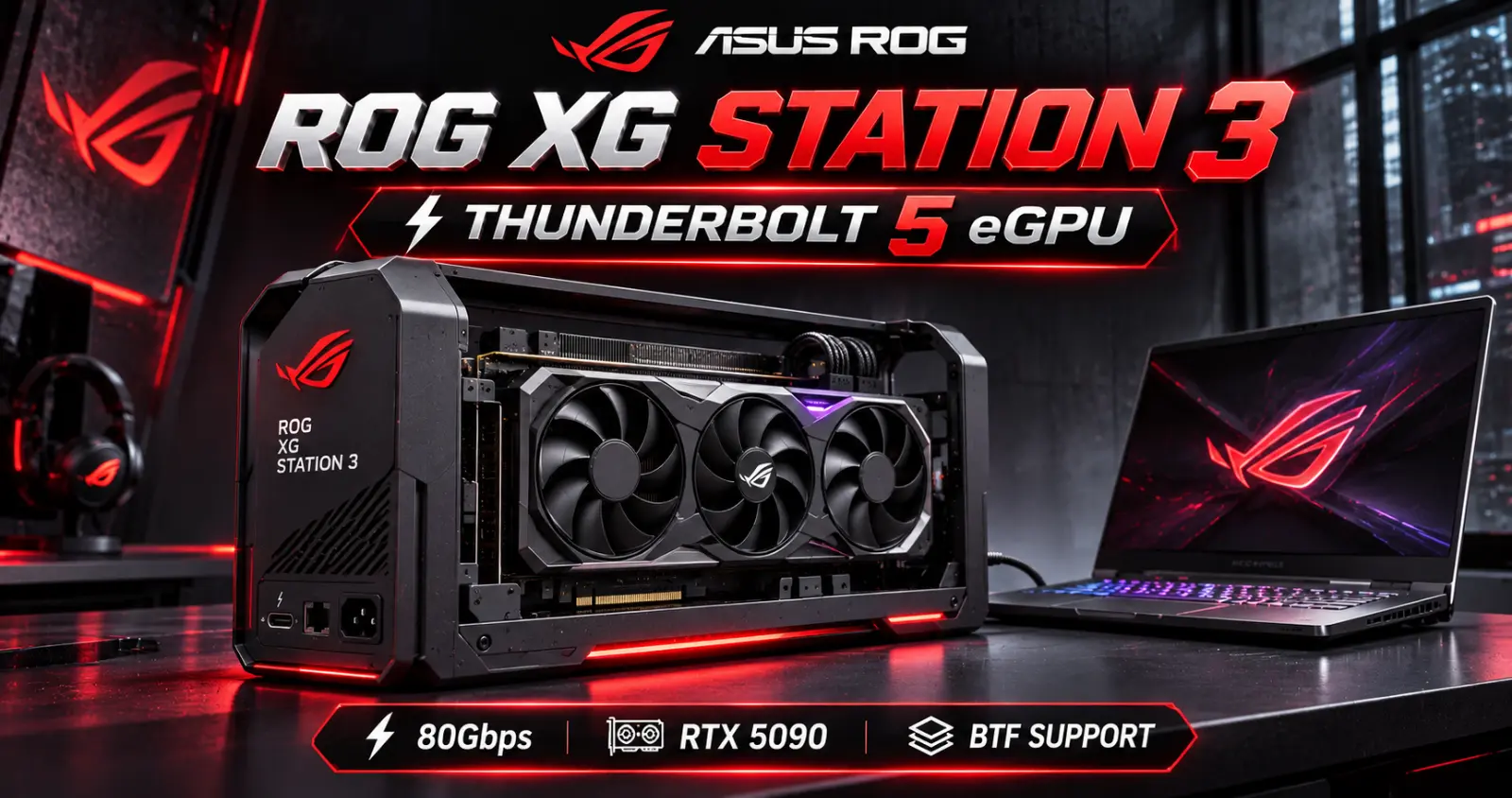
ASUS ROG XG Station 3 Announced — Thunderbolt 5 External GPU Dock Supports RTX 5090 and Cable-Free BTF Graphics Cards
ASUS Republic of Gamers has officially announced the ROG XG Station 3, a next-generation external graphics card dock designed to bring desktop GPU performance to compatible laptops and compact computers.
Announced in November 2026, the new dock combines Thunderbolt 5 connectivity, support for powerful desktop graphics cards, 140W laptop charging and ASUS BTF cable-free GPU technology.
The most interesting feature is that users can install a full desktop graphics card outside their laptop rather than relying entirely on the laptop's built-in GPU.
ASUS specifically highlights compatibility with NVIDIA GeForce RTX 50 Series, NVIDIA RTX PRO 6000 Series, AMD Radeon RX 9000 Series and Intel Arc graphics cards.
That includes extremely powerful GPUs such as the GeForce RTX 5090, although actual performance will depend on the laptop, connection bandwidth and workload.
The ROG XG Station 3 also introduces a distinctive open-frame design that exposes the graphics card instead of enclosing it inside a traditional box.
For users who want desktop-class GPU power while retaining the portability of a laptop, this could be an interesting alternative to purchasing an entirely separate gaming desktop.
However, there are important limitations.
The dock does not include a power supply or graphics card, and ASUS has not announced its retail price or availability date.
Here's what the ROG XG Station 3 offers and whether an external GPU setup makes sense for gamers and content creators.
What Is the ASUS ROG XG Station 3?
The ROG XG Station 3 is an external GPU docking station, commonly called an eGPU dock.
A conventional desktop graphics card connects directly to a motherboard through a PCI Express slot.
An eGPU dock allows a compatible laptop or compact computer to access a desktop graphics card through an external connection.
In the XG Station 3, that connection is Thunderbolt 5.
The dock provides the physical graphics-card interface, power-supply accommodation and connectivity needed to use a supported desktop GPU outside the computer.
This creates an interesting setup.
A user can carry a lightweight laptop during the day, then connect it to a more powerful graphics card at a desk.
The same laptop can potentially handle more demanding gaming, GPU rendering and other accelerated workloads without requiring a permanently installed desktop GPU.
ASUS ROG XG Station 3 Specifications
ASUS has confirmed the following features for the new dock.
| Specification | ASUS ROG XG Station 3 |
|---|---|
| Product Type | External GPU Dock |
| Connection | Thunderbolt 5 |
| Bidirectional Bandwidth | Up to 80Gbps |
| Bandwidth Boost | Up to 120Gbps in one direction |
| Laptop Power Delivery | Up to 140W |
| Thunderbolt Downstream Port | 1 × Thunderbolt 5 |
| Downstream Power Delivery | Up to 36W |
| Additional USB Ports | 2 × USB-C 10Gbps |
| GPU Support | NVIDIA RTX 50, RTX PRO 6000, AMD RX 9000, Intel Arc |
| ASUS BTF Support | Yes, through GC-HPWR |
| Maximum GPU Dimensions | 361 × 139.3 × 93.9mm |
| PSU Form Factor | SFX / SFX-L |
| PSU Included | No |
| Design | Open Frame |
| RGB | ASUS Aura Sync |
| Thunderbolt 4 Compatibility | Yes |
| Price | Not Announced |
| Retail Availability | Not Announced |
These are manufacturer-published capabilities, not independent performance benchmark results.
Thunderbolt 5 Is the Biggest Upgrade
One of the most important improvements is the move to Thunderbolt 5.
Earlier external GPU solutions commonly used Thunderbolt 3 or Thunderbolt 4.
Thunderbolt 5 increases the available connection bandwidth significantly.
ASUS advertises up to 80Gbps of bidirectional bandwidth, compared with the 40Gbps connection bandwidth commonly associated with Thunderbolt 4.
Thunderbolt 5 also supports Bandwidth Boost, allowing up to 120Gbps in one direction for appropriate high-bandwidth traffic.
Thunderbolt 4 vs Thunderbolt 5
| Feature | Thunderbolt 4 | Thunderbolt 5 |
|---|---|---|
| Maximum Bidirectional Link Bandwidth | 40Gbps | 80Gbps |
| Bandwidth Boost | Not Available | Up to 120Gbps in one direction |
| External GPU Potential | More Limited Bandwidth | Higher Available Bandwidth |
| XG Station 3 Compatibility | Supported | Supported |
This is especially important for external graphics cards.
Desktop GPUs are normally designed to communicate with the CPU and system memory through a direct PCIe connection.
An external dock introduces another connection between the computer and GPU.
The more constrained that connection becomes, the more likely it is to limit performance in bandwidth-sensitive workloads.
Thunderbolt 5 can reduce that limitation compared with older Thunderbolt solutions.
However, 80Gbps Thunderbolt bandwidth does not mean an external GPU receives the same effective PCIe bandwidth as an internal desktop graphics card.
Protocol overhead, PCIe tunneling and workload behavior still matter.
Can the ROG XG Station 3 Really Support an RTX 5090?
Yes. ASUS specifically lists compatibility with NVIDIA's GeForce RTX 50 Series.
Its official product information also identifies high-end RTX 5090 configurations among the supported options.
This means the dock is designed to accommodate extremely powerful modern graphics cards.
However, compatibility and performance are different questions.
A GeForce RTX 5090 installed in an external dock should not automatically be expected to deliver identical performance to the same card installed directly in a high-end desktop motherboard.
The external connection introduces additional constraints.
Performance can vary according to:
Thunderbolt connection bandwidth
Laptop CPU performance
Game resolution
GPU workload
External versus internal display usage
Graphics-driver behavior
Application compatibility
For gamers considering high-end GPUs, the NVIDIA graphics card range at Connect2Aryans provides a useful starting point for comparing available graphics-card options.
ASUS BTF Graphics Cards Get a Major Advantage
One of the most distinctive features of the ROG XG Station 3 is its support for ASUS BTF graphics cards.
BTF stands for Back-to-the-Future, ASUS's approach to cleaner PC component connections and cable management.
Compatible BTF graphics cards can receive power through a special connector rather than a conventional visible graphics-card power cable.
The XG Station 3 includes a GC-HPWR slot designed for compatible BTF graphics cards.
ASUS specifically mentions models such as the TUF Gaming GeForce RTX 5080 BTF OC Edition and ROG Astral GeForce RTX 5090 BTF Edition.
When a compatible BTF card is installed, the dock can deliver power through this integrated connection.
That creates a cleaner appearance, particularly because the graphics card is completely exposed.
Does Every Graphics Card Work Without a Power Cable?
No.
This is an important distinction.
The cable-free power arrangement applies to compatible ASUS BTF graphics cards.
Conventional graphics cards still require their normal power connections.
The XG Station 3 supports standard graphics cards, but users should not assume the GC-HPWR connector replaces the power requirements of every GPU.
The Open-Frame Design Is Completely Different
Traditional external GPU enclosures often resemble small desktop PC cases.
They hide the graphics card inside a metal enclosure with ventilation openings.
ASUS has taken a different approach.
The ROG XG Station 3 uses an open-frame design that leaves the graphics card visible.
This has several advantages.
Unrestricted Access to Cooling Air
The graphics card's fans have direct access to surrounding air rather than drawing it through a restrictive enclosure.
This can be beneficial for large triple-fan GPUs.
Easier GPU Installation
An open design makes the installed card more accessible.
Users can see the graphics card and its connections without removing large enclosure panels.
Premium Desk Appearance
High-end graphics cards often feature elaborate cooling shrouds, lighting and metallic designs.
The XG Station 3 allows those elements to become part of the desk setup.
Important Trade-Offs
An open-frame design also leaves components more exposed to dust, accidental contact and desk clutter.
Users should position the dock securely and keep liquids, loose objects and unnecessary cables away from the graphics card.
You Must Buy a Power Supply Separately
This is one of the most important purchasing details.
The ASUS ROG XG Station 3 does not include a PSU.
ASUS designed the dock to accept a standard SFX or SFX-L power supply.
That means users need to purchase a suitable PSU separately, unless they already own a compatible unit.
The required wattage depends on the installed graphics card and the dock's complete power requirements.
For example, a high-end RTX 5090 configuration requires substantially more power than a lower-tier GPU.
Users must select a PSU that meets the relevant specifications and provides the necessary connectors.
A conventional ATX power supply should not be assumed to fit simply because it offers sufficient wattage.
The physical PSU form factor matters.
For PC builders, this is an important reminder that GPU wattage and PSU compatibility are separate from external dock compatibility.
Up to 140W Laptop Charging Through One Cable
The XG Station 3 is more than an external GPU adapter.
Its primary Thunderbolt 5 connection supports up to 140W USB Power Delivery.
That means a compatible laptop can receive power while using the external graphics card.
In an ideal setup, one cable can provide:
External GPU connectivity
High-speed data transfer
Laptop charging
Access to dock-connected peripherals
This can significantly reduce desk cable clutter.
However, 140W is a maximum supported output, not a guarantee that every laptop will receive or operate correctly at that wattage.
Some high-performance gaming laptops require more power under heavy load.
Compatibility and charging behavior should be checked against the exact laptop model.
Extra Thunderbolt and USB-C Connectivity
ASUS also designed the XG Station 3 to function as a docking hub.
It includes a downstream Thunderbolt 5 port and two additional USB-C ports.
The downstream Thunderbolt 5 connection supports up to 36W Power Delivery and can be used for supported displays and peripherals.
ASUS also advertises support for up to three 4K displays through appropriate daisy-chain configurations.
The two additional USB-C ports support 10Gbps data connections.
That makes the dock useful for more than graphics performance.
Users could connect compatible external storage, peripherals and displays through a centralized desk setup.
The installed graphics card also provides its own display outputs.
Will Thunderbolt 4 Laptops Work?
Yes, according to ASUS.
The ROG XG Station 3 is backward compatible with Thunderbolt 4 laptops.
However, Thunderbolt 4 systems will not gain Thunderbolt 5 connection speeds simply by connecting to this dock.
The connection will operate within the capabilities of the host system.
That means Thunderbolt 5 is the preferred option for obtaining the dock's highest advertised connection bandwidth.
It is also important to check the exact laptop's external GPU support, operating-system compatibility and power requirements.
A USB-C connector alone does not establish Thunderbolt compatibility.
For users comparing new laptops, the gaming laptop collection at Connect2Aryans is a starting point, but individual Thunderbolt specifications must be verified before choosing a machine for an eGPU setup.
Can an External GPU Replace a Gaming Desktop?
For some users, an external GPU can reduce the need for a separate desktop computer.
However, the answer depends heavily on the intended workload.
A laptop with a strong CPU and a compatible Thunderbolt connection may gain substantial graphics capability from a desktop GPU.
That can be particularly attractive for people who need portability but also work at a desk.
Nevertheless, an external GPU setup still has limitations compared with a conventional desktop PC.
A desktop typically provides a more direct GPU connection, broader component upgradeability and greater freedom in cooling and power-supply selection.
The external dock also adds cost.
Users must account for the dock, graphics card and compatible power supply.
Who Should Consider the ROG XG Station 3?
Laptop Gamers
A user with a capable laptop CPU but limited integrated or discrete graphics may benefit from an external desktop GPU.
This could provide additional performance for demanding games when working at a desk.
Content Creators
Video editors, 3D artists and GPU-rendering users may find an external graphics solution useful if their applications support the configuration.
AI Developers
Users working with compatible GPU-accelerated applications may benefit from additional desktop GPU compute and VRAM.
Actual usefulness depends on software support and data-transfer requirements.
Users Who Want One Portable Computer
The strongest use case may be someone who wants a single laptop for everyday portability and a more powerful desk setup at home or work.
Who Probably Doesn't Need an eGPU Dock?
An external GPU dock is not automatically the best purchase for every gamer.
Users who already own a powerful gaming desktop may gain little from adding an eGPU dock.
Similarly, someone purchasing a complete new gaming system may find that a conventional desktop provides better value.
A user with a laptop that lacks appropriate Thunderbolt support also should not assume the dock will work.
For buyers considering a complete system, comparing the cost of a gaming laptop plus eGPU dock against a dedicated desktop PC is essential.
ROG XG Station 3 vs Traditional Desktop GPU Installation
| Feature | ROG XG Station 3 eGPU | Desktop GPU |
|---|---|---|
| GPU Location | External Dock | Inside PC |
| Main Connection | Thunderbolt | Motherboard PCIe |
| Portability | Laptop Can Be Disconnected | Desktop Remains Stationary |
| GPU Upgradeability | Supported Desktop GPU Can Be Changed | Supported Desktop GPU Can Be Changed |
| Bandwidth | Limited by External Connection | Direct PCIe Connection |
| Power Supply | Separate SFX / SFX-L PSU | System PSU |
| Desk Space | Additional External Hardware | GPU Inside Case |
| Best Use | Laptop Expansion | Dedicated Desktop Performance |
The XG Station 3 prioritizes flexibility.
A traditional desktop GPU installation prioritizes direct connectivity and system integration.
Neither approach is automatically better for every user.
How Much Performance Will an RTX 5090 Lose Through Thunderbolt 5?
This is an important question, but ASUS has not provided comprehensive independent gaming benchmarks establishing a universal performance difference.
A single percentage would be misleading.
Performance losses can vary significantly between games and applications.
Some workloads may be relatively insensitive to connection bandwidth.
Others may require frequent transfers between the CPU, system memory and GPU.
Using a laptop's internal display can also introduce different data-transfer requirements compared with connecting an external monitor directly to the graphics card.
Therefore, claims that Thunderbolt 5 completely eliminates all eGPU bottlenecks should be treated cautiously.
Independent testing will be needed to establish how the XG Station 3 performs with different graphics cards and laptops.
Is the ASUS ROG XG Station 3 Available in Pakistan?
As of November 6, 2026, ASUS has announced the product but has not published a confirmed global retail price or launch schedule in its official announcement.
Pakistan-specific pricing and availability are therefore not confirmed.
It would be premature to estimate a local retail price without an official product price or distributor information.
Buyers interested in this type of setup should also consider the complete cost, including the graphics card and compatible SFX power supply.
What Makes This Launch Important?
The ROG XG Station 3 represents an interesting development in how desktop graphics cards can be used.
For years, powerful GPUs were primarily associated with desktop computers.
External GPU solutions offered another possibility, but connection bandwidth and compatibility created significant limitations.
Thunderbolt 5 provides substantially more connection bandwidth than earlier generations.
ASUS has combined that improvement with support for modern graphics cards, a practical docking hub and BTF power delivery.
The result is a more flexible approach to high-performance graphics.
However, the success of the XG Station 3 will ultimately depend on pricing, compatibility and real-world performance.
Those factors matter more than the headline bandwidth figure alone.
Frequently Asked Questions
What is the ASUS ROG XG Station 3?
It is an external GPU docking station that connects compatible laptops and computers to supported desktop graphics cards using Thunderbolt 5.
Does the ROG XG Station 3 support RTX 5090?
Yes. ASUS lists support for GeForce RTX 50 Series graphics cards, including compatible RTX 5090 configurations.
Does it support AMD Radeon graphics cards?
Yes. ASUS officially lists Radeon RX 9000 Series support.
Does it support Intel Arc graphics cards?
Yes. Intel Arc is included among the supported GPU families.
What is the maximum Thunderbolt 5 speed?
The dock supports up to 80Gbps bidirectional bandwidth and up to 120Gbps in one direction through Bandwidth Boost.
Does the dock include a graphics card?
No. The graphics card must be purchased separately.
Does it include a power supply?
No. ASUS specifies support for user-installed SFX or SFX-L power supplies.
Can it charge a laptop?
Yes. The primary Thunderbolt 5 connection supports up to 140W USB Power Delivery for compatible laptops.
Does it work with Thunderbolt 4?
Yes. ASUS confirms backward compatibility with Thunderbolt 4 laptops, subject to host compatibility and connection limitations.
Can it power ASUS BTF graphics cards without a visible cable?
Yes. Compatible BTF graphics cards can use the integrated GC-HPWR connector.
Is Thunderbolt 5 as fast as a desktop PCIe graphics-card connection?
Not necessarily. Thunderbolt 5 provides high external connection bandwidth, but it does not guarantee the same effective performance as installing a GPU directly in a desktop motherboard.
What is the ROG XG Station 3 price?
ASUS has not announced an official retail price in its November 2026 announcement.
Conclusion
The ASUS ROG XG Station 3 is one of the more interesting external GPU products announced in 2026.
With Thunderbolt 5 connectivity, support for NVIDIA GeForce RTX 50 Series, AMD Radeon RX 9000 Series and Intel Arc graphics cards, ASUS is bringing modern desktop GPU technology to compatible laptops through an external dock.
Its biggest features include 80Gbps bidirectional bandwidth, up to 140W laptop charging, an open-frame cooling design and support for cable-free ASUS BTF graphics cards.
The integrated GC-HPWR connector is particularly interesting because it allows compatible high-end ASUS graphics cards to operate without a visible conventional PCIe power cable.
However, the dock also comes with practical considerations.
It does not include a graphics card or power supply.
Users need a compatible Thunderbolt-equipped computer.
And even with Thunderbolt 5, an external GPU should not automatically be expected to match the performance of the same graphics card installed directly in a desktop motherboard.
For laptop owners who want more graphics performance without completely replacing their computer, the ROG XG Station 3 could become an attractive solution.
For dedicated desktop gamers, a conventional gaming PC may still offer better overall value.
Ultimately, the most important unanswered questions are price, retail availability and independent performance results.
Until those details are available, the ROG XG Station 3 is best viewed as a promising new option for external GPU computing rather than a guaranteed replacement for a high-end gaming desktop.
For users exploring a future GPU upgrade, Connect2Aryans offers a selection of NVIDIA graphics cards and gaming laptops to compare when planning a compatible gaming or productivity setup.