
Intel Core Ultra 7 270K Plus vs AMD Ryzen 7 7700X3D: New 2026 CPU Battle Puts Productivity Against X3D Gaming
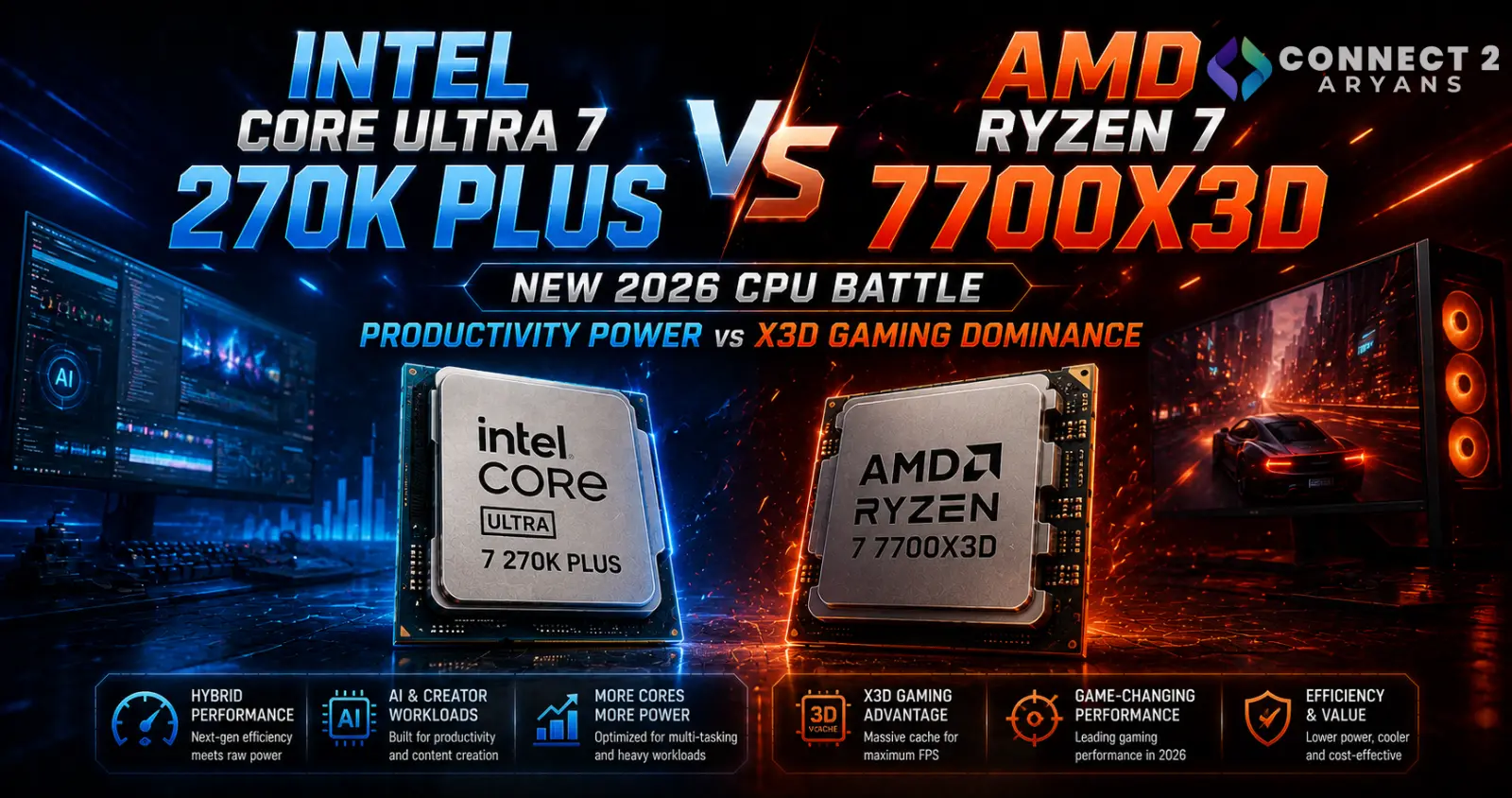
Intel Core Ultra 7 270K Plus vs AMD Ryzen 7 7700X3D: New 2026 CPU Battle Puts Productivity Against X3D Gaming
A new CPU battle has emerged in August 2026, and this one is particularly interesting for anyone planning a high-performance gaming or productivity PC.
Fresh testing published on August 9, 2026 pits Intel's Core Ultra 7 270K Plus against AMD's recently launched Ryzen 7 7700X3D.
The result isn't simply another Intel-versus-AMD benchmark contest.
These processors take very different approaches.
Intel offers 24 CPU cores, high clocks and strong productivity capability, while AMD's new processor uses only eight Zen 4 cores but adds the company's 3D V-Cache technology and 96MB of L3 cache to target gaming workloads.
That creates an important question for PC builders:
Should you prioritize Intel's extra cores or AMD's huge X3D cache?
Why This CPU Comparison Is News Now
The Ryzen 7 7700X3D is a very recent addition to AMD's desktop lineup.
AMD officially lists its launch date as July 16, 2026, positioning it as an 8-core Ryzen 7000-series gaming processor with 3D V-Cache.
Intel's Core Ultra 7 270K Plus, meanwhile, belongs to the refreshed Core Ultra Series 2 desktop lineup introduced in Q1 2026.
On August 9, Tom's Hardware published a direct faceoff between the two, describing the upper-mid-range CPU segment as increasingly competitive.
That makes this a useful comparison for buyers considering a new PC right now rather than a theoretical battle between older processors.
Core Ultra 7 270K Plus vs Ryzen 7 7700X3D Specifications
The architectural differences are immediately obvious.
| Specification | Intel Core Ultra 7 270K Plus | AMD Ryzen 7 7700X3D |
|---|---|---|
| CPU Cores | 24 | 8 |
| Threads | 24 | 16 |
| Performance Cores | 8 | — |
| Efficient Cores | 16 | — |
| Max Boost | Up to 5.5GHz | Up to 4.5GHz |
| L3 / Smart Cache | 36MB | 96MB L3 |
| Base Power / Default TDP | 125W | 120W |
| Maximum Turbo Power | 250W | — |
| Memory | DDR5 | DDR5 |
| Socket | LGA1851 | AM5 |
| Integrated Graphics | Yes | Yes |
Intel's specifications come directly from Intel's current Series 2 documentation, while AMD officially lists the Ryzen 7 7700X3D with eight Zen 4 cores, 16 threads, a 4.5GHz maximum boost and 96MB L3 cache.
The numbers make one thing clear:
These processors are designed around different priorities.
Intel Has Three Times as Many CPU Cores
The Core Ultra 7 270K Plus uses Intel's hybrid architecture.
It contains:
8 Performance-cores + 16 Efficient-cores = 24 total cores
Intel lists 24 total threads and a maximum turbo frequency of 5.5GHz.
That large core count gives Intel significant resources for workloads capable of spreading work across many cores.
Examples can include:
- Video encoding
- Rendering
- Compilation
- Content creation
- Heavy multitasking
- Professional productivity
For someone building a PC that must handle gaming and serious productivity work, this is one of the Core Ultra 7 270K Plus's most important advantages.
AMD Takes a Completely Different Approach
The Ryzen 7 7700X3D doesn't attempt to match Intel's core count.
AMD gives it:
- 8 Zen 4 cores
- 16 threads
- 4.0GHz base clock
- Up to 4.5GHz boost clock
- 96MB L3 cache
- 120W default TDP.
The key specification is that enormous cache.
AMD achieves this through 3D V-Cache, the technology that has become central to its gaming-focused X3D processors.
Instead of simply adding more CPU cores, AMD provides significantly more cache close to the processor cores.
For games that benefit from that cache, the results can be extremely effective.
Why Does 3D V-Cache Matter for Gaming?
Games frequently need access to large amounts of data while the CPU prepares work for the graphics card.
If more useful data can remain in fast processor cache instead of repeatedly accessing slower system memory, some gaming workloads can improve substantially.
This is why X3D processors have developed such a strong reputation among PC gamers.
The Ryzen 7 7700X3D carries 96MB of L3 cache, compared with Intel's 36MB Smart Cache on the Core Ultra 7 270K Plus.
But more cache doesn't automatically make every application faster.
Software has to benefit from it.
That is why the 7700X3D can be especially attractive for gaming while Intel's much larger core count can become more valuable in heavily threaded productivity applications.
Fresh Testing Shows How Close the Competition Has Become
Tom's Hardware's August 9 comparison describes the matchup as closely fought.
Its analysis places the Ryzen 7 7700X3D ahead for gaming, while Intel's Core Ultra 7 270K Plus has the stronger position in productivity workloads.
That's an important distinction.
There isn't one processor that automatically wins every category.
Instead, the better choice depends on what the PC will actually do.
Primarily Gaming?
The Ryzen 7 7700X3D's 3D V-Cache makes AMD's processor particularly interesting.
Gaming + Heavy Productivity?
Intel's 24-core configuration becomes much more compelling.
This is exactly why buying a CPU purely from the number printed after “Core Ultra 7” or “Ryzen 7” isn't enough.
Don't Compare Core Counts Directly
A common mistake would be looking at:
Intel: 24 cores
versus
AMD: 8 cores
and concluding that Intel must therefore be three times faster.
CPU performance doesn't work that way.
Intel's processor combines two different types of cores.
The Performance-cores and Efficient-cores have different roles and capabilities, while AMD's Ryzen 7 7700X3D uses eight Zen 4 CPU cores with simultaneous multithreading.
Architecture, frequency, cache, workload and software optimization all influence performance.
Core count is important—but it isn't a standalone performance score.
The Platform Difference Is Just as Important
Choosing between these processors also means choosing between two motherboard platforms.
The Core Ultra 7 270K Plus uses LGA1851.
The Ryzen 7 7700X3D uses AM5.
That means you cannot simply switch from one CPU to the other while keeping the same motherboard.
A CPU purchase should therefore be evaluated as:
CPU + Motherboard + RAM + Cooling
rather than looking at the processor price alone.
Ryzen 7 7700X3D Uses the AM5 Ecosystem
AMD officially lists the Ryzen 7 7700X3D as compatible with a broad selection of AM5 chipsets, including:
- A620
- B650
- B650E
- X670
- X670E
- B840
- B850
- X870
- X870E
That gives builders a wide range of motherboard choices.
Browse Motherboards on Connect2Aryans
The live Connect2Aryans motherboard collection currently includes AM5 options ranging through B-series and premium X870/X870E boards for different PC-build budgets.
Core Ultra 7 270K Plus Requires LGA1851
Intel's Core Ultra desktop Series 2 processors moved away from the older LGA1700 platform.
Intel specifically notes that its Core Ultra Series 2 desktop processors are not cross-compatible with older platforms.
That matters if you're upgrading from a 12th, 13th or 14th Gen Intel desktop CPU.
You cannot take an LGA1700 motherboard and simply install the Core Ultra 7 270K Plus.
A compatible LGA1851 motherboard is required.
Both Platforms Use DDR5
Another important similarity is memory.
The Ryzen 7 7700X3D supports DDR5, with AMD officially listing DDR5-5200 for common two-DIMM configurations.
Intel lists the Core Ultra 7 270K Plus with support for memory speeds up to DDR5-7200, depending on the supported configuration.
Remember that official processor memory support and an overclocked XMP/EXPO memory profile are not necessarily the same thing.
Actual memory capability can depend on:
- Motherboard
- BIOS
- DIMM configuration
- Memory kit
- CPU memory controller
Never assume a RAM kit will automatically run at its advertised overclocked speed on every system.
Cooling Should Be Part of Your Budget
Neither CPU should be treated as a low-power entry-level processor.
AMD lists the Ryzen 7 7700X3D with a 120W default TDP and does not include a thermal solution in the boxed specification. AMD recommends liquid cooling for optimal performance.
Intel lists the Core Ultra 7 270K Plus with:
125W processor base power
and
250W maximum turbo power.
That doesn't mean the Intel CPU constantly consumes 250W.
It does mean cooling and motherboard power delivery should be considered when designing the system.
Which CPU Makes More Sense for Gaming?
If the PC's primary purpose is gaming, the Ryzen 7 7700X3D has an obvious advantage:
3D V-Cache.
Fresh independent testing puts AMD ahead in the gaming portion of this matchup.
That makes it particularly interesting for systems built around powerful graphics cards and high-refresh gaming monitors.
However, the size of the CPU difference can vary dramatically between games.
At higher resolutions such as 4K, the graphics card can become the primary bottleneck in many titles, reducing the visible difference between processors.
This is why the CPU and GPU should be chosen together.
Your Graphics Card Still Matters More in Many Gaming Builds
Buying an expensive gaming CPU while pairing it with a weak graphics card can create an unbalanced system.
For most gaming PCs, you should determine:
Target resolution → Desired FPS → GPU → Appropriate CPU
rather than spending heavily on the processor first.
Browse Graphics Cards on Connect2Aryans
Connect2Aryans carries NVIDIA and AMD graphics-card options for buyers balancing CPU and GPU performance in new gaming builds.
Which CPU Is Better for Productivity?
This is where the Core Ultra 7 270K Plus becomes especially attractive.
With 24 CPU cores compared with the Ryzen's eight, Intel has substantially more parallel processing resources available for heavily threaded applications.
Tom's Hardware's current comparison gives Intel the advantage in productivity.
That can make the 270K Plus more appealing for someone whose PC regularly handles workloads such as:
- Rendering
- Video production
- Encoding
- Development
- Heavy multitasking
- Professional creation
If gaming is only one part of your workload, benchmark results from the applications you actually use become more important than gaming averages alone.
What About Integrated Graphics?
Both processors include integrated graphics.
AMD officially lists the Ryzen 7 7700X3D with a two-core Radeon graphics solution running at up to 2200MHz.
Intel lists the 270K Plus among its Series 2 desktop processors containing Intel Graphics with four Xe cores.
For a gaming build, you'll normally still pair processors in this performance class with a discrete graphics card.
Integrated graphics can nevertheless be useful for:
- Troubleshooting
- Basic display output
- Diagnosing GPU problems
- Temporary use before installing a graphics card
That can be a surprisingly useful feature in a custom PC.
What About AI?
Intel also includes an NPU.
The Core Ultra Series 2 platform includes Intel AI Boost, and Intel lists 13 peak NPU TOPS for the 270K Plus platform specification.
But don't buy a desktop CPU purely because it contains an NPU.
For most PC builders, CPU performance, gaming performance, motherboard cost, GPU performance and upgrade options remain more important purchasing factors.
The value of dedicated AI hardware depends heavily on the software you actually use.
Which One Should Pakistani PC Builders Choose?
For buyers in Pakistan, comparing only international CPU prices can be misleading.
The real decision should consider the complete local build.
Consider the Ryzen 7 7700X3D if:
- Gaming is your primary workload.
- You specifically want AMD 3D V-Cache.
- You already own a compatible AM5 motherboard.
- You want access to the broad AM5 motherboard ecosystem.
- Your productivity workloads don't require extremely high core counts.
Consider the Core Ultra 7 270K Plus if:
- You game and perform heavy productivity work.
- Multithreaded performance matters significantly.
- You're already building around LGA1851.
- You want Intel's hybrid 24-core configuration.
- Your applications benefit from additional CPU cores.
Neither decision should be made from CPU performance alone.
Compare the Complete Platform Cost
Suppose one processor is cheaper but requires a more expensive motherboard.
The apparently cheaper CPU may produce the more expensive PC.
Calculate:
- Processor
- Motherboard
- RAM
- CPU Cooler
before deciding which platform offers better value.
Compare AMD Processors on Connect2Aryans
Compare Intel Processors on Connect2Aryans
The live processor collection includes both current Intel Core Ultra and AMD Ryzen CPUs, including Core Ultra Plus and Ryzen X3D options.
This makes the full platform cost much more useful than comparing processor names in isolation.
FAQs
Is the Ryzen 7 7700X3D a real AMD processor?
Yes. AMD officially launched the Ryzen 7 7700X3D on July 16, 2026. It is an eight-core, 16-thread Zen 4 AM5 processor featuring 96MB of L3 cache and AMD 3D V-Cache technology.
How many cores does the Intel Core Ultra 7 270K Plus have?
It has 24 total cores, consisting of eight Performance-cores and 16 Efficient-cores, with 24 total threads.
Which is better for gaming: 270K Plus or 7700X3D?
Fresh testing published August 9 gives the Ryzen 7 7700X3D the stronger position in gaming, while results vary by title and configuration.
Which CPU is better for productivity?
The Core Ultra 7 270K Plus is particularly strong in heavily threaded productivity workloads thanks to its 24-core configuration, and the latest direct comparison gives Intel the productivity advantage.
Can I use the Core Ultra 7 270K Plus on an LGA1700 motherboard?
No. Intel states that Core Ultra Series 2 desktop processors are not cross-compatible with older platforms. The 270K Plus uses LGA1851.
Does the Ryzen 7 7700X3D use DDR4?
No. AMD officially lists DDR5 as its supported system-memory type.
Does the Ryzen 7 7700X3D include a cooler?
AMD lists the boxed processor's thermal solution as not included and recommends liquid cooling for optimal performance.
Conclusion
The new Core Ultra 7 270K Plus vs Ryzen 7 7700X3D battle demonstrates how differently Intel and AMD are approaching the same part of the PC market in 2026.
Intel offers a 24-core hybrid processor with up to 5.5GHz boost, substantial multithreaded capability and the LGA1851 platform.
AMD counters with only eight CPU cores—but adds 96MB of L3 cache and 3D V-Cache specifically aimed at improving gaming performance.
Fresh August 9 testing reflects those different priorities: AMD takes the stronger gaming position, while Intel's 270K Plus has the advantage in productivity.
For Pakistani buyers, that means there isn't a universal winner.
A gaming-first system may benefit more from the Ryzen 7 7700X3D, while a PC handling rendering, creation, heavy multitasking and gaming can make the Core Ultra 7 270K Plus considerably more attractive.
Most importantly, compare the entire platform cost before deciding.
Browse Intel Processors on Connect2Aryans
Browse AMD Processors on Connect2Aryans
Browse Compatible Motherboards on Connect2Aryans
Browse Graphics Cards on Connect2Aryans
This draft is based on the latest comparison published August 9, 2026, with processor specifications cross-checked against official documentation from Intel and AMD.

