
Choosing the Right Gaming Monitor
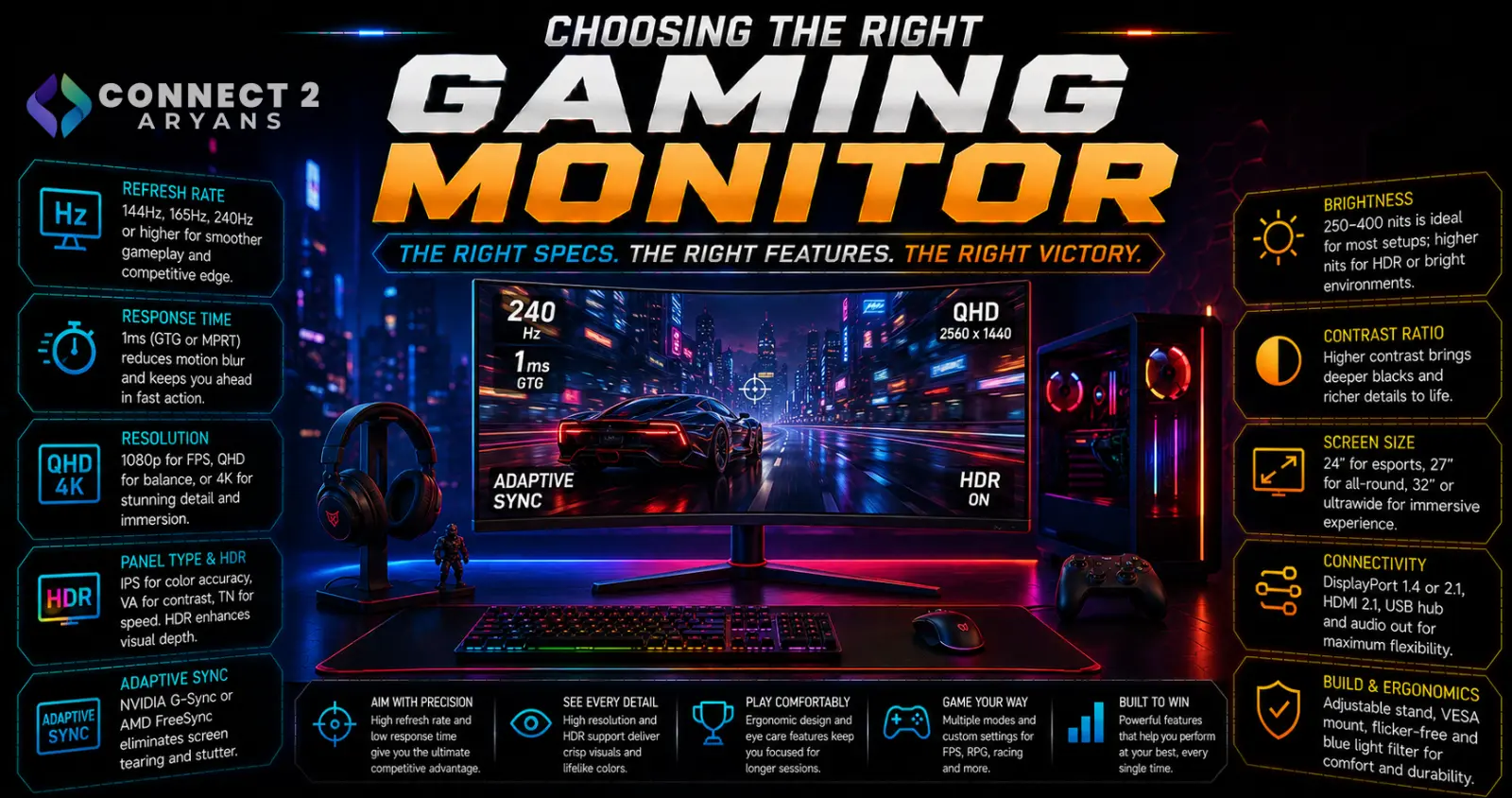
A gaming monitor is judged on a different set of priorities than a general-use one — refresh rate, response time, and adaptive sync matter far more than they do for office work. Here's what to actually look for in a Gaming Monitor purchase built for gaming.
Step 1: Prioritize Refresh Rate Based on Your Genre
- 100 Hz — the realistic sweet spot for most gamers, a genuinely noticeable step up from 60Hz in smoothness and responsiveness 165 Hz to 240 Hz — worth it for competitive, fast-paced shooters and similar genres where reaction time matters
- 280 Hz and above — mainly relevant for serious esports-level competitive play, where every millisecond of responsiveness counts
Rule of thumb: slower-paced, visually-focused games (RPGs, story-driven titles) benefit less from ultra-high refresh rates than fast, competitive shooters — match refresh rate priority to your actual most-played genre.
Step 2: Response Time (GtG)
- Response time (measured in milliseconds, gray-to-gray) affects motion blur — lower numbers mean less smearing during fast movement
- 1ms–4ms is the range where most gaming monitors sit, with faster panels (often TN or fast IPS/OLED) generally offering lower response times than standard IPS panels
- A high refresh rate paired with a slow response time doesn't deliver the full benefit — both specs need to be strong together for genuinely crisp fast motion
Step 3: Adaptive Sync — G-Sync or FreeSync
- Adaptive sync technology matches your monitor's refresh rate to your GPU's frame rate output, reducing screen tearing and stuttering
- G-Sync is NVIDIA's implementation, generally requiring specific certified hardware
- FreeSync is AMD's implementation, more widely available across a broader range of monitors and often at a lower price point
- Many current monitors support both standards to varying degrees — check compatibility with your specific GPU brand before assuming full support
Recommendation: adaptive sync is genuinely worth prioritizing for gaming, especially if your frame rates fluctuate — it noticeably smooths out the experience compared to a monitor without it.
Step 4: Resolution vs Refresh Rate Trade-off
- Higher resolution (1440p, 4K) demands more GPU power to sustain high frame rates — pairing 4K with a modest GPU often forces a choice between resolution and frame rate
- For competitive gaming, many players intentionally choose 1080p or 1440p over 4K specifically to sustain higher, more consistent frame rates
- For visually immersive single-player gaming, higher resolution paired with a moderate high refresh rate (like 165 Hz) is often the better balance
Step 5: Panel Type for Gaming
- Fast IPS — now common in gaming monitors, offering strong color accuracy alongside competitive response times, a solid all-around choice
- VA — deeper contrast, good for atmospheric single-player games, though typically slower response times than fast IPS
- OLED — near-instant response times and outstanding contrast, increasingly popular in higher-end gaming monitors, at a premium price
Step 6: Input Lag
- Input lag (the delay between an action and it appearing on screen) is distinct from response time, though both affect perceived responsiveness
- Most dedicated gaming monitors are optimized for low input lag, but some monitors with heavy post-processing (extra image enhancement features) can introduce more lag — check reviews specifically measuring input lag if competitive responsiveness is a priority
- Enabling a monitor's dedicated "gaming mode" (if available) often reduces unnecessary processing lag
Step 7: Curved or Flat?
- Curved monitors can offer a more immersive feel, especially at larger sizes or ultrawide aspect ratios
- Flat monitors remain the safer, more universally compatible choice, especially for competitive gaming where consistent aim tracking across a flat plane is often preferred
Popular Gaming Monitor Brands
Common Mistakes to Avoid
- Buying a high refresh rate monitor your GPU can't realistically drive in your actual games
- Pairing a fast refresh rate with a slow response time panel, missing the full smoothness benefit
- Skipping adaptive sync support, leading to noticeable screen tearing during frame rate fluctuations
- Choosing 4K resolution for competitive gaming, sacrificing frame rate consistency for visual detail you may not prioritize
Final Thoughts
The right gaming monitor comes down to matching refresh rate and response time to your genre, confirming adaptive sync support for your GPU, and balancing resolution against your GPU's realistic frame rate output. Competitive players should lean toward higher refresh rate and lower resolution; visually-focused gamers can lean the other way — there's no universal "best" spec combination.
Browse our full range of Gaming Monitors from AOC, Asus, GameOn, GFURY, KOORUI, Lenovo and MSI on Connect2Aryans, across every refresh rate tier, with warranty support included.

