
Choosing the Right Drive Enclosure
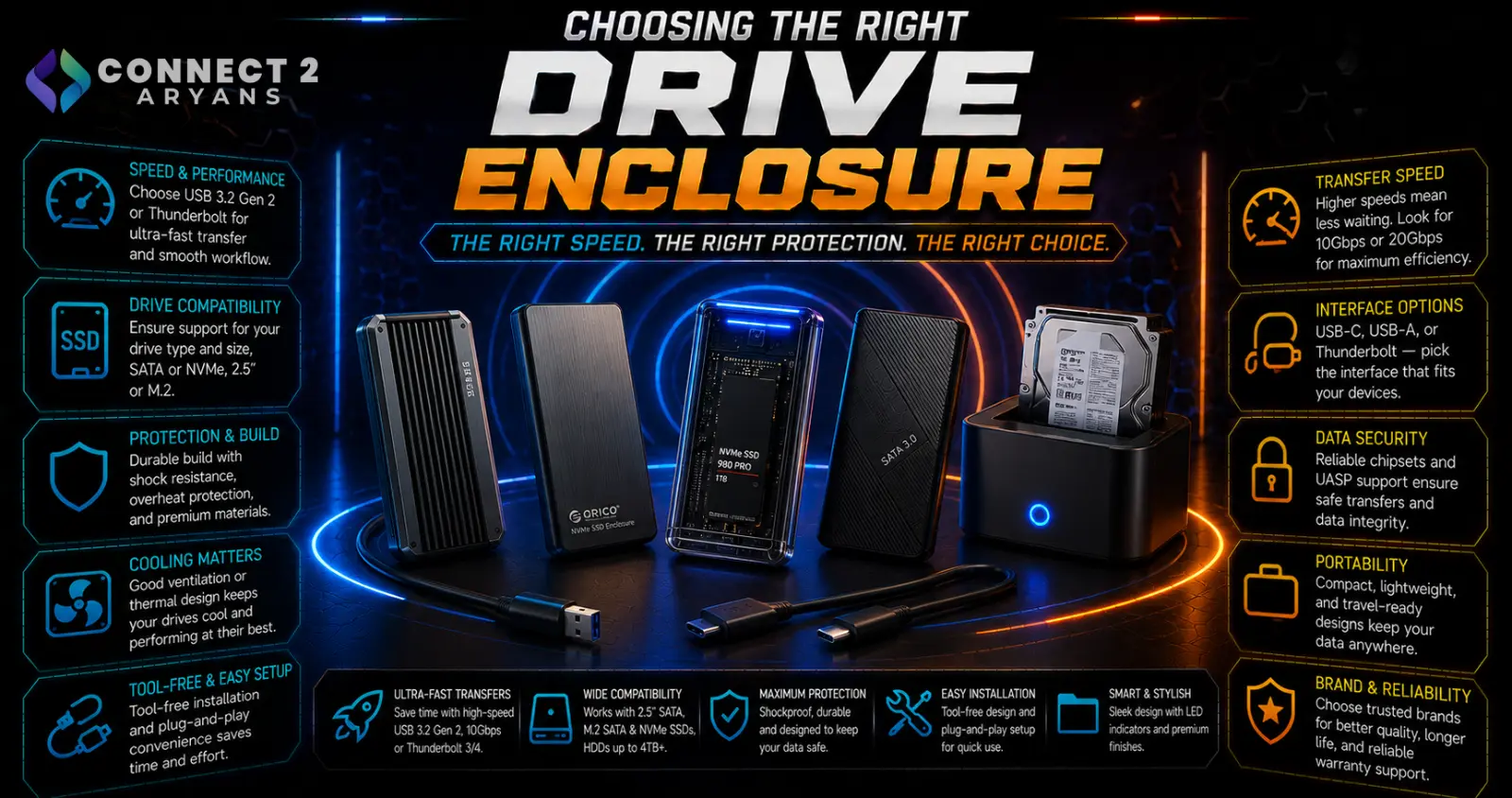
A drive enclosure is one of the cheapest ways to get real use out of a spare or upgraded-out drive — turning an internal SSD or HDD you're no longer using into a genuinely useful external drive, instead of leaving it in a drawer. Here's how to choose the right Drive Enclosures for your specific drive and use case.
Step 1: Match the Enclosure to Your Drive Type and Size
This is the first and most important compatibility check:
- 2.5" enclosures — fit standard 2.5" SATA SSDs and laptop-size HDDs, the most common and compact enclosure type
- 3.5" enclosures — fit full-size desktop HDDs, physically larger and often requiring external power rather than running purely off USB power
- M.2 NVMe enclosures — fit M.2 NVMe SSDs specifically, offering the fastest external speeds when paired with a USB interface that can actually keep up
Always confirm your specific drive's physical size and interface (SATA vs NVMe) before buying — an enclosure built for the wrong drive type simply won't fit or work.
Step 2: Choose the Right Interface Speed
- USB 3.2 Gen 1 — solid baseline speed, fine for HDDs and general SATA SSD use, where the drive itself is often the speed bottleneck anyway
- USB 3.2 Gen 2 / Gen 2x2 — worth prioritizing for SATA SSDs and especially NVMe enclosures, since a slower interface can bottleneck a fast drive's real potential
- Thunderbolt/USB4 — the fastest option, mainly worth it for NVMe enclosures paired with high-performance drives, where you want to preserve as much of the drive's real speed as possible externally
Rule of thumb: for HDDs, interface speed rarely matters much since the drive itself is the bottleneck. For NVMe drives, a fast interface is essential or you're wasting the drive's actual performance.
Step 3: Bus-Powered vs Externally Powered
- Bus-powered enclosures — draw power directly from the USB connection, common for 2.5" and M.2 enclosures, convenient with no separate power cable needed
- Externally powered enclosures — require a separate power adapter, common for 3.5" HDD enclosures since full-size drives typically need more power than USB alone reliably provides
If you're enclosing a 3.5" HDD, expect to need external power — this isn't a flaw, it's a normal requirement for that drive size.
Step 4: UASP Support
- UASP (USB Attached SCSI Protocol) improves data transfer efficiency over the older standard USB mass storage protocol, offering better real-world speeds, especially noticeable with SSDs
- Check that both your enclosure and your PC's USB controller support UASP to get the benefit — having it on only one end won't help
Step 5: Thermal Design (Especially for NVMe Enclosures)
- NVMe drives can run hot under sustained transfer loads, and a poorly designed enclosure without adequate heat dissipation can cause thermal throttling, slowing down transfers over time
- Look for enclosures with a metal (usually aluminum) shell, which helps dissipate heat passively — plastic enclosures are more prone to throttling under sustained heavy use
Step 6: Tool-Free vs Screw-Based Assembly
- Tool-free enclosures — snap or slide the drive in without screws, convenient if you plan to swap drives occasionally
- Screw-based enclosures — slightly more secure and sometimes better thermal contact with the drive, at the cost of needing a small screwdriver for assembly
Neither is objectively better — it comes down to how often you expect to open the enclosure again.
Popular Drive Enclosure Brands
Common Mistakes to Avoid
- Buying a 2.5" enclosure for a 3.5" drive (or vice versa) without checking physical size compatibility
- Pairing a fast NVMe drive with a slow USB interface, wasting most of its real speed potential
- Assuming a bus-powered enclosure will work fine for a 3.5" HDD without checking its actual power requirements
- Choosing a plastic NVMe enclosure for sustained heavy transfers, then experiencing thermal throttling
Final Thoughts
The right drive enclosure comes down to matching physical size and interface to your specific drive, choosing a fast enough connection to avoid bottlenecking an SSD, and picking proper power delivery and thermal design for the drive type you're enclosing. It's a small, inexpensive purchase that can give a spare drive a genuinely useful second life.
Browse our full range of Drive Enclosures from Asus, UGREEN and Transcend on Connect2Aryans, with warranty support included.

