
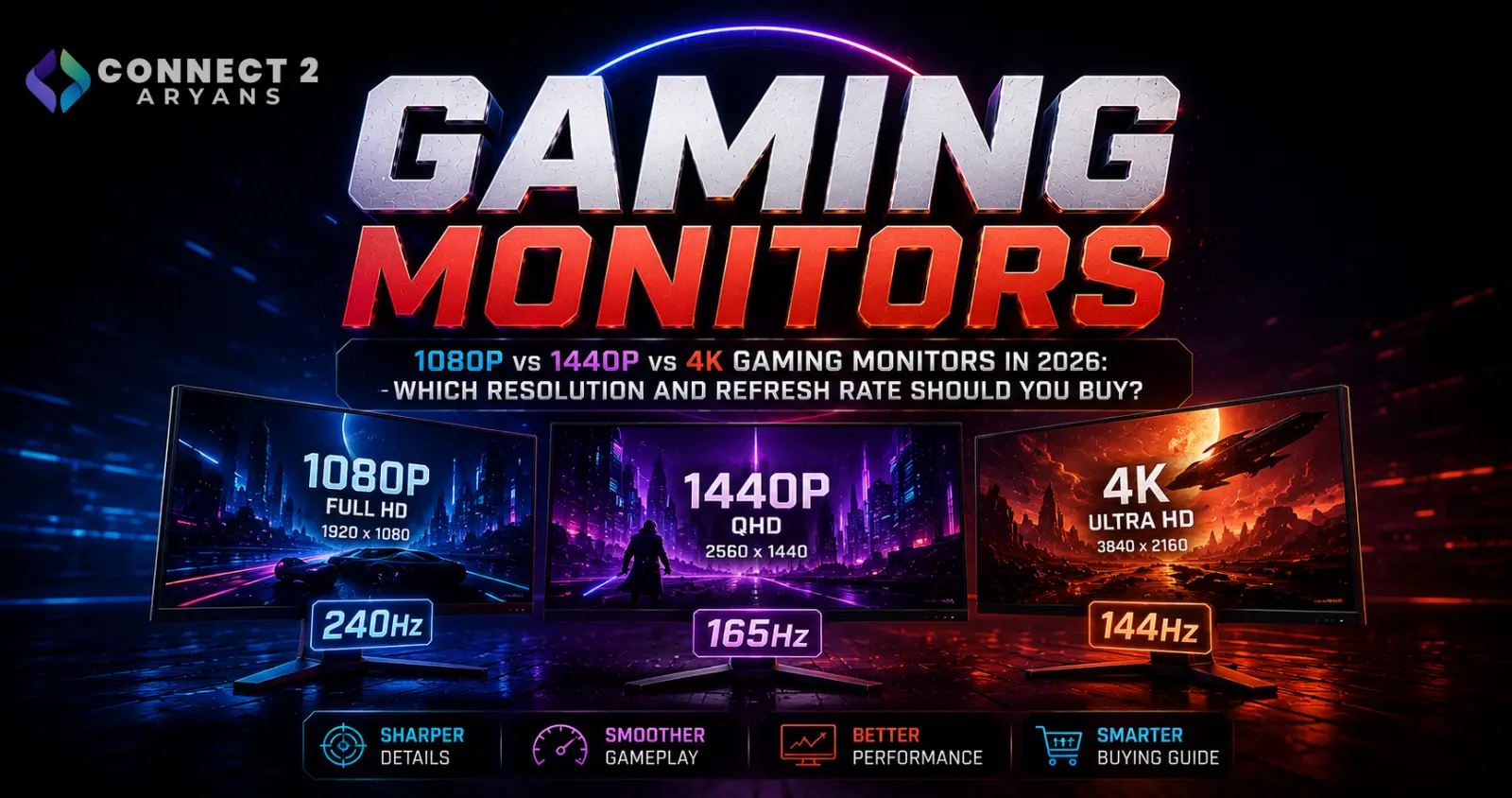
1080p vs 1440p vs 4K Gaming Monitors in 2026: Which Resolution and Refresh Rate Should You Buy?
1080p vs 1440p vs 4K Gaming Monitors in 2026: Which Resolution and Refresh Rate Should You Buy?
Buying a gaming monitor in 2026 presents a surprisingly difficult choice.
A few years ago, the decision was relatively straightforward. Budget gaming PCs generally used 1080p, enthusiasts moved toward 1440p, and 4K was mostly reserved for expensive high-end systems.
Today's market is considerably more complicated.
Gaming monitors are now available with combinations such as:
- 1080p at 165Hz, 240Hz, 360Hz, 420Hz and beyond
- 1440p at 180Hz, 200Hz, 240Hz, 280Hz and even 500Hz
- 4K at 144Hz, 160Hz and 240Hz
- OLED and QD-OLED panels
- Dual-mode monitors that switch between high-resolution and ultra-high-refresh configurations
The current Connect2Aryans gaming-monitor catalogue demonstrates how broad the market has become. It includes Full HD esports monitors, 2560×1440 high-refresh displays, ultrawide models and premium 3840×2160 QD-OLED gaming monitors.
[INTERNAL LINK – Connect2Aryans Gaming Monitors]
Browse Gaming Monitors on Connect2Aryans
The result is that choosing a monitor based purely on the highest resolution—or the biggest refresh-rate number—isn't necessarily the best strategy.
The right monitor depends on three things working together:
Resolution + Refresh Rate + GPU Performance
Understanding that relationship can prevent you from spending significantly more on a display your gaming PC cannot fully utilize.
What Does Monitor Resolution Actually Mean?
Resolution tells you how many pixels the monitor displays.
The three most common gaming resolutions are:
| Resolution | Common Name | Pixel Dimensions | Total Pixels |
|---|---|---|---|
| Full HD | 1080p / FHD | 1920 × 1080 | 2.07 million |
| Quad HD | 1440p / QHD | 2560 × 1440 | 3.69 million |
| Ultra HD | 4K / UHD | 3840 × 2160 | 8.29 million |
The difference is substantial.
1440p contains roughly 78% more pixels than 1080p.
4K contains exactly four times as many pixels as 1080p.
More pixels can produce a sharper image, but the GPU also has considerably more work to do.
That's why monitor resolution and graphics-card performance cannot be considered separately.
1080p Gaming: Still Extremely Relevant in 2026
1080p isn't obsolete.
In fact, Full HD remains particularly useful for competitive gaming.
Its relatively low rendering workload allows a GPU to produce higher frame rates than it typically could at 1440p or 4K using otherwise equivalent settings.
That's particularly valuable in games where responsiveness matters more than maximum image detail.
Examples include competitive:
- FPS games
- Battle royale games
- MOBA titles
- Tactical shooters
- Esports games
For those players, high FPS + high refresh rate can be more useful than pushing significantly more pixels.
Why Competitive Gamers Still Use 1080p
Suppose your gaming PC can produce:
300+ FPS at 1080p
but substantially less at 4K.
If you primarily play competitive shooters, pairing the system with a high-refresh Full HD monitor can make more sense than buying a 4K display.
Connect2Aryans currently lists the AOC 25G4K, a 24.5-inch Full HD Fast IPS esports monitor with a refresh rate up to 420Hz.
View AOC 25G4K 420Hz Gaming Monitor on Connect2Aryans
That product is a good illustration of where Full HD is heading.
Instead of increasing resolution, esports-focused displays can dedicate their performance budget to extremely high refresh rates.
1080p Works Particularly Well Around 24 Inches
Resolution isn't the only factor controlling perceived sharpness.
Screen size matters too.
A 1920×1080 image spread across a 24-inch monitor has greater pixel density than the same resolution stretched across a much larger screen.
That's one reason 23.8-inch and 24.5-inch Full HD monitors remain extremely common for competitive gaming.
For example, the AOC 24G50Z listed on Connect2Aryans combines a 23.8-inch Full HD Fast IPS panel with refresh rates up to 260Hz.
View AOC 24G50Z 260Hz Gaming Monitor on Connect2Aryans
What About 27-Inch 1080p?
27-inch Full HD gaming monitors are also widely available.
Connect2Aryans currently lists the Lenovo Legion R27s, for example, with a 27-inch 1920×1080 IPS panel, 165Hz refresh rate and AMD FreeSync support.
View Lenovo Legion R27s Gaming Monitor on Connect2Aryans
However, increasing screen size without increasing resolution reduces pixel density.
Whether that bothers you depends heavily on viewing distance and personal preference.
Someone sitting relatively far from a 27-inch screen may be perfectly satisfied with 1080p.
Someone working close to the display and reading text throughout the day may appreciate the additional sharpness of 1440p.
1440p Is the Gaming Sweet Spot for Many PCs
For many modern gaming PCs, 2560×1440 is arguably the most balanced resolution.
It provides considerably more image detail than 1080p without creating the enormous rendering workload associated with native 4K.
That's particularly attractive on a 27-inch monitor.
You gain:
Higher pixel density than 27-inch 1080p
while still retaining the possibility of very high refresh rates.
Today's QHD gaming monitors aren't limited to 144Hz either.
Connect2Aryans' current gaming-monitor catalogue includes QHD displays at 180Hz, 200Hz, 240Hz, 280Hz and substantially higher refresh rates.
1440p 180Hz Is an Excellent Mainstream Combination
A particularly attractive specification is:
2560×1440 + 180Hz
This gives players a significant resolution increase over Full HD while retaining enough refresh-rate headroom for fast gaming.
The AOC CQ27G4 currently listed on Connect2Aryans is one example, combining a 27-inch QHD 2560×1440 display with a 180Hz refresh rate.
View AOC CQ27G4 QHD 180Hz Gaming Monitor on Connect2Aryans
For someone playing a mixture of competitive and visually demanding single-player games, this class of display can provide a strong compromise.
1440p 200Hz Is Becoming Increasingly Accessible
QHD displays are continuing to move beyond the traditional 144–180Hz range.
Connect2Aryans currently lists the KOORUI G2722P, a 27-inch 2560×1440 IPS gaming monitor with a 200Hz refresh rate.
This type of specification is attractive because it combines relatively high image detail with enough refresh-rate capability for competitive gaming.
Instead of deciding between:
Sharp image
or
high refresh rate
modern QHD displays increasingly offer both.
1440p Is Particularly Attractive for Mixed Gaming
Consider someone who plays:
Valorant
one evening,
a demanding AAA title the next,
and then uses the same PC for browsing, office work or content creation.
1080p esports monitors prioritize speed very effectively.
4K monitors prioritize detail.
1440p sits between them.
That's why QHD has become such a compelling all-round gaming resolution.
You get substantially more desktop space and visual detail than Full HD while avoiding the full GPU workload of 4K.
1440p Can Now Reach Extreme Esports Refresh Rates
One of the most interesting developments is that competitive gamers no longer necessarily need to choose 1080p to obtain extraordinary refresh rates.
Connect2Aryans currently lists the AOC AG276QKD2, a 26.5-inch QHD QD-OLED gaming monitor with a 500Hz refresh rate and a rated 0.03ms GtG response time.
View AOC AG276QKD2 QHD 500Hz QD-OLED Monitor on Connect2Aryans
That combination would have sounded extraordinary only a few years ago:
2560×1440 + OLED + 500Hz
It shows that the traditional division between “high-resolution gaming monitor” and “esports monitor” is beginning to disappear at the premium end of the market.
4K Gaming Provides the Sharpest Image of the Three
4K UHD uses:
3840 × 2160 pixels
That's more than eight million pixels.
Compared with 1920×1080, the GPU must deal with four times the pixel count per rendered frame before considering other rendering differences.
The visual payoff can be significant.
4K is particularly attractive for:
- Large gaming monitors
- Story-driven games
- Open-world games
- Racing games
- Simulation
- High-resolution textures
- Gaming plus productivity
- Gaming plus content creation
But the GPU requirement is also much higher.
4K Is No Longer Limited to 60Hz
For years, the stereotypical 4K gaming monitor was:
3840×2160 at 60Hz.
That has changed dramatically.
Modern gaming displays can combine 4K resolution with refresh rates including:
120Hz
144Hz
160Hz
and
240Hz.
Connect2Aryans currently lists the AOC AG326UZD, a 31.5-inch 4K QD-OLED gaming monitor offering 3840×2160 resolution and a 240Hz refresh rate.
View AOC AG326UZD 4K 240Hz QD-OLED Monitor on Connect2Aryans
The current Connect2Aryans gaming-monitor category also includes 4K 240Hz OLED options from ASUS.
4K 240Hz Doesn't Mean Every Game Will Run at 240 FPS
This distinction is extremely important.
Buying a:
4K 240Hz monitor
doesn't mean your gaming PC automatically produces:
240 FPS at 4K.
The monitor can display up to that refresh rate.
Your GPU still has to render the frames.
A demanding modern AAA game at native 4K with maximum graphics settings can place an enormous load on even high-end GPUs.
Less demanding competitive games may reach much higher frame rates.
So the same monitor can behave very differently depending on what you play.
Refresh Rate Explained
Refresh rate is measured in hertz.
A:
60Hz monitor
can update its displayed image up to 60 times each second.
A:
144Hz monitor
can update up to 144 times per second.
Likewise:
240Hz → 240 updates per second
and
500Hz → 500 updates per second.
Higher refresh rates can improve motion smoothness and reduce the time between display refreshes.
But the improvement becomes most useful when the PC is also producing sufficiently high frame rates.
60Hz vs 144Hz Is a Major Upgrade
Moving from 60Hz to a high-refresh gaming monitor is one of the most immediately noticeable display upgrades for many gamers.
At 60Hz, each refresh occurs approximately every:
16.7 milliseconds.
At 144Hz:
6.94 milliseconds.
At 240Hz:
4.17 milliseconds.
At 360Hz:
2.78 milliseconds.
The difference becomes progressively smaller as refresh rate increases.
This helps explain why moving from 60Hz to 144Hz can feel transformative, while moving from 240Hz to an even higher refresh rate tends to matter more to highly competitive players.
Is 144Hz Still Enough in 2026?
Absolutely.
The existence of 240Hz, 360Hz and 500Hz monitors doesn't suddenly make 144Hz slow.
A 144Hz display remains a major improvement over conventional 60Hz gaming.
For players interested primarily in:
- Single-player games
- Racing
- RPGs
- Open-world games
- Casual multiplayer
144Hz can provide an excellent experience.
Higher refresh rates become increasingly valuable as competitive performance becomes a larger priority.
165Hz, 180Hz and 200Hz Are Excellent Middle Grounds
The gaming-monitor market now contains many displays around:
165Hz
180Hz
and
200Hz.
These specifications provide more refresh-rate headroom than traditional 144Hz without requiring the extreme frame rates associated with 360Hz or 500Hz esports displays.
Connect2Aryans' live gaming-monitor category currently contains numerous monitors across these refresh-rate classes.
For mainstream gaming PCs, these can be extremely sensible options.
Who Actually Needs 240Hz?
240Hz becomes particularly attractive for competitive gaming.
Think:
- Counter-Strike
- Valorant
- Fortnite
- Overwatch
- Other fast esports titles
If your system regularly produces well above 144 FPS, moving to 240Hz allows the monitor to display more of those frames.
That can improve motion clarity and responsiveness.
But someone playing cinematic single-player games around 70–120 FPS will receive far less benefit from 240Hz.
What About 360Hz, 420Hz and 500Hz?
These refresh rates target serious competitive gaming.
At this level, monitor choice becomes much more specialized.
The goal isn't necessarily:
maximum image quality.
It's:
maximum motion performance and responsiveness.
The fact that current displays can reach 420Hz at Full HD and 500Hz at QHD demonstrates how rapidly esports monitor technology has progressed.
But these displays make the most sense when your PC can generate extremely high frame rates in the games you actually play.
Resolution and Refresh Rate Compete for GPU Performance
This is the central concept of the entire buying decision.
Your GPU has a limited rendering budget.
You can use that performance to produce:
more pixels
or
more frames
or some combination of both.
Imagine the same graphics card.
At 1080p it might produce a very high frame rate.
At 1440p it has to render substantially more pixels.
At 4K it has to process four times the pixel count of 1080p per frame.
The exact FPS depends on the game, GPU, settings, CPU and technologies being used.
But the basic relationship remains:
Higher resolution generally increases GPU workload.
Don't Choose a Monitor Without Considering Your GPU
This is one of the most common gaming-PC mistakes.
Someone buys:
4K 240Hz
because it's technically the best monitor specification.
Then pairs it with a GPU that struggles with the games they want to play at 4K.
The opposite mismatch also happens.
Someone builds an extremely powerful high-end gaming PC but continues using:
1080p 60Hz.
The monitor then prevents them from seeing much of the additional frame-rate capability the PC can produce.
A balanced gaming system needs:
GPU performance matched to monitor resolution and refresh rate.
A Simple GPU-to-Monitor Strategy
Rather than choosing by graphics-card name alone, think about your target workload.
Competitive Gaming
Prioritize:
High refresh rate + achievable FPS
1080p 240Hz+ or high-refresh 1440p can make sense.
Balanced Gaming
Prioritize:
Resolution + refresh-rate balance
1440p around 144–240Hz is extremely attractive.
Visual Quality / AAA Gaming
Prioritize:
Higher resolution + strong panel quality
1440p or 4K with a suitable refresh rate can be ideal.
Flagship Gaming
High-end GPUs can justify premium combinations such as:
4K + 240Hz OLED
particularly when paired with modern upscaling and frame-generation technologies where appropriate.
What Is a Dual-Mode Gaming Monitor?
Dual-mode monitors are one of the most interesting solutions to the resolution-versus-refresh-rate problem.
Instead of forcing you to choose permanently between:
high resolution
and
extremely high refresh rate,
the monitor can support different operating modes.
Connect2Aryans currently lists the AOC U27G4, which supports:
4K UHD at up to 160Hz
or
Full HD at up to 320Hz.
View AOC U27G4 Dual-Mode Gaming Monitor on Connect2Aryans
That allows the same display to target two very different gaming scenarios.
Why Dual Mode Makes Sense
Imagine you play:
Cyberpunk or another visually demanding single-player game
and also:
Valorant or Counter-Strike competitively.
For the single-player title, you may prefer:
4K + high image detail.
For esports, you might prefer:
1080p + extremely high refresh rate.
A dual-mode display can provide both approaches from one monitor.
That's particularly attractive for users who don't want separate competitive and high-resolution displays.
IPS vs VA vs OLED: Resolution Isn't Everything
Two monitors can have identical:
resolution
and
refresh rate
while looking very different.
Panel technology matters.
The main gaming-monitor panel families include:
IPS
VA
OLED / QD-OLED
and, in some esports-oriented products, TN-based designs.
Each has different strengths.
IPS Gaming Monitors
IPS displays are popular because they generally combine:
- Strong color reproduction
- Wide viewing angles
- Fast modern response characteristics
- Broad availability
- Competitive pricing across many performance tiers
Modern Fast IPS monitors can reach extremely high refresh rates.
That's why IPS is no longer simply the “color-quality alternative” to faster gaming panels.
It has become a mainstream gaming technology itself.
VA Gaming Monitors
VA panels are particularly known for strong native contrast compared with conventional IPS technology.
They're commonly found in curved gaming monitors.
VA can therefore be attractive for:
- Dark games
- Cinematic gaming
- Curved displays
- General entertainment
Response behavior can vary significantly between individual VA panels, however.
Don't judge an entire panel technology solely by one monitor.
Always evaluate the specifications and credible testing for the exact model.
OLED and QD-OLED Have Changed Premium Gaming Monitors
OLED technology is particularly attractive for gaming because individual pixels can produce their own light rather than relying on a conventional LCD backlight.
That enables extremely deep blacks and very fast pixel transitions.
Current premium gaming monitors combine OLED or QD-OLED with refresh rates that were previously associated primarily with competitive LCD displays.
The Connect2Aryans catalogue currently includes examples ranging from QHD 280Hz OLED to 4K 240Hz QD-OLED and ultrawide OLED displays.
This makes OLED particularly attractive for enthusiasts who want both visual quality and speed.
OLED Isn't Automatically the Best Choice for Everyone
OLED has major strengths, but buyers should still consider the intended workload.
If a monitor spends many hours displaying static desktop elements, OLED ownership requires different considerations than conventional LCD technology.
Manufacturers use various technologies to manage panel longevity and image retention risk, but implementation differs between models.
For gaming-focused systems, OLED can be extremely attractive.
For heavy static office use, buyers should carefully evaluate their priorities and the manufacturer's warranty and panel-care features.
What Is Response Time?
Response time describes how quickly pixels can transition between states.
Gaming monitors commonly advertise measurements such as:
1ms GtG
0.5ms
or
0.03ms GtG
depending on the panel and measurement method.
But advertised response-time numbers should be interpreted carefully.
Different measurement methods aren't necessarily directly comparable.
For example:
GtG
and
MPRT
measure different things.
Don't assume two monitors both advertising “1ms” behave identically.
What Is Adaptive Sync?
A graphics card doesn't always produce frames at a perfectly constant rate.
Adaptive refresh-rate technologies allow compatible monitors to adjust their refresh behavior in response to GPU frame delivery.
This can help reduce:
- Screen tearing
- Judder
- Visible stutter associated with mismatched refresh timing
You'll commonly encounter technologies and branding related to:
AMD FreeSync
and
NVIDIA G-SYNC compatibility.
Compatibility varies by monitor, so check the exact manufacturer's specification.
High Refresh Rate Doesn't Require Constant Maximum FPS to Be Useful
Suppose you own a 180Hz monitor.
You don't need to produce exactly:
180 FPS every second
for the monitor to be useful.
Adaptive-sync technology can help the display operate smoothly across a supported variable-refresh range.
And different games may run at different frame rates.
You might see:
100 FPS
in a demanding AAA game,
but
200+ FPS
in a competitive title.
The same high-refresh monitor can accommodate both scenarios.
Screen Size Matters Almost as Much as Resolution
A resolution doesn't exist independently from physical screen size.
For common gaming setups:
24-inch + 1080p
is a popular esports combination.
27-inch + 1440p
provides an excellent balance of sharpness and desktop space.
27-inch + 4K
provides very high pixel density.
32-inch + 4K
offers a larger immersive image while retaining strong sharpness.
These aren't strict rules.
Viewing distance and personal preference matter.
But they're useful starting points.
Is 32-Inch 1440p Good?
It can be.
A 32-inch QHD monitor provides a large image and can work particularly well for immersive gaming.
However, its pixel density is lower than a 27-inch QHD display.
If you sit close to the monitor and prioritize maximum sharpness, 4K becomes increasingly attractive around 32 inches.
If you prefer larger UI elements and want to reduce GPU load, QHD can still be a sensible option.
Ultrawide Gaming Is Another Option
Not every gaming monitor uses a traditional 16:9 aspect ratio.
Ultrawide monitors can use resolutions such as:
3440×1440
while super-ultrawide displays can go significantly wider.
Connect2Aryans currently lists the Xiaomi G34WQi, a 34-inch 3440×1440 ultrawide gaming monitor with a 180Hz refresh rate, alongside larger OLED ultrawide options.
Ultrawide gaming can provide greater peripheral visibility and immersion in compatible games.
But game support and GPU workload should be considered.
3440×1440 Is Harder to Run Than Normal 1440p
Standard QHD:
2560 × 1440 = 3.69 million pixels
Ultrawide 3440×1440:
3440 × 1440 = 4.95 million pixels
So a 3440×1440 monitor requires the GPU to render substantially more pixels than standard QHD.
But it still contains considerably fewer pixels than 4K UHD.
Performance therefore commonly sits somewhere between conventional 1440p and 4K, although exact results depend on the game.
HDMI vs DisplayPort: Check Before Buying
Buying a high-refresh monitor isn't enough.
Your connection also has to support the desired resolution and refresh rate.
Gaming monitors commonly provide:
HDMI
and
DisplayPort.
The exact supported refresh rate can differ depending on which connection is used.
Never assume that every HDMI or DisplayPort connector supports every operating mode advertised by the monitor.
Check:
- Monitor specification
- GPU output
- Cable specification
- Required resolution
- Required refresh rate
before purchasing.
Don't Forget to Set the Refresh Rate in Windows
This is one of the easiest mistakes to make.
Someone buys a 180Hz monitor.
Connects it.
Starts gaming.
And unknowingly continues using 60Hz.
After installing a new monitor, verify the active refresh rate in Windows display settings and in the GPU control panel where applicable.
Also confirm that the game itself isn't using an unintended frame-rate limit.
1080p vs 1440p vs 4K: Which Should You Buy?
For most buyers, the decision can be simplified.
Choose 1080p If:
You primarily play competitive games, want maximum FPS, have a budget-oriented gaming GPU or want extremely high refresh rates without the rendering demand of QHD or 4K.
A 24–25-inch 1080p high-refresh display remains an excellent esports configuration.
Choose 1440p If:
You want a balance between sharpness and performance.
For many modern gaming PCs, 27-inch QHD at 165–240Hz is one of the strongest all-round combinations available.
Choose 4K If:
Image detail is a major priority, you have enough GPU performance and you play visually demanding games where maximum resolution matters more than extreme esports frame rates.
For premium systems, 4K 144Hz+ and even 4K 240Hz OLED are now realistic monitor options.
Which Resolution Is Best for Competitive Gaming?
For competitive gaming, prioritize the combination your PC can actually drive at high frame rates.
1080p remains particularly attractive because it reduces GPU workload.
But high-end competitive gaming is increasingly moving toward 1440p as monitor technology advances.
The AOC AG276QKD2's 2560×1440 500Hz specification is a perfect example of that shift.
The old assumption:
“Esports = 1080p only”
is becoming less absolute.
Which Resolution Is Best for AAA Gaming?
For visually demanding single-player games, 1440p and 4K become more attractive.
If you want a balance of:
high graphics settings
good FPS
and
sharp image quality,
1440p remains extremely compelling.
If your GPU is powerful enough and visual fidelity takes priority, 4K provides significantly greater pixel density.
Modern upscaling technologies can also change the performance equation considerably, depending on the game and graphics card.
Should You Upgrade Your GPU or Monitor First?
This depends on the existing setup.
If you're using:
1080p 60Hz + powerful gaming GPU
the monitor may be limiting what you can actually see.
A high-refresh display could provide a major improvement.
If you're using:
4K high-refresh monitor + GPU struggling to maintain acceptable performance
a GPU upgrade may provide the larger benefit.
Always identify the bottleneck before spending money.
Don't Spend Your Entire Budget on the Monitor
A premium display can remain useful through several PC upgrades.
That makes buying a good monitor worthwhile.
But balance still matters.
A:
4K 240Hz OLED
paired with a system incapable of delivering the gaming experience you want at 4K may not be the smartest allocation of a limited budget.
Likewise, buying an extremely powerful GPU and pairing it permanently with an entry-level 60Hz display can waste much of the system's potential.
Plan the gaming PC and monitor together.
What Pakistani Gamers Should Consider
Gaming-monitor prices in Pakistan can vary substantially based on:
- Resolution
- Refresh rate
- Panel technology
- Brand
- Screen size
- HDR capability
- Connectivity
- Local availability
Because hardware pricing can fluctuate, it's better to choose the specification class first rather than basing the entire decision on one temporary price.
Connect2Aryans currently lists 99 gaming monitors, spanning Full HD high-refresh models through QHD esports displays and premium 4K OLED monitors.
Browse Gaming Monitor Prices on Connect2Aryans
For gaming, office, creative and general-purpose displays, the broader Connect2Aryans monitor category currently contains nearly 200 listings.
Browse All Monitors on Connect2Aryans
Don't Buy Based on One Specification
A monitor advertised as:
240Hz
isn't automatically better than every 180Hz monitor.
A:
4K monitor
isn't automatically better for gaming than every 1440p display.
And:
OLED
doesn't automatically make a monitor the correct choice for every user.
Evaluate the complete display:
Resolution + refresh rate + panel + response behavior + adaptive sync + screen size + connectivity + GPU compatibility + price
That's the combination that determines whether the monitor actually suits your PC.
Quick Gaming Monitor Recommendation by Use Case
| Gaming Type | Recommended Starting Point |
|---|---|
| Budget Gaming | 1080p 144–180Hz |
| Competitive Gaming | 1080p 240Hz+ |
| Mainstream Gaming | 1440p 165–200Hz |
| Competitive + AAA Gaming | 1440p 200–240Hz+ |
| Premium Esports | 1440p ultra-high refresh |
| High-End AAA Gaming | 4K 144Hz+ |
| Flagship Gaming | 4K 240Hz OLED/QD-OLED |
| Mixed Competitive + 4K | Dual-mode gaming monitor |
These are general starting points rather than requirements. The correct choice depends on your GPU, games, budget and personal preferences.
Frequently Asked Questions
Is 1080p still good for gaming in 2026?
Yes. 1080p remains particularly useful for competitive gaming because its lower GPU workload makes very high frame rates easier to achieve. Modern Full HD esports monitors can also offer refresh rates far beyond traditional 144Hz displays.
Is 1440p better than 1080p for gaming?
1440p provides substantially more pixels and therefore greater image detail, but it also increases GPU workload. For many modern gaming PCs, 1440p offers an excellent balance between visual quality and high refresh rates.
Is 1440p worth it on a 27-inch monitor?
Yes. 27-inch 2560×1440 is a particularly popular combination because it provides a useful increase in pixel density over 27-inch Full HD while remaining easier to drive than 4K.
Is 4K worth it for gaming?
4K can be excellent for powerful gaming PCs and visually demanding games. However, it requires substantially more GPU performance than 1080p or 1440p, so the graphics card should be considered before buying.
Is 144Hz enough for gaming in 2026?
Yes. 144Hz remains significantly smoother than 60Hz and is sufficient for many gamers. Higher refresh rates become increasingly useful for competitive players capable of generating very high frame rates.
Is 240Hz better than 144Hz?
240Hz can provide smoother motion and more frequent display updates, but the difference is smaller than the jump from 60Hz to 144Hz. It is particularly useful for competitive gaming.
Do I need 240 FPS for a 240Hz monitor?
You don't need a perfectly constant 240 FPS to use a 240Hz monitor. However, producing higher frame rates allows you to take greater advantage of its refresh capability, particularly in competitive games.
Is 1080p or 1440p better for esports?
1080p makes extremely high frame rates easier to achieve, while 1440p provides better image detail. Modern hardware increasingly allows high-end esports systems to combine QHD with extremely high refresh rates.
Is OLED better than IPS for gaming?
OLED offers exceptional contrast, black levels and very fast pixel response, while IPS remains highly versatile and widely available across different prices and refresh rates. The better choice depends on gaming, desktop usage and budget.
What is the best gaming monitor size?
There is no universal best size, but 24–25 inches is popular for Full HD esports gaming, 27 inches pairs particularly well with 1440p, and 32 inches is attractive for immersive 4K gaming.
What is a dual-mode gaming monitor?
A dual-mode gaming monitor supports different resolution and refresh-rate combinations. For example, the AOC U27G4 listed on Connect2Aryans can operate at 4K up to 160Hz or Full HD up to 320Hz.
View AOC U27G4 on Connect2Aryans
Where can I compare gaming monitors in Pakistan?
Connect2Aryans maintains a dedicated gaming-monitor category containing Full HD, QHD, ultrawide and 4K displays across different refresh-rate and panel classes.
Compare Gaming Monitors on Connect2Aryans
Conclusion
Choosing between 1080p, 1440p and 4K isn't simply a question of which resolution is technically better.
Each serves a different type of gaming PC.
1080p remains highly relevant for competitive gaming because it allows extremely high frame rates without imposing the rendering workload of higher resolutions. Today's Full HD esports displays can reach refresh rates such as 260Hz and 420Hz.
1440p is arguably the strongest all-round resolution for many modern gaming PCs. It provides a substantial improvement in image detail over Full HD while remaining much easier to drive than native 4K. Modern QHD monitors also extend far beyond 144Hz, with current products reaching 180Hz, 200Hz, 280Hz and even 500Hz.
4K is the premium choice when visual detail is the priority and your GPU has enough performance. It is no longer restricted to 60Hz either; current gaming monitors can combine 3840×2160 resolution with refresh rates as high as 240Hz.
For most buyers, a useful starting point is therefore:
Competitive gaming → 1080p high refresh
Balanced gaming → 1440p high refresh
High-end visual gaming → 4K high refresh
But don't choose the monitor independently from the gaming PC.
A 500Hz monitor needs enormous frame rates to demonstrate its full competitive potential.
A 4K monitor requires significantly more GPU performance than Full HD.
And an expensive graphics card paired with an old 60Hz monitor may prevent you from seeing much of the performance you paid for.
The best gaming setup is therefore not the monitor with the biggest specification numbers.
It's the display whose resolution, refresh rate and panel technology properly match your GPU and the games you actually play.
Gaming Monitors
All Monitors
AOC U27G4 Dual-Mode Monitor
Browse the current range to compare the resolution, refresh rate, panel type and screen size that best match your gaming PC.

